

Running a business in Louisiana is exciting. From the busy streets of New Orleans to the growing tech scene in Baton Rouge, businesses here need a strong online presence. Today, most customers look online before they visit a store or call a company.
A website is like your digital storefront. It stays open 24 hours a day, seven days a week. When someone searches for your business on Google, your website is often the first thing they see.
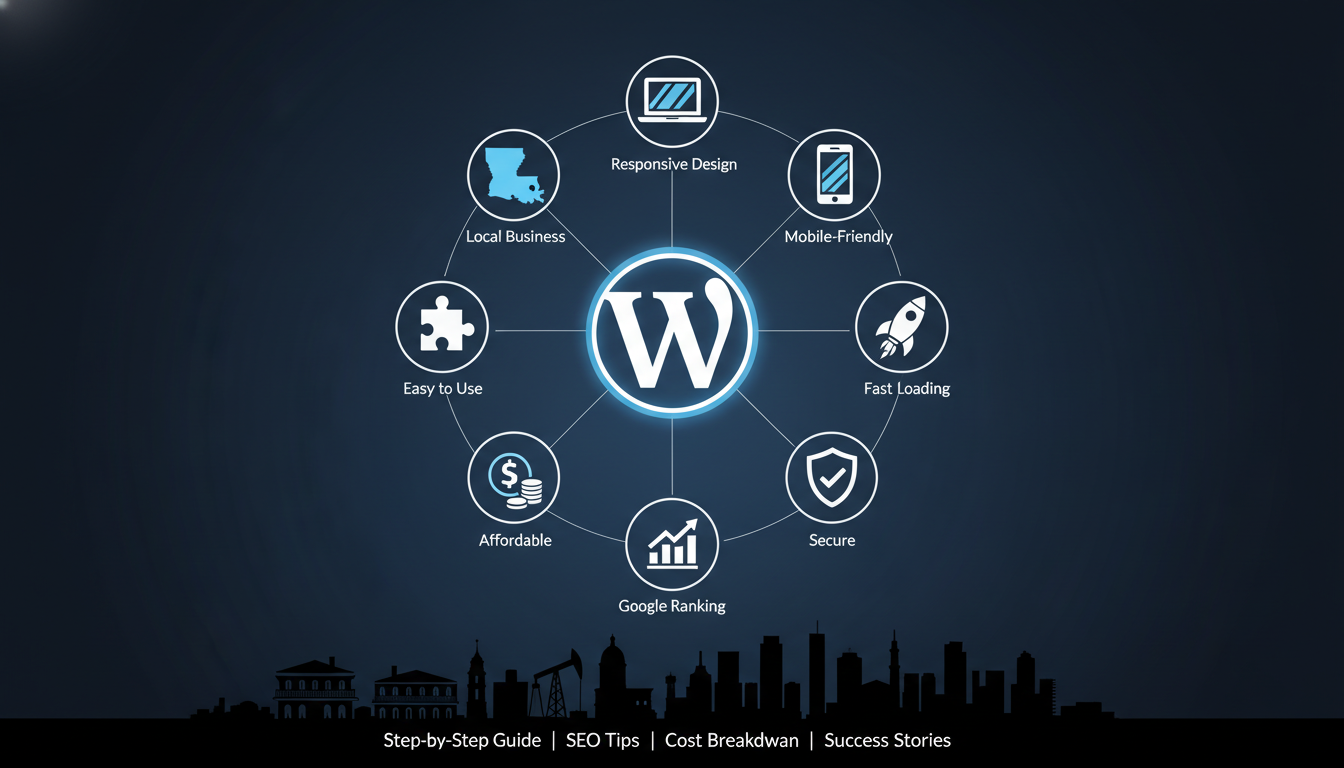
WordPress website design is one of the best choices for Louisiana businesses. It is easy to use, affordable, and powerful. You don’t need to be a tech expert to create a beautiful website with WordPress.
In this guide, we will walk you through everything you need to know about WordPress website design. We will cover why WordPress is great for Louisiana businesses, how to build your website step by step, and how to make sure people can find you online.
Whether you run a restaurant in the French Quarter, a law office in Lafayette, or a fishing guide service in Houma, this guide will help you create a website that brings in more customers.
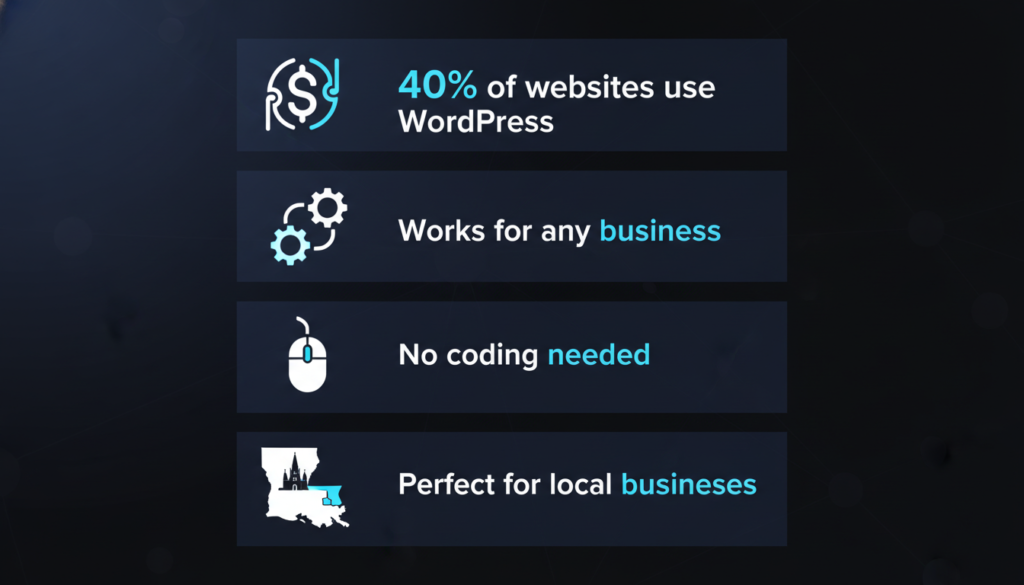
WordPress powers more than 40% of all websites on the internet. That’s a huge number! But why do so many people choose WordPress?
First, WordPress is free to use. You only pay for hosting and a domain name. This makes it perfect for small businesses in Louisiana that want to save money.
Second, WordPress is flexible. You can build almost any type of website. Need an online store? WordPress can do that. Want a simple website with a few pages? WordPress works great for that, too.
Third, WordPress is easy to learn. You don’t need to know how to code. The system uses a visual editor, so you can see what you’re creating as you build it.
Louisiana has unique business needs. Our state has a strong tourism industry. We have oil and gas companies. We have amazing restaurants and cultural businesses. WordPress website design works well for all of these.
For Tourism Businesses: WordPress makes it easy to show photos of your tours, hotels, or attractions. You can add booking systems so customers can reserve spots right from your website.
For Restaurants: You can display your menu, take online orders, and show your location. Hungry customers can find you quickly on their phones.
For Service Businesses: Lawyers, doctors, and consultants can use WordPress to share information, build trust, and let people schedule appointments.
Local SEO Power: Local SEO helps your business show up when someone searches ‘near me’ on Google. This is important because many customers search for local businesses on their phones.
Mobile-Friendly: More than half of the people in Louisiana use their phones to browse the internet. WordPress websites look great on phones, tablets, and computers.
Hurricane Preparedness: Louisiana businesses know about hurricanes. With WordPress, you can quickly post updates about closures or changes. You can also back up your entire website easily.
You might wonder about other website builders like Wix or Squarespace. These are fine tools, but WordPress gives you more freedom. You own your website completely. You can move it to any hosting company. You can add almost any feature you can imagine.
WordPress also has thousands of free tools called plugins. These plugins add special features to your site. Need a contact form? There’s a plugin. Want to sell products? There’s a plugin for that, too.
Learn the differences between WordPress vs custom website design to make the best choice for your business.
Your website should feel like Louisiana. If you run a business in New Orleans, you might want to use the city’s famous colors – purple, green, and gold. A Cajun restaurant might want a warm, welcoming design that feels like home cooking.
Think about what makes your Louisiana business special. Do you serve the local community? Show that pride on your website. Use photos of local landmarks or Louisiana scenery.
Some parts of Louisiana speak French. If you serve these communities, consider adding French language options to your website. WordPress makes it easy to create websites in multiple languages.
Every good business website needs certain features. Here’s what your WordPress website design should include:
Clear Navigation: People should find what they need in just a few clicks. Use a simple menu at the top of your website.
Contact Information: Put your phone number, email, and address where people can see them easily. Many Louisiana businesses serve local customers, so make it easy for people to reach you.
Mobile Design: Your website must work well on phones. Most people will visit your site on their phone, especially if they’re searching while out and about.
Fast Loading: Nobody likes waiting. Your website should load in just a few seconds. This is important for keeping visitors and for ranking well on Google.
Google Maps: Add a map showing your location. This helps customers find your business easily.
Customer Reviews: Show what other Louisiana customers say about your business. Good reviews build trust.
Social Media Links: Connect your website to your Facebook, Instagram, or other social media pages.
Call to Action Buttons: Make it clear what you want visitors to do. Examples: “Call Now,” “Book a Tour,” “Order Online,” or “Schedule Appointment.”
Different types of businesses need different website designs.
Restaurants and Cafes: Show mouth-watering photos of your food. Display your menu clearly. Add online ordering if you offer takeout or delivery. Show your hours and location.
Hotels and Tourism: Use lots of beautiful photos. Show your rooms, attractions, or tours. Add a booking calendar. Include customer testimonials.
Professional Services (Lawyers, Doctors, Accountants): Keep the design clean and professional. Show your credentials and experience. Make it easy to schedule appointments. Include educational content that helps potential clients.
Retail Stores: Show your products with clear photos and descriptions. Add an online store if you want to sell products online. Show your location and store hours.
Home Services (Plumbers, Electricians, Contractors): Show photos of your work. List your services clearly. Add a contact form for quick quotes. Display your service area.
Now let’s build your WordPress website. We’ll go through each step carefully. If you want to understand the complete professional website design process, we have a detailed guide.
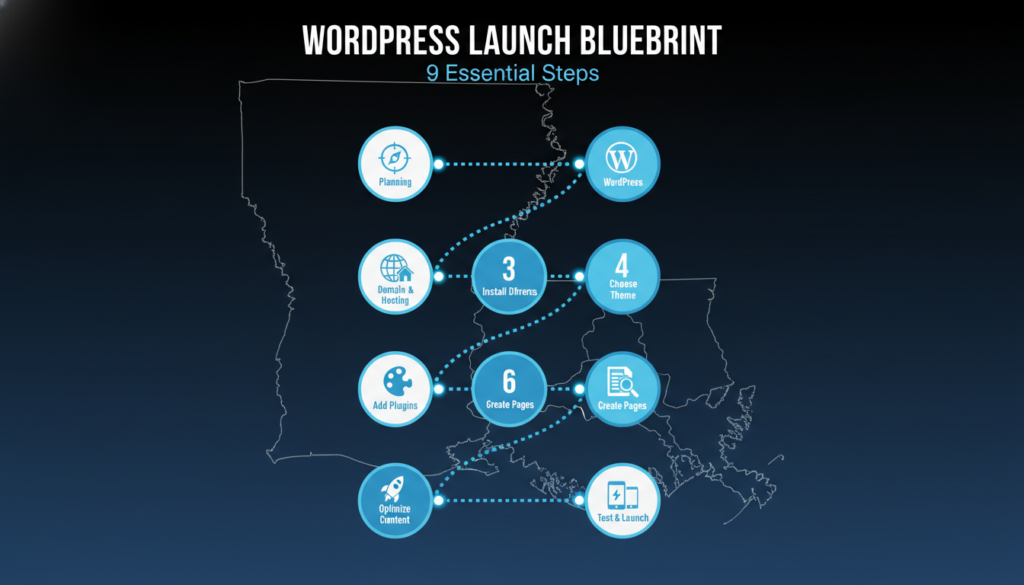
Before you start building, take time to plan. Answer these questions:
Look at three or four competitor websites. See what works and what doesn’t.
Your domain name is your website address, like “yourBusinessName.com”. Buy it from GoDaddy or Namecheap for $10-$15 per year.
Hosting is where your website lives online. Good options:
Most hosting includes a free SSL certificate (makes your site secure with “https”).
Most hosts offer one-click WordPress installation:
A theme controls how your site looks. Best options for Louisiana businesses:
To add a theme: Go to Appearance > Themes > Add New > Install > Activate.
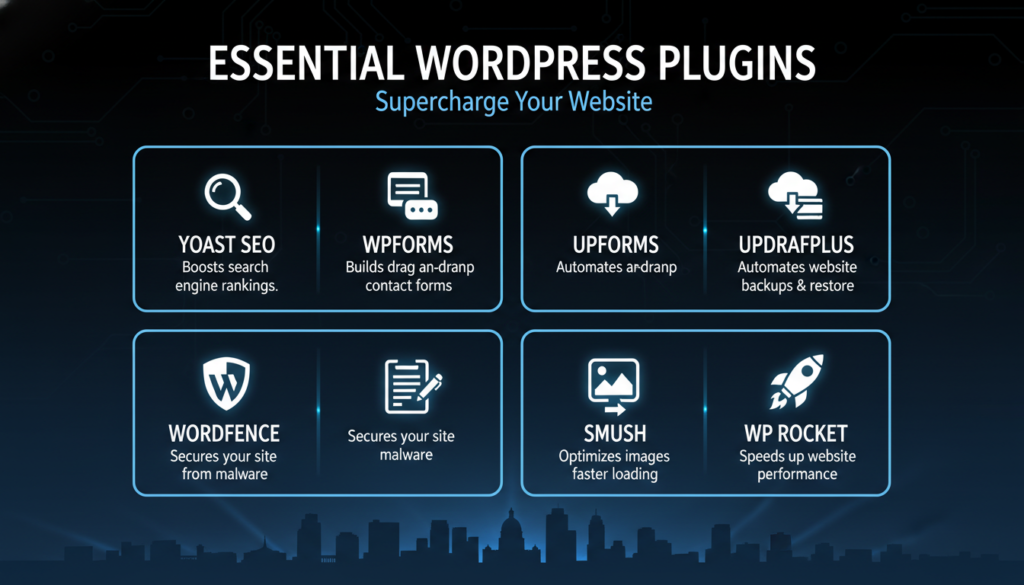
Add these must-have plugins:
Install: Plugins > Add New > Search > Install > Activate.
Home Page
Show what you do, where you’re located, and why customers should choose you. Add a clear headline and call-to-action buttons.
About Us Page
Tell your story. Share how long you’ve been in business and your Louisiana connection.
Services/Products Page
List what you offer with clear descriptions and prices.
Contact Page
Include contact form, phone number, email, address, Google Map, and business hours.
Blog Page (Optional)
Write helpful articles once a month to improve Google ranking.
Create pages: Pages > Add New > Add content > Publish.
Good content does two things: it helps visitors and it helps Google find your website. Learn more about how to optimize your content for SEO.
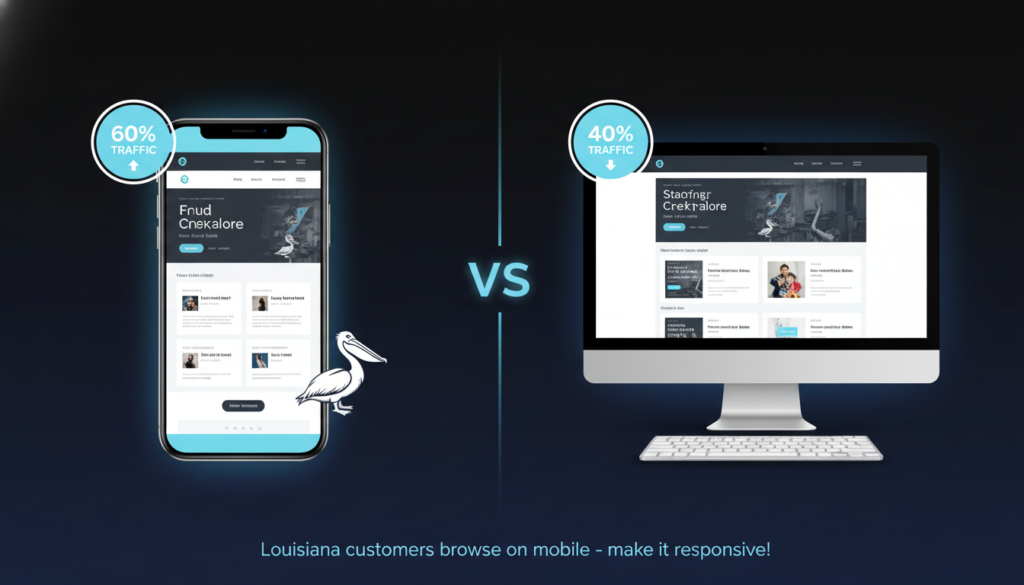
Check your website on your phone:
More than half of your visitors will use a phone. Your WordPress website design must look good on small screens. Learn more about mobile-first responsive web design.
Before launching:
SEO stands for “Search Engine Optimization.” It’s how you help people find your website on Google. A good WordPress website design includes good SEO. Check out these SEO tips for small businesses.
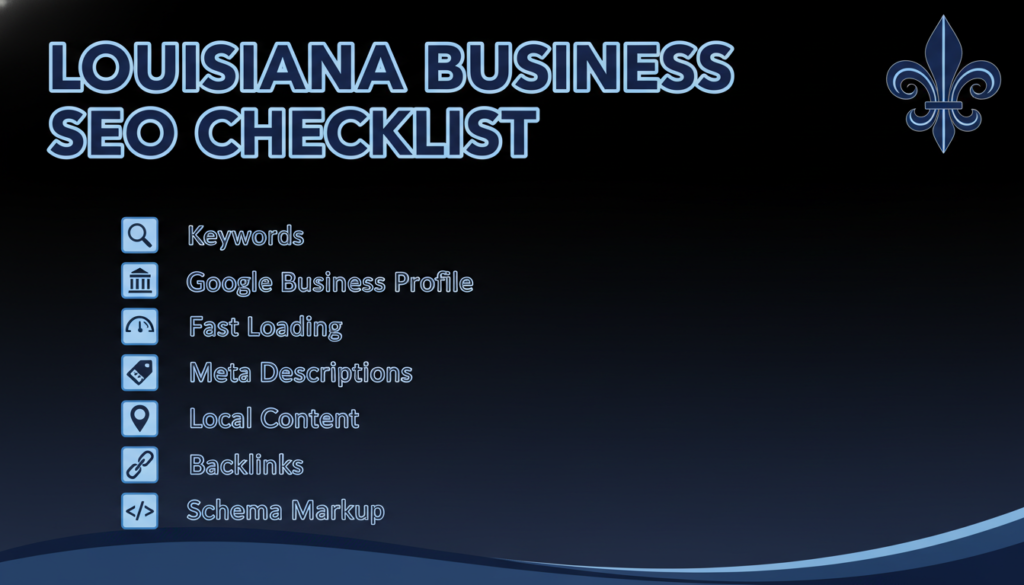
Local SEO helps people in your area find you. This is critical for Louisiana businesses that serve local customers.
Google Business Profile:
Create a free Google Business Profile (it used to be called Google My Business). This makes your business show up in Google Maps and local search results.
Add:
Ask happy customers to leave reviews on your Google Business Profile. Good reviews help you show up higher in local searches.
Include Louisiana Locations in Your Content:
Mention your city, parish, or neighborhood in your website content. Don’t just say “we serve Louisiana” – be specific. “We serve the Baton Rouge area, including Baker, Zachary, and Central.”
If you serve multiple areas, create separate pages for each location. For example, a plumber might have pages for “Plumbing Services in Metairie” and “Plumbing Services in Kenner.”
NAP Consistency:
NAP stands for Name, Address, and Phone number. Use the exact same NAP everywhere online – on your website, Google Business Profile, Facebook, and any directories. Even small differences (like “St.” vs “Street”) can confuse Google.
Get Louisiana Backlinks:
A backlink is when another website links to yours. Google sees backlinks as votes of trust. Try to get links from:
Use Schema Markup:
Schema markup is code that helps Google understand your business better. Plugins like Schema Pro or Yoast SEO can add this for you. Schema helps your business show up in rich results on Google.
These are behind-the-scenes things that help your WordPress website design perform better.
Site Speed:
Fast websites rank higher on Google. Use these tips:
XML Sitemap:
This is a file that lists all your pages. It helps Google find and index your content. The Yoast SEO plugin creates this automatically. Submit it to Google Search Console (a free Google tool).
Secure Website:
Make sure your website uses HTTPS (not just HTTP). Most hosts include free SSL certificates. A secure website ranks better and builds customer trust.
Fix Broken Links:
Regularly check for broken links. A plugin like Broken Link Checker can do this automatically.
Create Good URLs:
Your page URLs should be short and descriptive. Good: “yoursite.com/services” Bad: “yoursite.com/page?id=123”
Set this up in WordPress under Settings > Permalinks. Choose “Post name” structure.
The words on your pages matter a lot for SEO.
Keyword Research:
Find out what terms Louisiana customers actually search for. Free tools like Google Keyword Planner or Ubersuggest can help.
Look for:
For example, a Louisiana bakery might target:
Write Helpful Content:
Google wants to show helpful websites. Write content that actually helps your visitors. Answer their questions. Solve their problems.
Blog posts are great for this. A Louisiana roofing company could write:
Use Headings Properly:
Use one H1 heading per page (usually your page title). Use H2 headings for main sections. Use H3 headings for subsections. This structure helps Google understand your content.
Add Alt Text to Images:
When you upload an image in WordPress, add alt text. Describe what the image shows. This helps Google understand your images and helps people who use screen readers.
Internal Linking:
Link to your other pages when relevant. This helps visitors find more information and helps Google understand how your pages relate to each other.
Create FAQ Content:
Add a Frequently Asked Questions section to your pages. Answer common customer questions. Google loves FAQ content and often shows it in search results.
How much does a WordPress website cost? It depends on whether you build it yourself or hire someone.
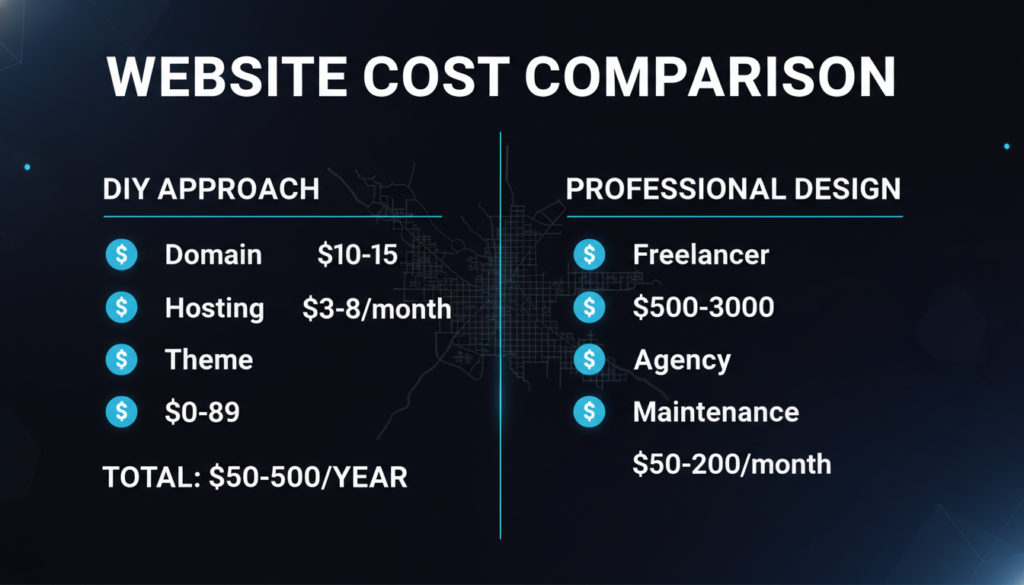
If you build your WordPress website yourself, here’s what you’ll spend:
Domain Name: $10 to $15 per year
Hosting: $3 to $15 per month (about $36 to $180 per year)
Theme: Free to $89 one-time payment. Many great free themes exist, so you can start with $0.
Plugins: Many plugins are free. If you buy premium plugins, budget about $0 to $200 per year.
Total First Year Cost: About $50 to $500
Ongoing Annual Cost: About $50 to $400
This is very affordable for Louisiana small businesses. You can start with the minimum and upgrade later as your business grows.
Many Louisiana businesses prefer to hire someone to build their website. This saves time and usually gives you a more polished result. Learn more about web design pricing to understand what fits your budget.
Louisiana Web Design Agencies: $2,000 to $10,000 or more
Agencies offer full service. They handle everything from design to content writing to SEO. Good for businesses that want a complete, professional website.
Freelance Web Designers: $500 to $3,000
Individual designers cost less than agencies but still deliver quality work. You can find Louisiana freelancers on sites like Upwork or through local business groups.
Ongoing Maintenance: $50 to $200 per month
Whether you build your site or hire someone, budget for website maintenance. This includes:
Some Louisiana businesses handle maintenance themselves. Others pay a monthly fee to have someone else do it.
Learn about the website design package comparison guide
A good website pays for itself. Think about it:
If your website brings in just one new customer per month, and that customer spends $100, your website generates $1,200 per year. That easily covers the cost.
Most websites bring in much more than one customer per month. Many Louisiana businesses say their website is their best marketing investment.
Learning from others’ mistakes saves you time and trouble. Here are common problems Louisiana businesses run into with their WordPress website design:
Mistake 1: Slow Loading Speed
Slow websites frustrate visitors. People leave if a page takes more than a few seconds to load. This costs you customers and hurts your Google ranking.
Solution: Use good hosting, compress images, use a caching plugin, and don’t install too many plugins.
Mistake 2: Poor Mobile Experience
If your website looks bad on phones, you’ll lose customers. Remember, most Louisiana visitors will view your site on mobile devices.
Solution: Choose a responsive theme. Test your website on your phone regularly. Make buttons large enough to tap easily.
Mistake 3: Ignoring Security
Hackers target WordPress websites because WordPress is so popular. A hacked website can lose data, spread malware, and destroy your reputation.
Solution: Install a security plugin like Wordfence. Keep WordPress and plugins updated. Use strong passwords. Back up your website regularly.
Follow website security best practices to protect your business.
Mistake 4: Too Many Plugins
Plugins are useful, but too many cause problems. Each plugin adds code to your website. Too much code makes your site slow and increases security risks.
Solution: Only install plugins you actually need. Remove plugins you’re not using. Look for one plugin that does multiple things instead of installing five different plugins.
Mistake 5: No Backups
Things go wrong sometimes. Maybe you accidentally delete something. Maybe a plugin causes a problem. Maybe you get hacked. Without backups, you could lose everything.
Solution: Use a backup plugin like UpdraftPlus. Set it to back up your website automatically every week. Store backups somewhere safe, not just on your hosting account.
Mistake 6: Weak Passwords
“Password123” is not secure. Hackers use programs that try thousands of passwords per second.
Solution: Use long, random passwords. Mix letters, numbers, and symbols. Use different passwords for your WordPress admin, hosting account, and email. Consider using a password manager app.
Mistake 7: Ignoring Louisiana Local SEO
Many Louisiana businesses forget to optimize for local search. They miss out on customers searching for businesses “near me” or in their city.
Solution: Claim your Google Business Profile. Mention Louisiana locations in your content. Get listed in Louisiana business directories.Implement proven local SEO strategies to attract nearby customers.
Mistake 8: No Clear Call to Action
Some websites look nice, but don’t tell visitors what to do next. Should they call? Fill out a form? Buy something?
Solution: Add clear buttons and instructions. Tell people exactly what you want them to do. Make it easy to take that action.
Mistake 9: Outdated Content
A website that hasn’t been updated in two years looks abandoned. Would you call a business that seems closed?
Solution: Update your website regularly. Add new blog posts. Update your hours for holidays. Add new photos. Show customers you’re active and current.
Mistake 10: No Contact Information
Some businesses hide their contact information. This makes customers suspicious. They wonder if you’re a real business.
Solution: Put your phone number in your header or footer so it appears on every page. Make it clickable on mobile. Add a contact page with multiple ways to reach you.
You don’t have to figure out WordPress website design alone. Louisiana has resources to help your business succeed online.
New Orleans WordPress Meetup: This group meets regularly to discuss WordPress. You can learn from other local users, get help with problems, and network with Louisiana web designers.
Baton Rouge WordPress Meetup: Similar to the New Orleans group, but focused on the Baton Rouge area.
Search Facebook for Louisiana WordPress groups. Many local groups share tips and answer questions.
SCORE Louisiana: SCORE offers free business mentoring. Retired business executives volunteer their time to help Louisiana businesses. They can advise on your website strategy and online marketing. Find them at score.org.
Louisiana Small Business Development Centers (LSBDC): These centers are located at universities across Louisiana. They offer free counseling and low-cost training. They can help with business planning, marketing, and technology. Find your nearest center at lsbdc.org.
Louisiana Economic Development: LED offers resources for Louisiana businesses, including technology and digital marketing guidance. Visit opportunitylouisiana.com.
If you decide to hire professionals, Louisiana has many good web design agencies:
WordPress.org: The official WordPress website has free tutorials, documentation, and forums where you can ask questions.
YouTube: Search for “WordPress tutorial,” and you’ll find hundreds of free video lessons. Look for recent videos (WordPress updates regularly).
LinkedIn Learning: Offers WordPress courses for a monthly subscription. Often free through your library card.
Udemy: Sells affordable WordPress courses. Wait for a sale and courses drop to $10-15.
WPBeginner: A website with free WordPress tutorials written in plain English. Great for beginners.
While you can use any hosting company, some have servers or support teams based in Louisiana or the South:
Good national hosting companies with strong support include Bluehost, SiteGround, and WP Engine.
Let’s look at real examples of Louisiana businesses succeeding with WordPress website design.
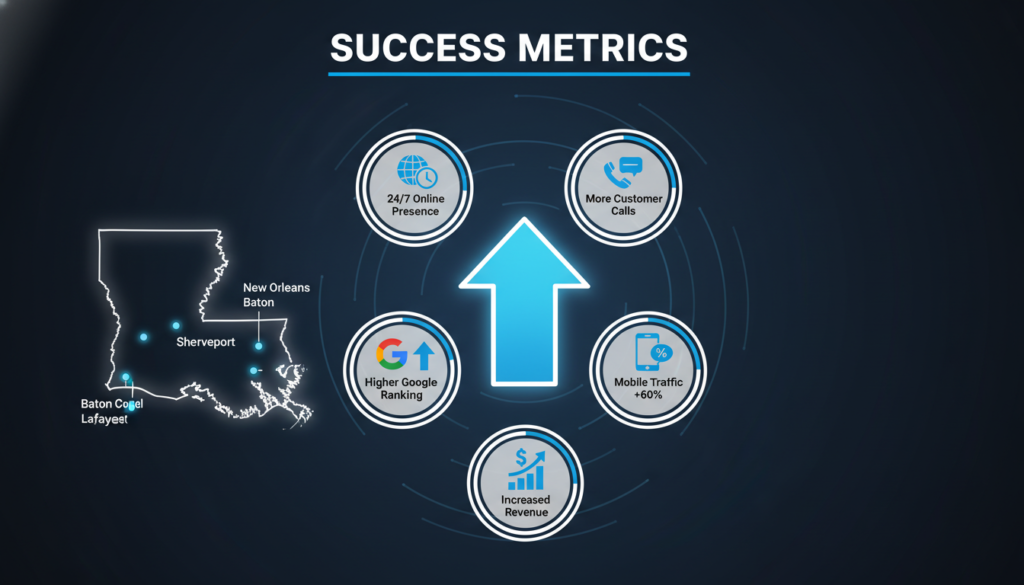
The Situation: A family-owned Cajun restaurant had been serving Lafayette for 15 years. They relied on word-of-mouth and local regulars. They had no website.
The Challenge: Tourism was growing in Lafayette. Visitors searched online for “Cajun food Lafayette” but couldn’t find this restaurant. They were losing customers to restaurants with websites.
The Solution: They built a WordPress website with:
The Results: Within six months:
Key Takeaway: Even traditional businesses need websites. WordPress made it affordable and easy to get online.
The Situation: A small law firm with two lawyers competed against big firms with huge marketing budgets.
The Challenge: They couldn’t afford expensive advertising. They needed to reach people who’d been injured in accidents.
The Solution: They created a WordPress website with:
The Results: Within one year:
Key Takeaway: Good content attracts customers. By answering questions and providing helpful information, they built trust before people even called.
The Situation: A swamp tour company relied on tourist center referrals and hotel partnerships. Business was okay but seasonal.
The Challenge: Many tourists plan and book tours before arriving in Louisiana. Without an online booking system, they lost business to companies where tourists could book immediately.
The Solution: They built a WordPress website with:
The Results: In the first year:
Key Takeaway: Online booking removed barriers. Making it easy for tourists to book immediately captured sales that would have been lost.
All three businesses succeeded with WordPress because:
Your Louisiana business can achieve similar success with WordPress website design.
Every successful Louisiana business needs a website today. The good news is that WordPress website design makes it affordable and achievable, even if you’re not technical.
Your website works for your business 24 hours a day. It answers questions, builds trust, and brings in new customers while you sleep. It’s one of the best investments you can make.
Start today. Don’t wait for the perfect time or the perfect plan. Get a basic website up and improve it over time. A simple website today is better than a perfect website someday.
Louisiana is a special place with amazing businesses. Your website should reflect that Louisiana spirit – warm, welcoming, and genuine.
You’ve got this. Thousands of Louisiana businesses have created successful WordPress websites. Yours can be next.
If you need professional help with WordPress website development, Sites N Apps specializes in creating custom WordPress websites for Louisiana businesses.
Now it’s time to take action. Your future customers are searching for businesses like yours right now. Make sure they can find you.
Answer: The cost depends on whether you build it yourself or hire someone.
If you build it yourself, you’ll spend about $50 to $500 in the first year. This includes your domain name (about $10-15 per year), hosting ($3-15 per month), and maybe a premium theme or plugins. Many Louisiana small businesses start with this affordable option.
If you hire a professional, prices range from $500 to $10,000 or more. Louisiana freelance web designers usually charge $500 to $3,000. Full-service agencies charge $2,000 to $10,000. The higher cost gets you professional design, custom features, and often includes content writing and SEO setup.
Don’t forget ongoing costs. Budget about $50 to $200 per month for website maintenance, updates, and hosting. Many Louisiana businesses handle basic maintenance themselves to save money.
Remember, a good website pays for itself. Even one new customer per month usually covers your website costs.
Answer: No! You don’t need any coding skills to build a WordPress website.
WordPress uses a visual editor. You can see what you’re creating as you build it. It’s similar to using Microsoft Word or Google Docs. You click, type, add images, and everything appears on your page.
You can:
1. Add text by typing
2. Upload images by clicking a button
3. Change colors using a color picker
4. Create menus by dragging and dropping
5. Add features using plugins (no coding needed)
Thousands of Louisiana business owners with no technical background have built their own WordPress websites. If you can use Facebook or send an email, you can use WordPress.
That said, if you want to customize beyond what themes and plugins offer, some coding knowledge helps. But for most Louisiana businesses, you’ll never need it. The free themes and plugins give you everything you need.
Answer: It depends on the size of your website and whether you build it yourself or hire someone.
If you build it yourself:
1. A basic 5-page website: 1-2 weeks working a few hours per day
2. A website with an online store: 2-4 weeks
3. A complex website with many features: 4-8 weeks
Most Louisiana businesses can launch a simple, professional website in about 2 weeks. This includes time to plan, set up hosting, choose a design, create pages, and add content.
If you hire a professional:
1. Simple website: 2-4 weeks
2. Medium complexity: 4-8 weeks
3. Complex website with custom features: 8-12 weeks or more
Professional designers work faster because they do this every day. However, you’ll need to provide them with your content (text, images, business information), which takes time.
Remember, you don’t need a perfect website to launch. Many successful Louisiana businesses start with a basic website and improve it over time. Get something online, then make it better each month.
Answer: Yes! Modern WordPress themes are “responsive,” which means they automatically adjust to fit different screen sizes.
This is very important for Louisiana businesses. More than half of your website visitors will use their phones. People search for restaurants, services, and stores on their phones while they’re out and about.
A good mobile website:
1. Text is easy to read without zooming
2. Buttons are large enough to tap with your finger
3. Images resize to fit the screen
4. Phone numbers are clickable (tap to call)
5. Navigation menus work smoothly
6. Pages load quickly
When you choose a WordPress theme, make sure it says “mobile responsive” or “mobile friendly.” Almost all modern themes are, but always check.
After you build your website, test it on your own phone. Ask friends and family to check it on their phones too. Make sure everything works smoothly.
Google also favors mobile-friendly websites in search results. So a good mobile experience helps Louisiana customers find you and helps you rank higher on Google.
Answer: Getting your Louisiana business website to show up on Google involves several steps. This is called SEO (Search Engine Optimization).
Basic SEO steps:
Install an SEO plugin: Use Yoast SEO or Rank Math (both are free). These plugins guide you to optimize each page.
Use relevant keywords: Include words people search for. For example, “Baton Rouge plumber” or “New Orleans wedding photographer.” Use these naturally in your content.
Create quality content: Write helpful information that answers customer questions. Blog posts work great for this.
Claim your Google Business Profile: This is free and makes you show up in Google Maps and local searches.
Get your NAP right: Make sure your business Name, Address, and Phone number are exactly the same everywhere online.
Make your website fast: Use good hosting, compress images, and use a caching plugin.
Make it mobile-friendly: Google favors websites that work well on phones.
Build backlinks: Get other Louisiana websites to link to yours. Join your local Chamber of Commerce, get listed in business directories, and connect with partner businesses.
Submit your sitemap: The Yoast SEO plugin creates a sitemap automatically. Submit it to Google Search Console (free tool).




