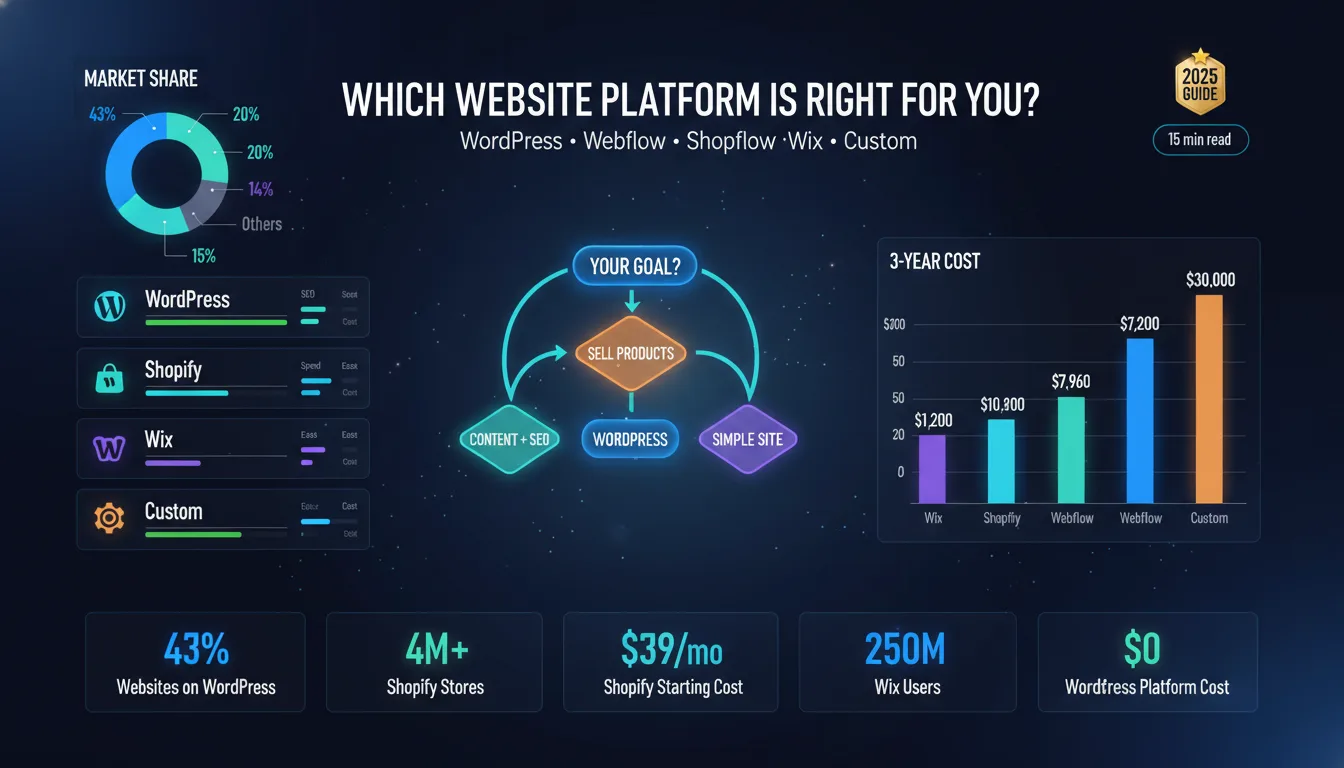
Every business needs a website. But before you build one, you need to make one very important decision – which platform to build it on.
This decision matters more than most people realize. Your platform affects how your site looks, how fast it loads, how well it ranks on Google, how easy it is to manage, and how much it costs you over time. Choose the wrong one, and you will spend months regretting it – or thousands of dollars migrating to a new one.
The good news is that there are excellent options available today. WordPress, Webflow, Shopify, and Wix each serve different types of businesses well. There are also custom-coded websites for businesses that need something none of these platforms can offer.
This guide covers everything you need to know to make the right call. We break down each platform, compare them head-to-head, look at technical factors like SEO and speed, and give you clear recommendations based on your business type.
By the end, you will know exactly which website building platforms fit your business – and why. Whether you are a small business owner choosing your first platform or a growing brand thinking about switching, this guide gives you the full picture without the fluff.
If you’re looking for a professional web design partner, see our web design services.
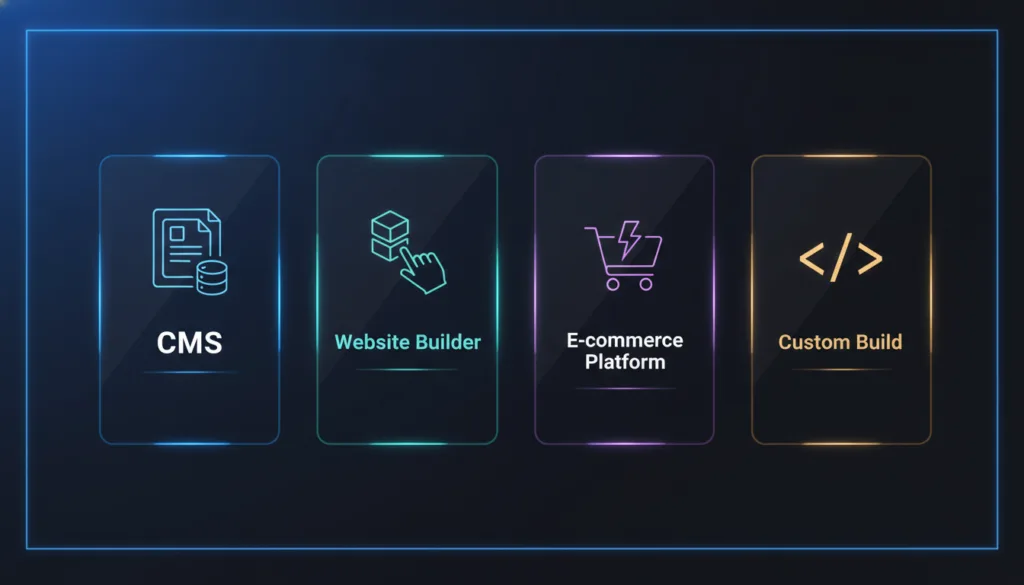
A website platform is the software you use to build, manage, and run your website. It controls how your content is stored, how your pages are displayed, and what tools you have access to for design, marketing, and e-commerce.
There are four main types:
1. CMS (Content Management System): A CMS lets you create and manage content without touching code. WordPress is the most popular CMS in the world. It is open-source, meaning anyone can use, modify, and build on top of it. A CMS gives you full control – but it requires more setup and maintenance than a simple builder.
2. Website Builder: A website builder is a drag-and-drop tool that makes it easy to create a site without any technical knowledge. Wix is the best-known example. Builders are fast to set up and simple to manage, but they give you less flexibility and control compared to a CMS.
3. E-commerce Platform: An e-commerce platform is built specifically for selling products online. Shopify is the leading example. It includes payment processing, inventory management, shipping tools, and everything an online store needs right out of the box.
4. Custom-Built Website: A custom website is built from scratch by developers – no pre-built platform, no templates. Every feature is designed specifically for your business. It is the most expensive option, but it gives you total freedom.
Your platform is not just a technical decision. It has direct business consequences across five key areas:
SEO Performance: Some platforms give you full control over your technical SEO – page speed, URL structure, metadata, schema markup, and more. Others are more limited. If ranking on Google is important to your business, your platform needs to support strong SEO.
Site Speed: Page speed affects both user experience and search rankings. A slow website loses visitors. Some platforms are fast by default. Others slow down as you add more plugins, apps, and content over time.
Design Flexibility: The amount of design control you have varies widely by platform. Website builders are easy to use, but can feel limiting. A CMS or custom build lets you create exactly what you want – but requires more skill or budget.
Scalability: As your business grows, your website needs to grow with it. Some platforms scale easily. Others hit a ceiling where adding new features becomes expensive or technically complicated.
Cost: There is the upfront cost, and then there is the ongoing cost. Hosting, plugins, themes, developer fees, transaction fees – these add up. The platform with the lowest starting price is not always the cheapest over time.
| Platform Type | Example | SEO Control | Design Flexibility | Best For |
| CMS | WordPress | Full | High | Content-heavy business sites |
| Website Builder | Wix | Moderate | Medium | Simple small business sites |
| E-commerce Platform | Shopify | Good | Medium | Online stores |
| Custom Build | Custom Code | Full | Unlimited | Unique, complex requirements |
Before we dive into the deep details, here is a quick look at all five major platforms and where they stand.
There is no single “best” platform for every business. Each one was built with a different goal in mind – and that is exactly why understanding each one matters before you choose.
According to W3Techs web technology survey, WordPress powers over 43% of all websites on the internet. It is an open-source CMS, which means it is free to use and backed by a massive global community of developers and designers.
WordPress is not a hosted service – you download it, install it on your own hosting, and build from there. This gives you complete ownership and control over your site. You can add almost any functionality through plugins, and you can design it however you want using themes or custom development.
It is the most flexible platform on this list. But that flexibility comes with responsibility – you manage your own updates, security, and performance.
Best for: Business websites, blogs, portfolios, service-based companies, and ecommerce (via WooCommerce).
Read More
WordPress vs Custom Website Design
Webflow is a visual web design tool that generates clean, production-ready code. It sits somewhere between a website builder and a CMS – you get the drag-and-drop design experience, but with far more control than something like Wix.
Webflow is hosted (SaaS), so there is no server management involved. It has its own CMS for managing content, and it produces fast, well-structured websites that perform well on SEO. Designers and agencies love it because it does not force you into templates – you can build completely custom layouts visually.
The learning curve is steeper than Wix, but the output quality is much higher.
Best for: Design-forward business websites, agency sites, marketing landing pages, and portfolios.
Read More
Shopify is the world’s leading e-commerce platform. It is built entirely around selling products, subscriptions, digital goods, whatever you sell online. Everything from checkout to inventory to shipping labels is handled inside Shopify.
It is a hosted SaaS platform, so setup is fast, and you do not need to worry about servers or security patches. The app store gives you thousands of integrations to extend functionality. Shopify handles high traffic well and scales with your store as it grows.
If selling online is your primary goal, Shopify is purpose-built for that. For content-heavy or non-ecommerce sites, though, it is overkill.
Best for: E-commerce brands, product-based businesses, dropshipping stores, and DTC (direct-to-consumer) brands.
Read More
Wix is the most beginner-friendly platform on this list. It is a fully hosted website builder with a drag-and-drop editor that almost anyone can use without any technical background. You pick a template, customize it, and publish – often within a day.
Wix has improved significantly over the years. It now has decent SEO tools, an app market, ecommerce features, and even AI-powered design assistance. It is not the most powerful platform, but it gets a simple business website up and running faster than anything else.
The main limitation is flexibility. As your needs grow, Wix can start to feel restrictive – especially if you want advanced customization or serious SEO control.
Best for: Small businesses, local services, personal brands, and anyone who needs a clean site fast without a big budget.
Read More
A custom website is built from scratch – no platform, no pre-built themes, no limitations. A developer (or a team) writes the code specifically for your business and your requirements.
This is the most expensive option by far. But it is also the most powerful. There is no “you can not do that on this platform” – if you can imagine it, it can be built. Custom websites also tend to perform better in terms of speed and can be architected for serious scalability.
Most businesses do not need a fully custom website. But for companies with very specific requirements – complex workflows, unique user experiences, large-scale platforms – custom is the right answer.
Best for: Enterprise businesses, SaaS products, platforms with complex functionality, and brands where design differentiation is a core part of their identity.
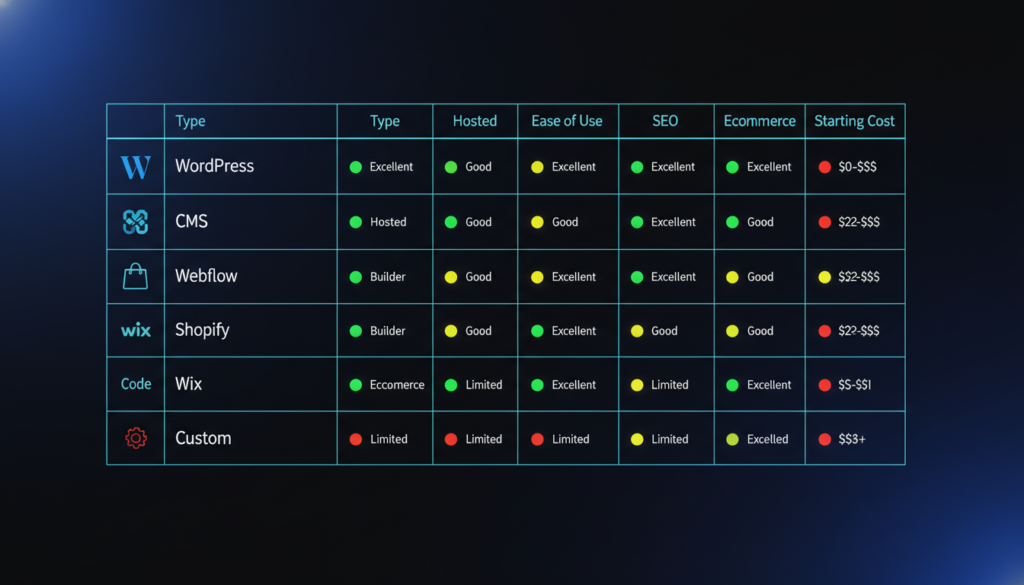
| Platform | Type | Hosted | Ease of Use | SEO | Ecommerce | Starting Cost |
| WordPress | Open-source CMS | Self-hosted | Moderate | Excellent | Via plugin | ~$5–15/mo (hosting) |
| Webflow | Visual CMS / SaaS | Yes | Moderate | Excellent | Basic–Good | Free – $39+/mo |
| Shopify | E-commerce SaaS | Yes | Easy | Good | Built-in | $39/mo+ |
| Wix | Website Builder SaaS | Yes | Very Easy | Moderate | Basic | Free – $29+/mo |
| Custom | Custom Code | Self-hosted | Requires Dev | Full Control | Custom | $3,000–$50,000+ |
The right platform depends on your business type, your goals, your budget, and how much technical control you want. The next section helps you figure out exactly which one is right for you.
Most people pick a platform the wrong way. They go with whatever their friend recommended, or whatever they heard about first. Then six months later, they realize it does not do what they need, and switching is painful.
The right way to choose is to evaluate your own business against a clear set of criteria. Here is exactly how to do that.
Start here. Your goal determines everything else.
Do not pick a platform and then try to fit your goal into it. Start with the goal and let it point you to the right platform.
Budget is not just about the monthly subscription cost. There are three layers:
Upfront cost – Design, development, and setup fees. A Wix site can cost a few hundred dollars to set up. A custom website can cost $10,000–$50,000 or more.
Ongoing cost – Hosting, premium plugins, apps, themes, and maintenance. WordPress hosting starts at $5–15/month, but premium plugins can add $300–$1,000/year. Shopify starts at $39/month, but transaction fees and apps can push your monthly cost much higher.
Hidden cost – The time you spend managing your site. Open-source platforms like WordPress require more ongoing maintenance. If you are doing that yourself, it costs time. If you are hiring someone, it costs money.
| Budget Range | Recommended Path |
| Under $500 | Wix (DIY) or WordPress with a basic theme |
| $500 – $3,000 | WordPress or Webflow with a professional setup |
| $3,000 – $10,000 | WordPress or Webflow with a custom design |
| $10,000+ | Custom website or fully custom WordPress/Webflow build |
Be honest here. The wrong answer leads to a site you can not manage.
No technical background at all → Wix. It is built for non-technical users. You can manage everything from one simple dashboard without touching a line of code.
Comfortable with basic tools, willing to learn → WordPress or Shopify. Both have learning curves, but there are thousands of tutorials available. Most non-technical people can manage a WordPress or Shopify site after a few weeks.
Design background, no coding → Webflow. Its visual editor is powerful and intuitive for people who understand design but do not code.
Developer or working with a dev team → WordPress, Webflow, or Custom. You have the skills to take full advantage of the most powerful options.
If organic search is a major traffic channel for your business, your platform needs to fully support technical SEO.
WordPress gives you the most SEO control of any platform. With plugins like Yoast or Rank Math, you can manage every technical SEO element – sitemaps, schema, canonical tags, redirects, page speed optimization, and more.
Webflow produces clean, semantic HTML and gives you strong SEO controls out of the box. No plugins needed. It is excellent for SEO.
Shopify has solid SEO capabilities for e-commerce – product schema, fast load times, and clean URLs. It has some limitations on URL structure, but nothing that significantly hurts rankings for most stores.
Wix has improved its SEO tools significantly, but it still lags behind WordPress and Webflow in terms of technical control. For local SEO or simple service businesses, it is fine. For competitive content marketing, it is limited.
Think 3 years ahead, not just today.
If you are starting small but expect significant growth, avoid platforms that hit a ceiling early. Wix can become restrictive as you scale. WordPress and Webflow both scale well. Shopify is built to scale for e-commerce.
If you need to add complex features over time, WordPress has the largest plugin ecosystem in the world. Almost anything you want to add, someone has already built it. Webflow and Shopify have app stores, but with fewer options.
If you expect very high traffic, all major platforms can handle high traffic, but your hosting setup matters a lot for WordPress, since you are responsible for it. Shopify and Webflow are fully managed, so traffic scaling is handled for you.
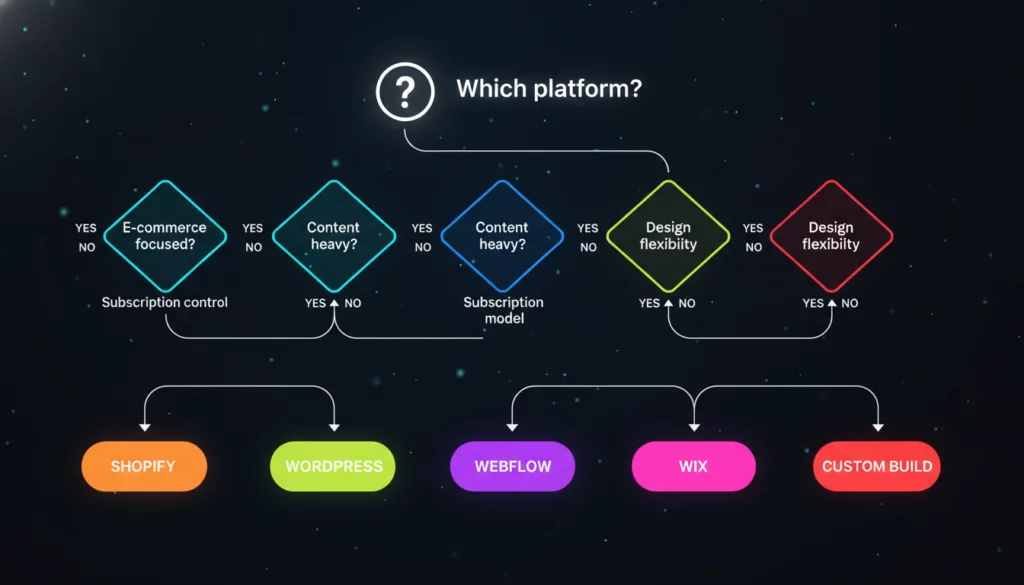
Answer these five questions, and your platform choice becomes clear:
Q1. Are you primarily selling products online? Yes → Go to Q2. No → Go to Q3.
Q2. Is e-commerce your entire business, or just one part of it? Entire business → Shopify. One part of a larger site → WordPress + WooCommerce.
Q3. Do you need a highly custom or design-forward website? Yes → Webflow or Custom. No → Go to Q4.
Q4. Is the budget a major constraint? Yes → Wix (fastest, cheapest). No → Go to Q5.
Q5. Is SEO and long-term content marketing important to your growth? Yes → WordPress. No → Wix or Webflow based on design needs.
Choosing based on price alone: The cheapest platform is not always the cheapest long-term. Factor in what it will cost you when you need a developer to work around the platform’s limitations.
Choosing what your web designer prefers: Some designers push clients toward platforms they know best, not platforms that are best for the client’s goals. Ask why they are recommending what they are.
Ignoring migration costs: Switching platforms later is expensive and time-consuming. Make the right choice now so you do not have to redo everything in two years.
Overbuilding at the start: You do not need a custom website on day one. Start with the right platform for where you are now, with room to grow.
The best platform is not the most popular one or the most feature-rich one. It is the one that fits your goals, your budget, and your team – right now and three years from now.
Knowing each platform individually is useful. But when you are making a final decision, you often find yourself stuck between two specific options. This section breaks down every major platform comparison directly – so you can see exactly how they stack up against each other.
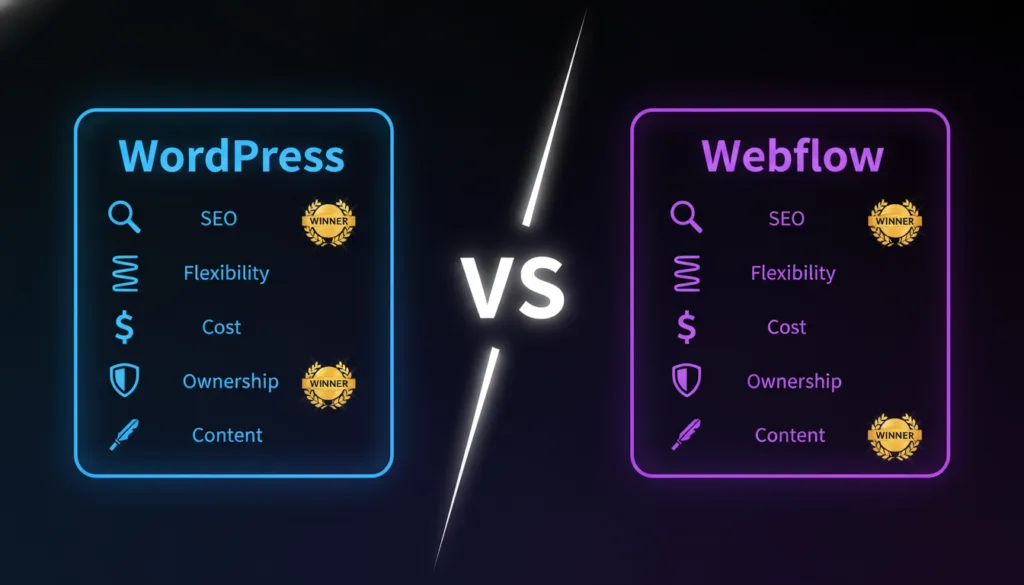
This is one of the most common comparisons for businesses that want a serious, professional website – not a simple builder, not a pure ecommerce platform. Both WordPress and Webflow are excellent. But they serve different types of users.
Design Control: Webflow wins here. Its visual editor gives designers pixel-level control over layouts, animations, and interactions without writing code. WordPress gives you design flexibility, too, but it usually requires a page builder plugin (like Elementor) or a developer to achieve the same level of custom design.
SEO: Both are excellent for SEO. WordPress with Yoast or Rank Math gives you deep technical SEO control. Webflow gives you clean code and built-in SEO settings without any plugins. For most businesses, both will perform equally well. WordPress has a slight edge for large content sites due to its more mature SEO plugin ecosystem.
Content Management: WordPress is stronger for content-heavy sites. Its CMS is more mature, more flexible, and better suited for managing large volumes of blog posts, landing pages, and media. Webflow’s CMS works well for structured content, but it has limitations on the number of CMS items depending on your plan.
E-commerce: WordPress (with WooCommerce) wins for e-commerce. WooCommerce is far more capable than Webflow’s native ecommerce – more payment options, more shipping integrations, more control over the checkout experience.
Maintenance: Webflow wins. It is fully hosted and managed – no updates to run, no plugins to maintain, no security patches to apply. WordPress requires ongoing maintenance, either by you or a developer.
Cost: WordPress is cheaper at scale. Webflow’s pricing scales up quickly, especially for sites with large CMS collections or high traffic. WordPress hosting gives you more control over what you spend.
Verdict: Choose Webflow if design quality is your top priority and your team has a design background. Choose WordPress if you need a powerful CMS, serious ecommerce, or a large content operation.
Read More:
This comparison usually comes up for businesses that need both content marketing and e-commerce. The question is: do you run your store on Shopify and your blog on WordPress separately, or do you use WordPress with WooCommerce for everything?
E-commerce Features: Shopify wins. It is built entirely for selling. Checkout, payments, inventory, shipping, tax calculations, abandoned cart recovery – all of it is polished and works out of the box. WooCommerce can match Shopify’s features, but it requires more plugins, more configuration, and more ongoing management.
Content and SEO: WordPress wins. Shopify’s blog is basic. Its URL structure is rigid. Its content management capabilities are limited compared to WordPress. If content marketing is part of your growth strategy, WordPress is a significantly better home for it.
Setup and Management: Shopify is easier to set up and manage. You do not need to worry about hosting, security, or plugin conflicts. For non-technical business owners, Shopify removes a lot of complexity.
Cost: This depends on scale. WordPress + WooCommerce + hosting can be cheaper than Shopify at lower volumes. But Shopify’s predictable monthly pricing and lower developer dependency can make it more cost-effective for stores that want to stay lean on technical overhead.
Scalability: Both scale well. Shopify handles traffic and order volume extremely well without any infrastructure management. WordPress + WooCommerce scales too, but requires more technical investment as traffic grows.
Verdict: Choose Shopify if e-commerce is your primary business and you want the simplest, most reliable path to selling online. Choose WordPress + WooCommerce if content marketing is central to your strategy, or if you need more control over your store’s functionality and costs.
Read More:
This is the most common comparison for small businesses. Both can build a solid business website. But they are very different in how they work and what they offer long-term.
Ease of Use: Wix wins by a wide margin. Anyone can build a Wix site. WordPress has a learning curve – especially around hosting setup, plugin management, and theme customization. If you have no technical background and no budget for a developer, Wix is genuinely easier.
SEO: WordPress wins. This is not close. WordPress gives you complete technical SEO control. Wix has improved, but it still cannot match the depth of control you get with WordPress and a solid SEO plugin. For businesses where organic search traffic matters, WordPress is the better long-term investment.
Flexibility and Customization: WordPress wins. There is almost nothing you cannot do on WordPress. Wix gives you visual customization but hits hard limits when you need advanced functionality. As your business grows, WordPress grows with you. Wix can start to feel like a cage.
Cost: Wix is cheaper to start. No hosting to manage, no plugins to buy, no developer needed for setup. WordPress has a lower platform cost (it is free) but more setup costs and ongoing maintenance.
Ownership: WordPress wins. You own your site completely. On Wix, you are renting space on their platform. If Wix changes their pricing, discontinues a feature, or shuts down, your options are limited. WordPress gives you total independence.
Verdict: Choose Wix if you are a small business that needs a simple, affordable website and does not plan to compete heavily on organic search. Choose WordPress if you are serious about SEO, need more flexibility, or expect your website requirements to grow significantly over time.
Both are hosted platforms with visual editors. But they target very different users.
Design Quality: Webflow wins significantly. Wix gives you a drag-and-drop editor with templates. Webflow gives you a professional design tool that produces genuinely custom, high-quality websites. The gap in design output between a typical Wix site and a typical Webflow site is immediately visible.
Ease of Use: Wix wins. Webflow has a learning curve. Understanding concepts like flexbox, the box model, and CSS properties – even visually – takes time. Wix requires none of that. You can build a decent Wix site in a day with no prior experience.
SEO: Webflow wins. Cleaner code, better performance, more technical SEO control. Wix has improved but Webflow’s output is structurally better for search engines.
E-commerce: Both have basic e-commerce. Neither is a strong choice for serious online stores. Shopify or WordPress + WooCommerce would be a better fit in that case.
Price: Wix is cheaper for basic sites. Webflow’s paid plans cost more, especially once you add CMS and ecommerce functionality.
Verdict: Choose Wix if you are a non-technical user who needs a simple business website fast. Choose Webflow if you have design sensibility, want a more professional output, and are willing to invest time learning the platform.
This comparison comes up for e-commerce businesses that also care deeply about design and brand presentation.
E-commerce Capability: Shopify wins – and it is not close. Shopify is purpose-built for e-commerce. Its checkout, inventory management, payment integrations, and order management are far more capable than Webflow’s native ecommerce tools.
Design Control: Webflow wins. Shopify themes give you customization options, but you are always working within a theme’s structure. Webflow gives you complete design freedom – every pixel, every animation, every layout is yours to control.
SEO: Both are solid. Webflow has an edge on clean code and technical SEO flexibility. Shopify is well-optimized for e-commerce SEO specifically – product schema, fast load times, and clean URLs for product pages.
Content Marketing: Webflow wins. Shopify’s blogging tools are limited. If content is a significant part of how you attract customers, Webflow’s CMS is more capable.
Scalability for Stores: Shopify wins. For high-volume stores with complex inventory, multiple sales channels, and a need for reliability during traffic spikes, Shopify is the stronger infrastructure.
Verdict: Choose Shopify if running a store is your primary goal. Choose Webflow if you are selling a limited range of products and brand design is the most important factor – or consider using both together (Webflow for the marketing site, Shopify for checkout).
Both are beginner-friendly hosted platforms. The difference is in their focus.
E-commerce: Shopify wins completely. Wix has e-commerce features, but they are basic compared to Shopify. For any serious online store, Shopify is the right choice. Wix e-commerce works for selling a handful of products casually – not for building a real e-commerce business.
Non-E-commerce Features: Wix wins. For a standard business website – service pages, about page, contact form, blog – Wix is simpler and more than adequate. Shopify is overkill for a business that is not primarily selling products.
Cost: Wix is cheaper for non-ecommerce use. Shopify’s $39/month starting price is justified only if you are actually running a store. For a simple business website, Wix’s lower-tier plans offer better value.
Ease of Use: Both are easy. Wix might have a slight edge for pure website building. Shopify is easier, specifically for store management.
Verdict: Choose Shopify if you are building an online store. Choose Wix if you need a simple business website and e-commerce is not your main focus.
For businesses trying to decide between the three most powerful platforms, here is how they compare across every major factor.
| Factor | WordPress | Webflow | Shopify |
| Ease of Setup | Moderate | Moderate | Easy |
| Design Freedom | High | Very High | Medium |
| SEO Control | Excellent | Excellent | Good |
| Ecommerce | Via WooCommerce | Basic | Built-in |
| Content Management | Excellent | Good | Basic |
| Maintenance | Self-managed | Managed | Managed |
| Scalability | High | High | Very High |
| Ownership | Full | Partial | None |
| Starting Cost | ~$10–15/mo | ~$23–39/mo | $39/mo |
| Best For | Content + Business | Design + Marketing | Ecommerce |
When to choose WordPress: You need a powerful, flexible platform for a content-driven business website. SEO is important. You want full ownership. You have access to a developer or are comfortable managing the platform yourself.
When to choose Webflow: Design quality is a top priority. You have a design background or are working with a designer. You want a managed platform without maintenance headaches. E-commerce is not your main goal.
When to choose Shopify: Selling products is the primary purpose of your website. You want the most reliable, scalable ecommerce infrastructure. You do not want to manage technical complexity.
This comparison matters for businesses that started on Wix and are wondering whether to migrate to a custom WordPress build.
When Wix is Enough: If your site is a straightforward business website – a few pages, a contact form, basic SEO – Wix handles it well. If you are not competing aggressively for search traffic and you do not need custom functionality, there is no urgent reason to move.
When to Move to Custom WordPress: When your SEO needs outgrow Wix’s capabilities. When you need functionality that Wix’s app market cannot provide. When your brand has grown to the point where a more professional, custom design is important. When you want full ownership of your site.
The Migration Reality: Moving from Wix to WordPress is not a simple export-and-import process. Content needs to be migrated manually or with tools, SEO settings need to be recreated, and the new site needs to be rebuilt. It is a real project with real costs. This is why choosing the right platform from the start matters.
Verdict: Stay on Wix if it meets your current needs and you are not hitting its limitations. Move to custom WordPress when you are serious about SEO, need more flexibility, and are ready to invest in a more powerful platform.
Read More:
Both platforms can run e-commerce stores, but neither is a pure e-commerce platform. Here is how they compare specifically for selling online.
WordPress + WooCommerce: WooCommerce is the most widely used e-commerce plugin in the world. It gives you complete control over your store – product types, pricing rules, shipping zones, payment gateways, and more. The plugin ecosystem is enormous, meaning almost any e-commerce feature you need already exists as an extension.
The tradeoff is complexity. A well-running WooCommerce store needs proper hosting, caching, security, and regular maintenance. It is more work than a hosted platform.
Webflow Ecommerce: Webflow’s ecommerce is best for small stores that prioritize design. You can build a beautiful product page and shopping experience that no Shopify theme can match visually. But the functionality is limited – fewer payment options, no subscription products natively, and limited shipping integrations.
Verdict: For a real e-commerce operation, WordPress + WooCommerce beats Webflow on functionality. Webflow works for small stores where design is the priority, and the product catalog is limited. For serious e-commerce, both should probably be compared against Shopify first.
Head-to-head comparisons tell you which platform wins on paper. But the technical details – SEO, speed, security, and scalability – tell you how they perform in the real world. That is what the next section covers.
Choosing a platform based on features and price is a good start. But the technical side is where most businesses get surprised – either pleasantly or painfully. This section breaks down how each platform performs across the five technical factors that matter most: SEO, speed, security, scalability, and hosting.
According to Google’s official SEO guidelines, Search engine optimization is one of the most important long-term investments a business can make online. Your platform either helps or hurts that investment.
What Makes a Platform Good for SEO?
Before comparing platforms, it helps to understand what technical SEO actually requires:
Now let’s see how each platform handles these.
WordPress is the strongest platform for SEO – full stop. With plugins like Yoast SEO or Rank Math, you get complete control over every technical SEO element. You can customize your URL structure, manage redirects, add schema markup, generate sitemaps, set canonical URLs, and optimize every page individually.
The WordPress ecosystem also has dedicated tools for page speed optimization (caching plugins, image optimization plugins, CDN integrations) that give you fine-grained control over performance. Most of the highest-traffic content sites in the world use WordPress precisely because of this SEO depth.
The one risk is that a poorly configured WordPress site – too many plugins, no caching, cheap hosting – can actually hurt your SEO through slow load times. Configuration matters.
SEO Rating: Excellent
Webflow produces clean, semantic HTML by default. There are no bloated plugin scripts, no messy code – just well-structured output that search engines read easily. You get full control over meta tags, Open Graph settings, canonical URLs, 301 redirects, alt text, and robots.txt directly from the Webflow dashboard – no plugins needed.
Webflow sites also tend to load fast out of the box because the platform hosts on a global CDN, and the code it generates is lean. Core Web Vitals scores on well-built Webflow sites are typically strong.
The main SEO limitation is the CMS item cap on lower plans, which can restrict large content operations. But for most business websites, Webflow’s SEO capabilities are excellent.
SEO Rating: Excellent
Shopify is well-optimized for e-commerce SEO specifically. Product pages get clean URLs, product schema is generated automatically, and the platform performs well on Core Web Vitals. Shopify also handles sitemaps automatically and provides solid meta tag controls.
The limitations are worth knowing. Shopify forces certain URL structures – blog posts live at /blogs/news/, collections at /collections/ – and these cannot be changed. For most stores, this is not a problem, but it can be a constraint for businesses with specific URL structure requirements. Duplicate content from product variants also needs to be managed carefully.
For e-commerce SEO, Shopify is more than capable. For content-driven SEO strategies, it falls short of WordPress.
SEO Rating: Good (Excellent for e-commerce SEO specifically)
Wix has made significant improvements to its SEO capabilities over the past few years. It now supports custom meta tags, canonical URLs, 301 redirects, structured data, and has a built-in SEO setup wizard. For local SEO and simple business sites, Wix is now a reasonable option.
However, it still lags behind WordPress and Webflow in several areas. Page speed on Wix can be inconsistent. The URL structure has some limitations. And the level of technical control – particularly around structured data and advanced redirects – is not as deep as what you get on WordPress or Webflow.
For businesses where organic search is a primary growth channel and competition is high, Wix’s SEO ceiling will become a real constraint.
SEO Rating: Moderate
A custom-built website gives you complete, unrestricted SEO control. Every element of your site’s technical architecture can be optimized exactly as needed. URL structures, page speed, schema markup, server configuration, and caching – all of it is in your hands.
The risk is that poor implementation can also hurt your SEO significantly. A custom site with no attention to SEO best practices will perform worse than a well-configured WordPress site. The platform gives you the tools, but execution depends entirely on the team building it.
SEO Rating: Full Control (execution-dependent)
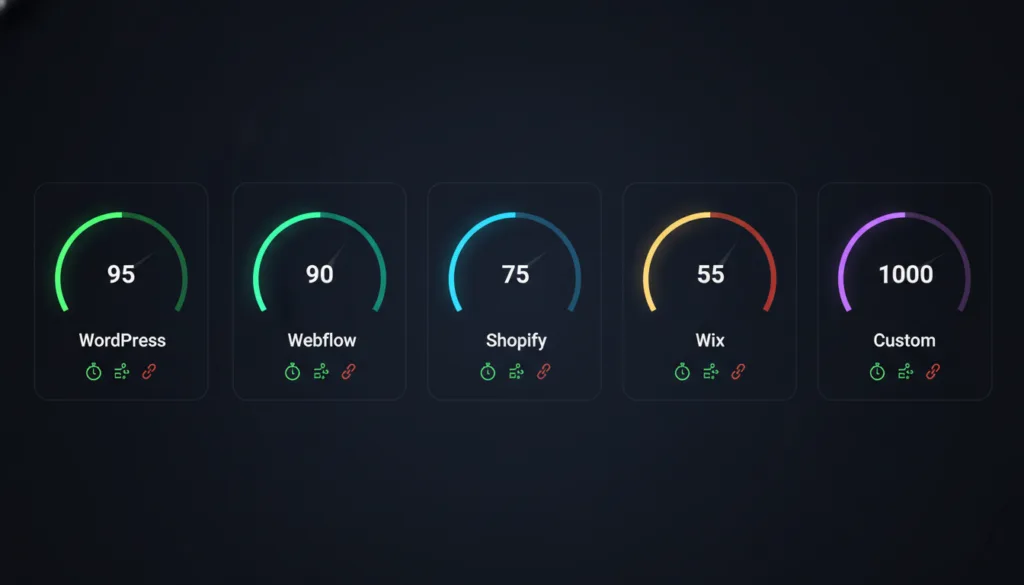
| Platform | Technical SEO Control | E-commerce SEO | Content SEO | Speed (Default) |
| WordPress | Excellent | Good (WooCommerce) | Excellent | Moderate (config-dependent) |
| Webflow | Excellent | Basic | Good | Fast |
| Shopify | Good | Excellent | Basic | Fast |
| Wix | Moderate | Basic | Moderate | Moderate |
| Custom | Full Control | Custom | Custom | Fast (if built well) |
Page speed affects user experience, bounce rate, and search rankings. Google uses Core Web Vitals – Largest Contentful Paint (LCP), Interaction to Next Paint (INP), and Cumulative Layout Shift (CLS) – as direct ranking signals. Your platform plays a significant role in how fast your site loads.
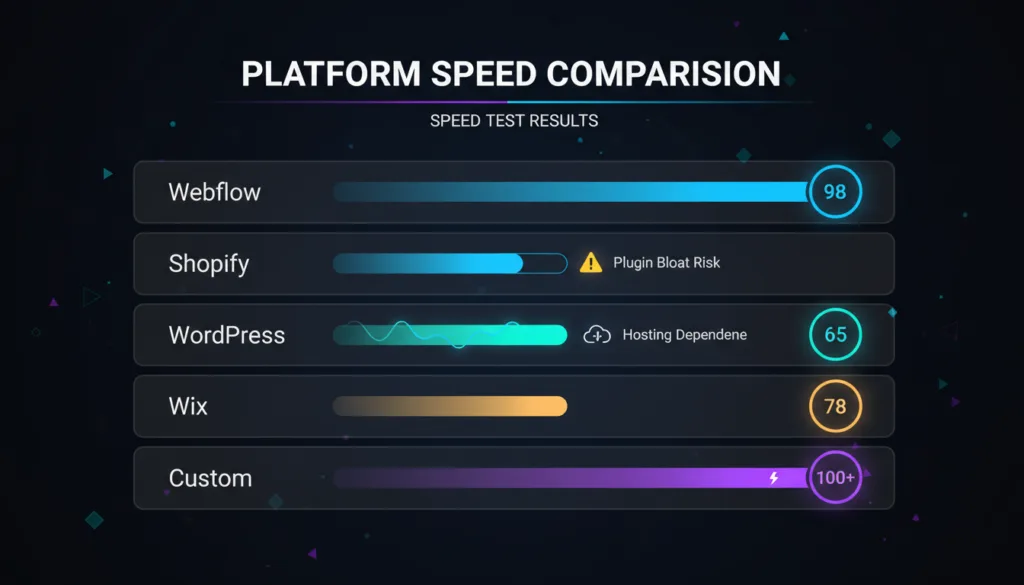
WordPress speed varies more than any other platform – because it depends heavily on your hosting, your theme, your plugins, and your configuration. A well-optimized WordPress site with a lightweight theme, a caching plugin, image optimization, and a CDN can be extremely fast. A poorly configured WordPress site loaded with heavy plugins on cheap shared hosting will be slow.
Key speed factors for WordPress:
Speed Potential: Very High – but requires proper setup
Webflow is fast by default. The platform is hosted on Fastly’s global CDN, which means your site is served from servers close to your visitors worldwide. The code Webflow generates is clean and lean – no unnecessary scripts, no plugin bloat. Images can be served in next-gen formats (WebP) automatically.
For most Webflow sites, strong Core Web Vitals scores come with relatively little effort. You do not need to install caching plugins or configure a CDN – it is all handled by the platform.
Speed Potential: High – fast out of the box
Shopify also hosts on a global CDN and delivers fast load times by default. Product pages and checkout pages are highly optimized. Shopify has invested heavily in performance because every millisecond of load time directly affects conversion rates for stores.
The main speed risk on Shopify is app bloat. Every app you install can add JavaScript and CSS to your storefront. Stores with 10–15 apps running can see significant speed degradation. Regular audits of installed apps are important for maintaining speed.
Speed Potential: High – fast by default, but app bloat is a real risk
Wix has improved its speed significantly in recent years, moving to a new rendering architecture that loads pages faster than the old platform. However, it still tends to score lower on Core Web Vitals compared to Webflow and Shopify in independent tests.
The visual drag-and-drop nature of Wix means the underlying code can be less efficient than what a developer would write. Wix handles some performance optimization automatically, but you have limited ability to intervene when scores are low.
Speed Potential: Moderate – improving but still behind Webflow and Shopify
A custom-built site has the highest speed potential of any option – if it is built well. With full control over every line of code, database queries, server configuration, and caching strategy, a custom site can be architected for maximum performance.
But it can also be slow if performance is not prioritized during development. Speed on a custom site is entirely a function of how well the development team builds and optimizes it.
Speed Potential: Highest – entirely execution-dependent
| Platform | Default Speed | CDN Included | Speed Control | Main Speed Risk |
| WordPress | Moderate | Via plugin/host | Full | Bad hosting + plugin bloat |
| Webflow | Fast | Yes (Fastly) | Moderate | Heavy animations |
| Shopify | Fast | Yes | Moderate | Too many apps |
| Wix | Moderate | Yes | Limited | Platform architecture |
| Custom | Variable | Self-managed | Full | Poor development |
A security breach can destroy customer trust, damage your SEO rankings, and cost significant money to fix. Different platforms handle security in very different ways.
WordPress is the most attacked platform on the internet – not because it is inherently insecure, but because its popularity makes it a target. A WordPress site that is properly maintained is very secure. A neglected one is vulnerable.
Security responsibilities on WordPress include keeping WordPress core, themes, and plugins updated, using a security plugin (Wordfence or Sucuri), setting up a Web Application Firewall (WAF), using strong passwords and two-factor authentication, and backing up regularly.
The open-source nature of WordPress means vulnerabilities are publicly disclosed – which is good because they get patched quickly, but bad because attackers know what to look for on outdated sites.
Security Level: High – when properly maintained. Risky if neglected.
As a managed SaaS platform, Webflow handles security at the infrastructure level. SSL is included and automatic on all sites. The platform is updated and patched by Webflow’s team. You do not manage any server-side security.
There is no plugin ecosystem to introduce vulnerabilities. The attack surface is much smaller than WordPress. For most businesses, Webflow’s managed security is a genuine advantage.
Security Level: High – managed by the platform
Shopify takes security extremely seriously – partly because it processes billions of dollars in transactions and PCI compliance is non-negotiable. SSL is included on all stores. The platform is fully managed and updated by Shopify. PCI DSS compliance is handled automatically.
Shopify’s security track record is strong. For e-commerce businesses where payment security is critical, Shopify’s managed security model is a major advantage over self-hosted solutions.
Security Level: Very High – fully managed, PCI compliant
Like Webflow and Shopify, Wix is a managed platform. SSL is included automatically. Security updates are handled by Wix. You do not manage any server infrastructure.
The main security consideration with Wix is that you have limited visibility into and control over the platform’s security measures. You are trusting Wix entirely. For most small business websites, this is a perfectly reasonable tradeoff.
Security Level: Good – managed by the platform
Security on a custom site is entirely your responsibility. This means configuring the server properly, keeping all software updated, setting up firewalls and intrusion detection, managing SSL, and conducting regular security audits.
Done well, a custom site can be extremely secure – especially if it avoids the attack vectors that open-source platforms are exposed to. Done poorly, it can be the most vulnerable option on this list.
Security Level: Variable – entirely execution-dependent
| Platform | SSL Included | Who Manages Security | PCI Compliance | Main Risk |
| WordPress | Via host | You | Via plugin | Outdated plugins/themes |
| Webflow | Yes | Webflow | N/A | Platform-level breach |
| Shopify | Yes | Shopify | Built-in | Third-party app vulnerabilities |
| Wix | Yes | Wix | Basic | Limited control |
| Custom | Self-managed | You | Self-managed | Poor implementation |
Scalability means your website can handle growth – more traffic, more content, more features, more transactions – without breaking down or requiring a complete rebuild.
WordPress scales well when properly configured. Some of the highest-traffic websites in the world run on WordPress – news outlets, large ecommerce stores, and global brands. The key is infrastructure. On cheap shared hosting, WordPress will struggle under high traffic. On managed WordPress hosting or a cloud server with proper caching, it handles serious traffic with ease.
Feature scalability is excellent. The plugin ecosystem means you can add almost any functionality as your needs grow without rebuilding your site from scratch.
Scalability: High – infrastructure-dependent
Webflow’s hosting infrastructure scales automatically. Traffic spikes are handled by the platform without any action required from you. For most business websites and marketing sites, Webflow’s scalability is more than sufficient.
The scalability limitation on Webflow is more about features than traffic. Adding complex functionality that goes beyond what the platform natively supports requires workarounds or third-party integrations. There is no plugin ecosystem to fall back on.
Scalability: High for traffic, moderate for feature complexity
Shopify is the most scalable option for e-commerce. It handles millions of orders, massive traffic spikes, and global operations without breaking. Shopify Plus – the enterprise tier – powers some of the largest ecommerce brands in the world. The infrastructure is designed to scale and has been proven to do so.
Scalability: Very High – especially for e-commerce
Wix works well for small to medium-sized business websites. As traffic grows significantly or as you need more advanced functionality, Wix starts to show limitations. The platform does not give you the infrastructure controls you would need for a high-traffic site, and the feature ceiling is lower than WordPress or Webflow.
For most small businesses, Wix’s scalability is sufficient. But if you are planning for significant growth, be aware that you may outgrow Wix and need to migrate.
Scalability: Moderate – suitable for small to medium sites
A custom-built site can be architectured for virtually unlimited scalability. Cloud infrastructure, microservices, load balancing, and database optimization – all of these can be built in from the start. This is why large platforms, SaaS products, and enterprise applications are custom-built.
The cost of building and maintaining a highly scalable custom architecture is high. For most businesses, this level of scalability is not needed.
Scalability: Unlimited – cost-intensive
Hosting is where your website lives. It affects speed, security, uptime, and cost. Different platforms give you different levels of control over hosting.
WordPress gives you the most hosting flexibility of any platform. Options include:
Shared Hosting – Cheapest option ($3–10/month). Works for new or low-traffic sites. Providers like Bluehost and SiteGround. Not suitable for serious business sites due to performance limitations.
Managed WordPress Hosting – Optimized specifically for WordPress ($25–100+/month). Automatic updates, daily backups, staging environments, and performance optimization are built in. Providers like WP Engine, Kinsta, and Flywheel. Best balance of performance and convenience for most businesses.
VPS Hosting – More control and resources than shared hosting ($20–80/month). Good for growing sites that need more power without full dedicated server costs.
Dedicated Server / Cloud Hosting – Maximum performance and control for high-traffic sites ($100–500+/month). Providers like AWS, Google Cloud, and DigitalOcean. Requires technical expertise to manage.
Webflow hosting is included with paid plans and runs on Fastly’s global CDN. You do not choose or manage a hosting provider – it is built into the platform. This simplifies everything but means you have no control over hosting infrastructure or the ability to shop for better pricing.
Webflow’s hosting is reliable and fast for the vast majority of business websites.
Like Webflow, Shopify hosting is fully managed and included in your plan. It runs on a global infrastructure designed specifically for e-commerce. You cannot self-host Shopify – it is a closed platform. For most stores, this is fine. For businesses that need specific infrastructure configurations, it can be a limitation.
Wix hosting is included and fully managed. All sites run on Wix’s infrastructure. You have no control over the hosting configuration. For small business sites, this simplicity is an advantage. For businesses with specific performance or compliance requirements, it can be limiting.
Custom websites can be hosted anywhere. Common options include cloud platforms (AWS, Google Cloud, Azure), managed cloud providers (DigitalOcean, Linode), or dedicated servers. The right choice depends on your traffic, performance requirements, budget, and technical team capabilities.
| Platform | Hosting Type | Managed? | CDN Included | Hosting Cost |
| WordPress | Self-chosen | Optional | Via plugin/host | $5–200+/mo |
| Webflow | Webflow (Fastly) | Yes | Yes | Included in plan |
| Shopify | Shopify | Yes | Yes | Included in plan |
| Wix | Wix | Yes | Yes | Included in plan |
| Custom | Self-chosen | Optional | Self-managed | $20–500+/mo |
Technical performance is only part of the picture. The platform that wins on benchmarks is not always the right platform for your specific industry. The next section gives you direct recommendations by business type.
Read More:
Technical specs and feature comparisons are useful. But what most business owners really want to know is simple – what is the best platform for MY type of business?
This section answers that directly. Each recommendation is based on the specific needs, priorities, and constraints of that business type – not on which platform is theoretically the most powerful.
Restaurants have very specific website needs. Customers visit a restaurant website to do one of a few things; check the menu, find the address and hours, make a reservation, or order food online. Your platform needs to handle all of this simply and reliably.
What Restaurants Need
Top Recommendation: Wix or WordPress
For most independent restaurants, Wix is an excellent choice. It has dedicated restaurant templates, integrates with online reservation and ordering tools, and is easy for restaurant owners to manage without a developer. Updating your menu, changing your hours, or adding new photos takes minutes.
WordPress is the better choice if local SEO is a serious priority. Ranking in local search for competitive restaurant markets requires solid technical SEO, and WordPress gives you more control over that than Wix. A WordPress site with a well-configured local SEO setup will outperform a Wix site in competitive local search over time.
Shopify – only if online ordering and delivery are a significant revenue stream and you want a more commerce-focused setup.
Avoid: Webflow for most restaurants – it is overkill for the design complexity involved and requires more technical skill to manage.
| Need | Best Platform |
| Simple, fast setup | Wix |
| Strong local SEO | WordPress |
| Heavy online ordering | Shopify |
| Premium brand design | Webflow |
Real estate websites have unique technical requirements. Property listings, search and filter functionality, IDX integration (for pulling MLS listings), lead capture forms, and agent profiles all need to work together seamlessly.
What Real Estate Sites Need
Top Recommendation: WordPress
WordPress is the clear winner for real estate websites. The reason is IDX integration. There are mature, well-supported WordPress plugins (like Showcase IDX, iHomeFinder, and RealtyPress) that connect your site directly to MLS listings and give buyers a powerful property search experience.
WordPress also gives you the SEO control you need to rank for location-specific property searches, which are highly competitive and extremely valuable in real estate.
For individual agents or small teams with simpler needs, Wix can work if IDX integration is not required. Wix has real estate templates and basic property listing functionality. But for any serious real estate operation that needs live MLS data, WordPress is the right foundation.
Avoid: Shopify (not built for real estate), Webflow (limited IDX integration options), Wix for large real estate operations.
| Need | Best Platform |
| IDX/MLS integration | WordPress |
| Simple agent website | Wix |
| Custom real estate platform | Custom Build |
| Strong local SEO | WordPress |
Law firm websites need to do two things above everything else – build trust and generate leads. A potential client visiting a law firm’s website is making a high-stakes decision. The site needs to look professional, communicate expertise clearly, and make it easy to get in touch.
What Law Firm Sites Need
Top Recommendation: WordPress or Webflow
WordPress is the strongest choice for law firms that are serious about SEO and content marketing. Legal keywords are competitive – “personal injury lawyer [city]”, “divorce attorney [city]” – and winning those searches requires serious technical and content SEO. WordPress gives you the tools to compete.
A well-structured WordPress site with practice area pages optimized for local search, a regularly updated blog, and proper schema markup (including LocalBusiness and LegalService schema) will outperform any other platform for law firm SEO over time.
Webflow is a strong choice for law firms where brand presentation and design quality are the top priority – boutique firms, high-end practices, or firms targeting premium clients where the website needs to make a strong first impression. Webflow produces cleaner, more design-forward sites than most WordPress themes.
Wix works for solo practitioners or small firms with a limited budget and no aggressive SEO goals. It is not the right choice for firms competing for valuable local legal keywords.
Avoid: Shopify (completely wrong category), and any generic website builder that does not support custom schema markup.
| Need | Best Platform |
| Competitive local SEO | WordPress |
| Premium brand design | Webflow |
| Solo practitioner, tight budget | Wix |
| Complex custom portal | Custom Build |
E-commerce websites have the most specific platform requirements of any business type. Performance, checkout reliability, inventory management, and conversion optimization are all critical – and the wrong platform can directly cost you revenue.
What E-commerce Sites Need
Top Recommendation: Shopify
For most e-commerce brands, Shopify is the right answer. It is built entirely for selling, it handles all the commerce infrastructure reliably, and it scales from a brand’s first sale to millions of transactions. The checkout is fast and proven to convert. The app store covers almost every e-commerce need. And Shopify Plus gives high-volume stores enterprise-grade tools without switching platforms.
WordPress + WooCommerce is the right choice when content marketing is a central part of your e-commerce strategy. If you are running a store where SEO-driven blog content, buying guides, and editorial content drive significant traffic and sales, WordPress gives you a far better content platform than Shopify. WooCommerce is powerful and flexible – but it requires more technical management than Shopify.
Webflow works for small stores selling a limited number of products where brand design is the primary differentiator. It is not suitable for serious e-commerce operations that need advanced inventory management, multiple payment options, or high-volume order processing.
Wix can handle basic e-commerce for businesses selling casually – a handful of products, low order volume. It is not a viable platform for a serious e-commerce business.
| Store Type | Best Platform |
| Pure e-commerce focus | Shopify |
| Content-driven ecommerce | WordPress + WooCommerce |
| Small store, design priority | Webflow |
| Casual / few products | Wix |
| Enterprise / complex store | Shopify Plus or Custom |
Small businesses make up the majority of websites built every year. The needs vary – a local plumber, a boutique clothing store, a consulting firm, a hair salon – but the constraints are often similar: limited budget, limited technical resources, and a need to get online quickly without ongoing complexity.
What Small Business Sites Typically Need
Top Recommendation: Wix or WordPress
For most small businesses, the choice comes down to two factors: how important is SEO, and how comfortable you are managing a slightly more complex platform.
Wix is the best starting point for small businesses that need a clean, professional website quickly and affordably. It requires no technical knowledge, the templates look good, and ongoing management is simple. For local businesses where most customers come through word of mouth, referrals, or social media – and organic search is not the primary growth channel – Wix is perfectly adequate.
WordPress is the better choice for small businesses that want to grow through content marketing and local SEO. If you are in a competitive local market – legal, medical, home services, financial – and you want to rank on Google for relevant searches, WordPress gives you the foundation to do that effectively. It requires more setup but pays off over time.
Shopify for small businesses that sell products – even a small product range – and want a dedicated ecommerce setup.
| Business Type | Best Platform |
| Local service business (non-SEO focus) | Wix |
| Local service business (SEO focus) | WordPress |
| Small product-based business | Shopify |
| Creative / portfolio business | Webflow or Wix |
Startups have a unique set of needs compared to traditional businesses. Speed to market matters. The site often needs to do multiple jobs – marketing, lead generation, investor relations, and sometimes the product itself. And the requirements change fast.
What Startup Sites Typically Need
Top Recommendation: Webflow or WordPress
Webflow has become the go-to platform for tech startups and SaaS companies. The design quality is high enough to stand next to well-funded competitors. The CMS makes it easy for marketing teams to manage content without developer involvement. And the hosting is fast and reliable by default. Many well-known startups use Webflow for their marketing site precisely because it hits the sweet spot of design quality, speed to launch, and marketing team independence.
WordPress is the stronger choice for startups where content marketing is a core growth strategy from day one. If you plan to build a large content library and compete on SEO, WordPress gives you better tools for that than Webflow.
Wix for very early-stage startups that need a simple landing page or placeholder site while the product is being built – fast, cheap, and good enough for an MVP web presence.
Custom for startups where the website IS the product – platforms, marketplaces, SaaS applications. In those cases, no off-the-shelf platform will do what needs to be done.
| Startup Stage / Need | Best Platform |
| Early stage, fast launch | Wix or Webflow |
| Growth stage, design-forward | Webflow |
| Content / SEO-driven growth | WordPress |
| Product IS the website | Custom Build |
| Business Type | Top Pick | Runner Up | Avoid |
| Restaurant | Wix | WordPress | Shopify, Webflow |
| Real Estate | WordPress | Wix (simple) | Shopify, Webflow |
| Law Firm | WordPress | Webflow | Shopify, Wix (competitive markets) |
| E-commerce Brand | Shopify | WordPress + WooCommerce | Wix, Webflow (large stores) |
| Small Business | Wix | WordPress | Custom (overkill) |
| Startup | Webflow | WordPress | Wix (growth stage) |
You now have everything you need – platform knowledge, technical comparisons, and industry-specific recommendations. The final section brings it all together into one clear decision framework so you can make your choice with confidence.
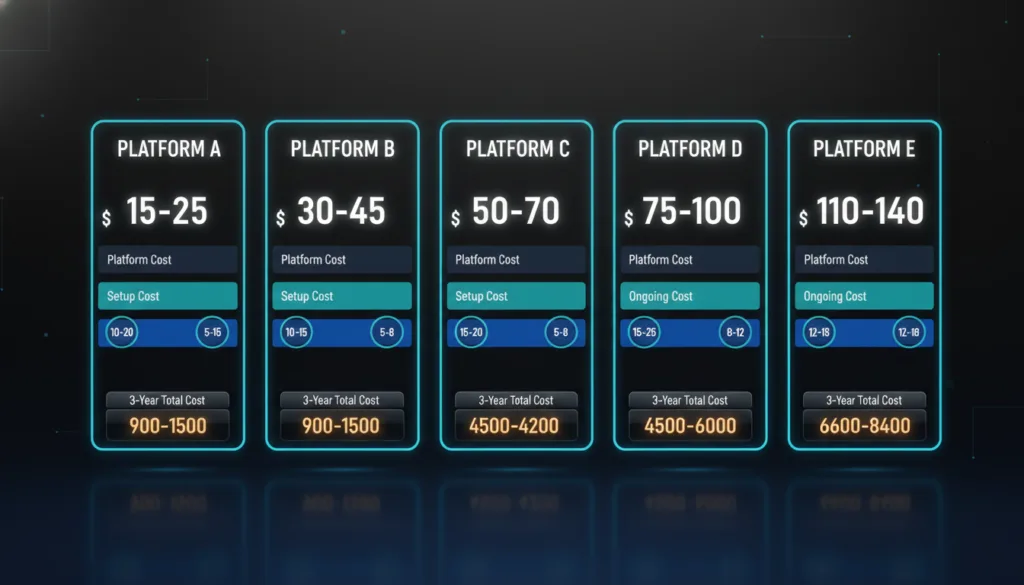
Price is one of the first things businesses look at when choosing a platform. But the sticker price is rarely the full story. This section breaks down the real cost of each platform – including the hidden expenses most people do not factor in until it is too late.
Before comparing numbers, understand that every platform has three cost layers:
Layer 1 – Platform Cost: The subscription or licensing fee you pay to use the platform itself.
Layer 2 – Setup Cost: The one-time cost of designing and building your site – whether you do it yourself or hire someone.
Layer 3 – Ongoing Cost: Hosting, plugins, apps, themes, maintenance, and developer fees you pay month after month.
Most pricing comparisons only show Layer 1. The real cost of ownership includes all three.
Platform cost: Free. WordPress itself costs nothing.
Hosting: $5–15/month for basic shared hosting. $25–100/month for managed WordPress hosting (WP Engine, Kinsta, Flywheel). $100–300+/month for high-traffic or enterprise setups.
Theme: Free themes are available but limited. Premium themes cost $40–200 as a one-time purchase. Custom theme design costs $1,000–10,000+.
Plugins: Many essential plugins are free. Premium plugins for SEO, security, backups, forms, and performance typically cost $100–500/year combined. WooCommerce is free, but premium extensions add $200–1,000+/year for serious stores.
Setup cost (DIY): $100–500 for a basic self-built site, including hosting and a premium theme.
Setup cost (professional): $2,000–15,000+ for a professionally designed and developed WordPress site, depending on complexity.
Ongoing maintenance: If you manage it yourself, it mainly takes your time. If you hire a developer for maintenance, budget $100–500/month.
| WordPress Cost Item | Low End | High End |
| Hosting (monthly) | $5 | $300+ |
| Theme | $0 | $200 (one-time) |
| Plugins (annual) | $0 | $1,000+ |
| Professional setup | $2,000 | $15,000+ |
| Monthly maintenance | $0 (DIY) | $500 |
Total realistic monthly cost for a small business WordPress site: $50–200/month, including hosting, plugins, and occasional developer help.
Webflow has a free plan for building and experimenting, but you need a paid plan to publish on a custom domain and access full features.
Basic plan: $14/month – simple sites with no CMS.
CMS plan: $23/month – includes CMS with up to 2,000 items. Good for most business sites with a blog.
Business plan: $39/month – up to 10,000 CMS items, higher bandwidth, and form submissions.
E-commerce plans: Start at $29/month (up to 500 products) and go up to $212/month for high-volume stores.
Enterprise: Custom pricing for large organizations.
Setup cost: Webflow sites are typically designed and built by agencies or experienced designers. Professional Webflow builds cost $3,000–20,000+, depending on complexity.
No hosting fees on top – hosting is included in the plan price.
No plugin costs – most functionality is built in or handled through third-party service integrations (which may have their own costs).
| Webflow Plan | Monthly Cost | Best For |
| Basic | $14 | Simple static sites |
| CMS | $23 | Business sites with a blog |
| Business | $39 | High-traffic marketing sites |
| E-commerce Standard | $29 | Small stores |
| E-commerce Plus | $74 | Growing stores |
Total realistic monthly cost for a small business Webflow site: $23–39/month for the platform. Add professional build cost amortized over time.
Shopify’s pricing is straightforward at first glance – but transaction fees and apps can significantly increase your real monthly cost.
Basic plan: $39/month – suitable for new and small stores. Includes 2 staff accounts and basic reports.
Shopify plan: $105/month – better reporting, 5 staff accounts, lower transaction fees.
Advanced plan: $399/month – advanced reporting, 15 staff accounts, lowest transaction fees, best for scaling stores.
Shopify Plus: Starts at $2,300/month – enterprise tier for high-volume brands.
Transaction fees: If you do not use Shopify Payments, Shopify charges 2% (Basic), 1% (Shopify), or 0.5% (Advanced) on every transaction. On a store doing $50,000/month in sales, that is $1,000/month in fees on the Basic plan.
Apps: Most Shopify stores need several apps to get full functionality. Average app spend for a growing store is $100–400/month. Some specialized apps cost $200–500/month individually.
Theme: Free themes are available. Premium themes cost $150–400 as a one-time purchase. Custom Shopify theme design costs $3,000–15,000+.
| Shopify Plan | Monthly Platform Cost | Transaction Fee (non-Shopify Payments) |
| Basic | $39 | 2% |
| Shopify | $105 | 1% |
| Advanced | $399 | 0.5% |
| Plus | $2,300+ | 0.15% |
Total realistic monthly cost for a growing Shopify store: $150–600/month, including plan, apps, and any transaction fees.
Wix has a free plan, but it includes Wix branding on your site and does not allow a custom domain. For a real business website, you need a paid plan.
Light plan: $17/month – basic site with custom domain, 2GB storage.
Core plan: $29/month – includes basic ecommerce, 50GB storage, analytics.
Business plan: $36/month – full ecommerce, subscriptions, 100GB storage.
Business Elite plan: $159/month – unlimited storage, advanced ecommerce.
App market: Wix has a growing app market. Many useful apps are free or low-cost, but some premium apps add $10–50/month each.
Setup cost (DIY): Wix is designed for DIY. A self-built Wix site costs mainly your time plus the subscription.
Setup cost (professional): A professionally designed Wix site costs $500–3,000, depending on complexity – significantly less than WordPress or Webflow professional builds because less custom development is typically involved.
| Wix Plan | Monthly Cost | Best For |
| Light | $17 | Simple informational sites |
| Core | $29 | Small business with basic e-commerce |
| Business | $36 | Growing business with full ecommerce |
| Business Elite | $159 | High-volume stores |
Total realistic monthly cost for a small business Wix site: $17–36/month. One of the lowest ongoing costs of any platform.
Custom websites have the widest cost range of any option – because every project is different.
Simple custom website (5–10 pages): $3,000–8,000
Mid-size custom business website: $8,000–25,000
Complex custom website with custom functionality: $25,000–100,000+
Enterprise web platform or SaaS product: $100,000–500,000+
Ongoing costs: Hosting ($50–500+/month depending on infrastructure), developer maintenance ($500–3,000+/month for ongoing updates and support).
The high upfront cost is the main barrier. But for businesses where the website is a core revenue-generating asset, the ROI can justify the investment significantly.
This table estimates the realistic total cost of owning each type of site over three years for a typical small-to-medium business.
| Platform | Year 1 | Year 2 | Year 3 | 3-Year Total |
| WordPress (self-managed) | $800 | $400 | $400 | $1,600 |
| WordPress (professionally built) | $8,000 | $1,200 | $1,200 | $10,400 |
| Webflow (professionally built) | $7,000 | $480 | $480 | $7,960 |
| Shopify (growing store) | $2,500 | $2,400 | $2,400 | $7,300 |
| Wix (self-managed) | $500 | $350 | $350 | $1,200 |
| Custom Website | $20,000 | $5,000 | $5,000 | $30,000 |
Estimates include setup, platform fees, hosting, and basic ongoing costs. Does not include marketing or content costs.
The cheapest platform to start is not always the cheapest over time. Factor in setup costs, ongoing fees, and the cost of switching platforms if you outgrow your choice – before you commit.
Many businesses start on one platform and later realize they need something different. Maybe they outgrew Wix. Maybe they want better SEO than Shopify can offer. Maybe they are moving from a custom site to WordPress for easier management.
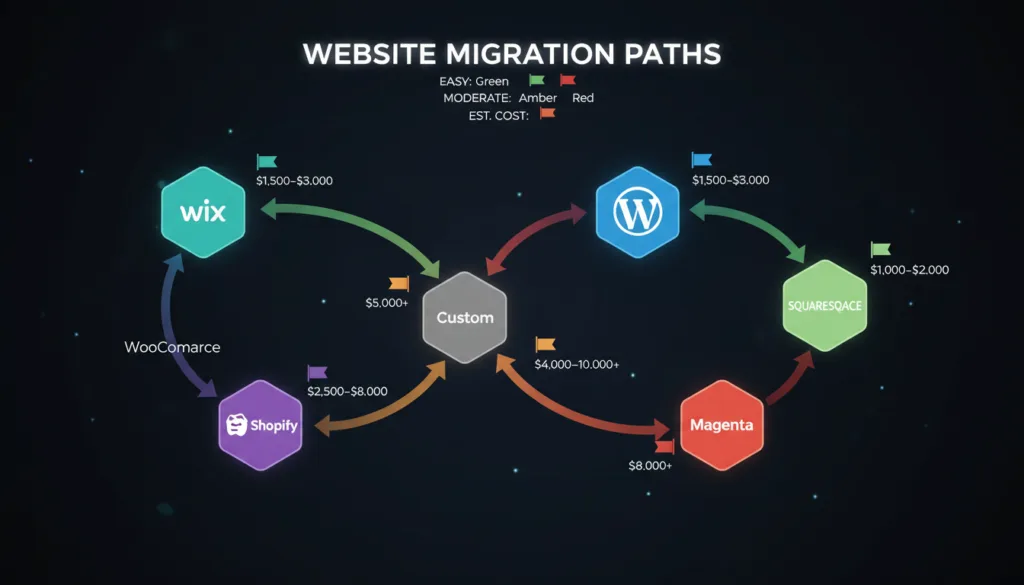
Platform migration is possible – but it is never free or painless. Understanding what is involved before you commit to a platform is important.
When you move from one platform to another, you are not just copying files. You need to migrate:
The more complex your existing site, the more expensive and time-consuming the migration. A 10-page Wix site can be migrated to WordPress in a few days. A 500-page e-commerce store moving from Shopify to WooCommerce can take months.
This is one of the most common migrations. Businesses start on Wix for simplicity and later need more SEO control and flexibility.
Content migration from Wix to WordPress is mostly manual – Wix does not have a clean export that WordPress can import directly. Each page typically needs to be rebuilt on the new platform. The SEO risk during migration is real – if 301 redirects are not set up properly, you can lose rankings you have built over time.
Difficulty: Moderate | Cost: $1,500–5,000+ depending on site size
Businesses sometimes move from WordPress to Webflow when design quality becomes a higher priority and they want to reduce maintenance overhead.
Content can be exported from WordPress and imported into Webflow’s CMS with some manual work. The design needs to be completely rebuilt. The main SEO concern is maintaining URL structure and setting up proper redirects.
Difficulty: Moderate–High | Cost: $3,000–15,000+ (essentially a new build)
This migration happens when businesses need more content marketing capability than Shopify offers, or when transaction fees make WooCommerce more cost-effective at scale.
Product data, customer data, and order history can be migrated using tools like Cart2Cart or LitExtension. The store design needs to be rebuilt. Payment gateway and shipping configurations need to be reconfigured.
Difficulty: High | Cost: $3,000–10,000+
The reverse migration – businesses move to Shopify when they want less technical complexity and better ecommerce infrastructure.
Similar to the above, product and customer data can be migrated with tools, but the store needs to be redesigned on Shopify. All app integrations need to be set up fresh.
Difficulty: High | Cost: $2,000–8,000+
Businesses with aging custom sites often move to WordPress or Webflow to reduce developer dependency and give their team more content management control.
This is essentially building a new site from scratch. The content from the old site needs to be migrated and the design rebuilt on the new platform. Depending on the custom functionality involved, some features may need to be replaced with plugins or third-party integrations.
Difficulty: High | Cost: $5,000–20,000+
The biggest risk in any platform migration is SEO regression. If your old URLs change and 301 redirects are not properly set up, Google loses track of your pages, and your rankings can drop significantly – sometimes taking months to recover.
A proper migration includes a full URL audit, a redirect map (matching every old URL to its new equivalent), and post-migration monitoring to catch any issues early.
Never migrate platforms without an SEO plan. The traffic loss from a badly executed migration can cost more than the migration itself.
Migration is always possible. But it costs time, money, and carries SEO risk. The best strategy is to choose the right platform from the start – one that fits not just your current needs but where you expect to be in three to five years.
If you are reading this before building your first site, use this guide to get it right the first time. If you are already on a platform that is not working, weigh the cost of staying versus the cost of moving – and migrate properly when you do.
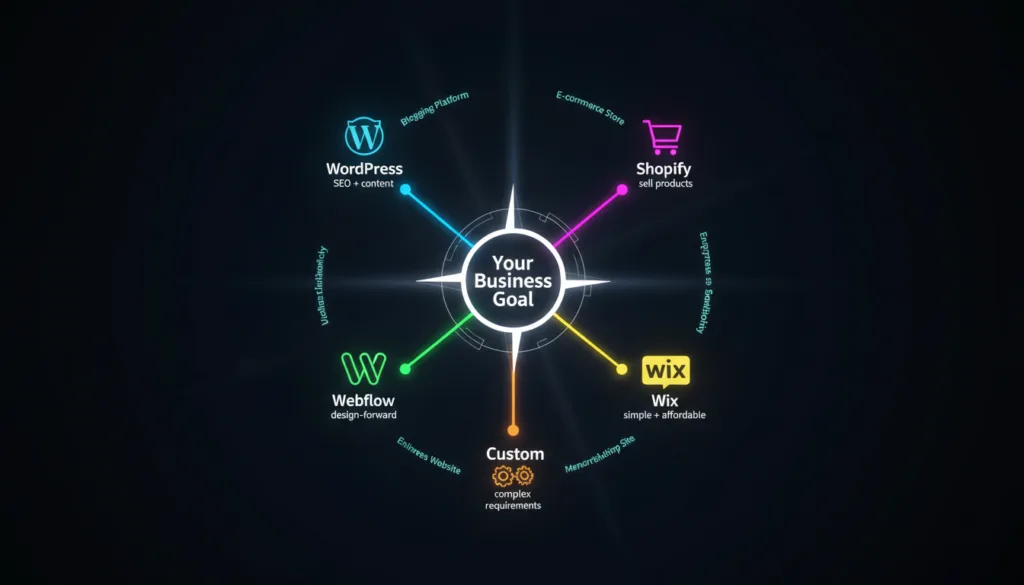
You have read the full guide. Now here is the bottom line – a clear, direct recommendation based on the most common business situations.
| Primary Goal | Best Platform | Why |
| Sell products online | Shopify | Built for e-commerce, most reliable |
| Content marketing and SEO | WordPress | Best SEO tools, largest content ecosystem |
| Design-forward marketing site | Webflow | Best design control without code |
| Simple business presence | Wix | Fastest, easiest, most affordable |
| Complex custom functionality | Custom Build | No platform limitations |
| E-commerce + content marketing | WordPress + WooCommerce | Best of both worlds |
| Budget | Best Platform | Notes |
| Under $500/year | Wix | DIY, low ongoing cost |
| $500–$2,000/year | WordPress (self-managed) | More powerful, requires some learning |
| $3,000–$10,000 setup | WordPress or Webflow (professional build) | Best ROI for most businesses |
| $10,000–$30,000 setup | Custom WordPress or Webflow | Full custom design, professional development |
| $30,000+ setup | Full custom build | Enterprise needs, complex functionality |
| Skill Level | Best Platform | Why |
| No technical background | Wix | Designed for non-technical users |
| Basic computer skills | WordPress or Shopify | Learning curve but manageable |
| Design background | Webflow | Visual editor built for designers |
| Developer or dev team | WordPress or Custom | Full control and flexibility |
| Business Type | Top Recommendation | Alternative |
| Restaurant | Wix | WordPress (SEO-focused) |
| Real Estate | WordPress | Custom (enterprise) |
| Law Firm | WordPress | Webflow (brand-focused) |
| E-commerce Brand | Shopify | WordPress + WooCommerce |
| Small Local Business | Wix | WordPress |
| Startup / SaaS | Webflow | WordPress |
| Enterprise | Custom | WordPress (managed) |
Answer these questions in order:
Choosing a website platform is one of the most important decisions you will make for your business’s digital presence. Get it right, and your platform becomes a competitive asset – one that helps you rank on Google, convert visitors, and scale without friction. Get it wrong, and you will spend time and money working around its limitations or paying to migrate to a better option later.
The platforms covered in this guide are all genuinely good – but they are good for different reasons and different situations.
WordPress is the most powerful and flexible option for businesses serious about SEO and long-term content growth. It requires more setup and maintenance, but the control it gives you is unmatched.
Webflow is the best choice for design-forward businesses and marketing teams that want a professional, fast site without managing a server. It produces the best-looking sites of any platform on this list.
Shopify is the clear winner for e-commerce. If selling products is your primary business, there is no better-built platform for doing it reliably and at scale.
Wix is the right starting point for small businesses that need a clean, professional website quickly and affordably – without technical complexity.
Custom websites are for businesses with requirements that no off-the-shelf platform can meet. The cost is high, but so is the ceiling.
Use the recommendation matrix to make your final call. And if you are still not sure – focus on your primary goal first. Your goal tells you your platform.
If you’re looking for a professional web design partner, see our web design services.