

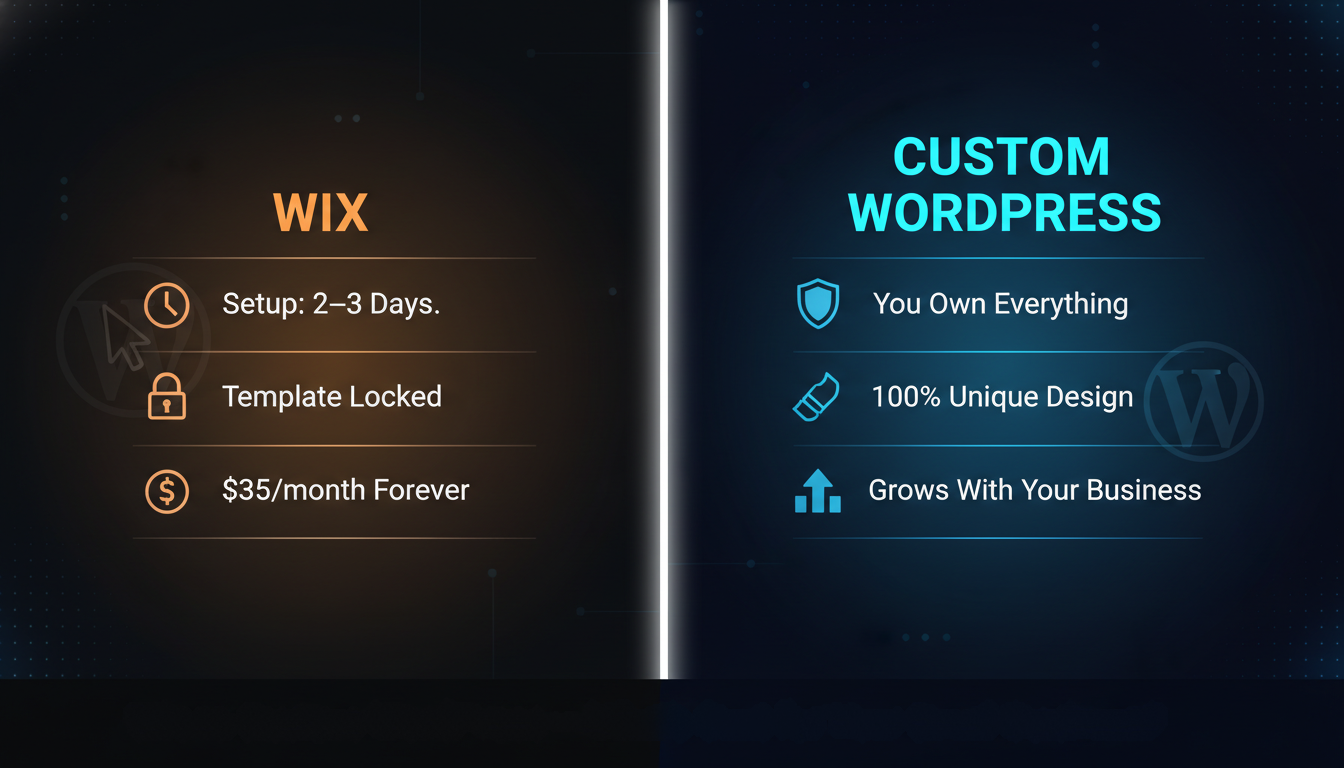
At Sites N Apps, we have helped dozens of small businesses make this exact decision and we have seen firsthand what works and what does not.
You want to build a website for your small business. You start searching online and quickly hit the same big question everyone asks: Should I go with Wix or Custom WordPress?
Both are popular. Both can make a good-looking website. But they are very different under the hood, and picking the wrong one can cost you a lot of time, money, and frustration later.
In this guide, we will break it all down in plain, simple language. No tech jargon. No confusing words. Just clear answers to help you make the right choice for your business.
If you want to go deeper on this topic, check out our full guide on WordPress vs Custom Website Design before you decide.
Quick Note: When we say “Custom WordPress” in this post, we do NOT mean just installing WordPress and picking a free theme. We mean a website that is built and designed by a professional developer or agency, built exactly the way you want it. This is very different from a basic DIY WordPress setup.
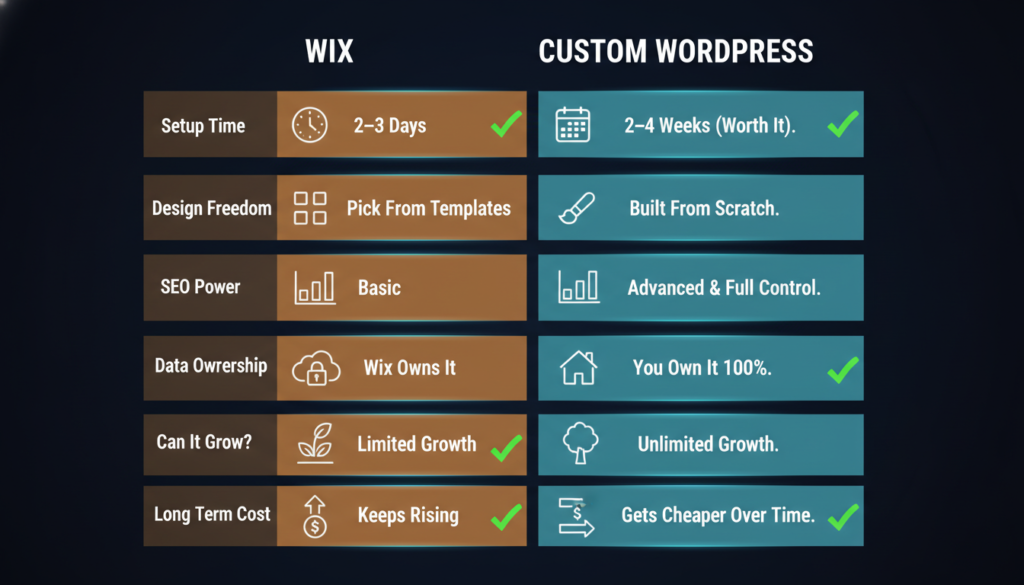
Before we dive deep, here is a simple side-by-side look at both options:
| Feature | Wix | Custom WordPress |
| Setup Time | A few days | 2–4 weeks |
| Design Freedom | Limited to templates | 100% custom |
| Do You Need a Developer? | No (DIY friendly) | Yes (recommended) |
| Monthly Cost | $17–$36/month | Lower long-term |
| Who Owns Your Data? | Wix owns the server | You own everything |
| Can It Grow With You? | Up to a point | Grows as big as you want |
| SEO Power | Basic to Intermediate | Advanced & full control |
| Can You Change Templates? | Once picked, you are locked in | Yes, anytime |
Wix is an all-in-one website builder. You sign up, pick a template, drag and drop things around, and publish. That is it. No coding. No servers. No tech headaches.
It is great if you want to get something online quickly and you do not have a big budget right now.
What Wix Does Well:
Where Wix Falls Short:
WordPress is free software that powers over 40% of all websites on the internet. But just installing WordPress is not what we mean here.
Custom WordPress means hiring a developer or agency to build your website from the ground up. They design it the way YOU want your colors, your layout, your features. Nothing is copied-pasted from a template.
Think of it this way: Wix is like buying a ready-made house from a catalog. Custom WordPress is like hiring an architect to build your dream home.
What Custom WordPress Does Well:
Where Custom WordPress Is Harder:
This is one of the biggest differences between Wix vs Custom WordPress.
Design with Wix
Wix gives you hundreds of templates. You pick one, customize the colors and text, and you are done. It looks nice. It is fast to set up.
But here is the problem: thousands of other businesses are using the same templates. If your competitor also uses Wix and picks a similar template, your websites will look almost the same.
Also, once you pick a template in Wix, you cannot switch to a different one without rebuilding your entire website from scratch. That is a big limitation nobody tells you about upfront.
Design with Custom WordPress
With Custom WordPress, a designer builds your website to match your brand perfectly. Your logo, your colors, your vibe, everything is unique to you.
You can also change your website’s design later without losing your content. This is a huge advantage as your business grows and your brand evolves.
Bottom Line: If looking different from your competitors matters to you, and it should, Custom WordPress wins this one easily.
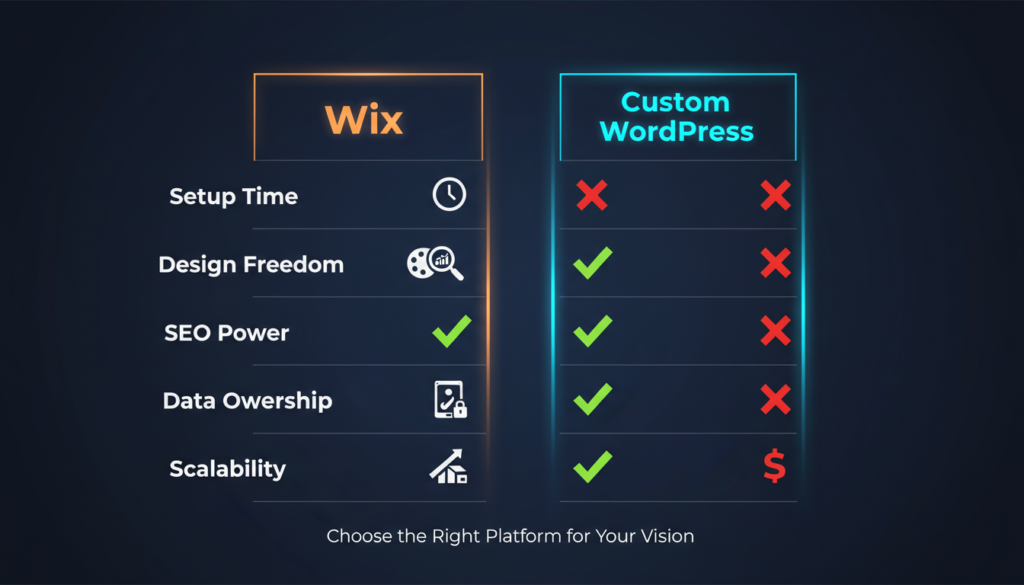
People often think Wix is cheaper. But when you do the math over 3 years, the story changes.
What Wix Costs:
What Custom WordPress Costs:
After the first year, Custom WordPress becomes significantly cheaper because you are not locked into a monthly subscription that keeps going up.
Important: With Wix, you are renting your website forever. With Custom WordPress, you own it. Think of it like renting vs. buying a house.
| Cost Item | Wix (3 Years) | Custom WordPress (3 Years) |
| Platform / Hosting | $1,044–$1,296 | $180–$720 |
| Setup / Theme | $0 | $550–$2,100 (one-time) |
| Plugins / Apps | $0–$300 | $0–$600 |
| Total Estimate | $1,044–$1,596 | $730–$3,420 |
| Ownership | The platform owns it | You own it fully |
SEO means Search Engine Optimization. It is how your website shows up on Google when people search for your business or service. For small businesses, good SEO can bring you free customers every single day.
Wix SEO
Wix has a built-in tool called Wix SEO Wiz. It walks you through the basics. You can add titles, descriptions, and keywords. This is fine for a beginner.
But Wix has real limits when it comes to advanced SEO. You cannot fully control your URL structure. Technical SEO tasks like schema markup, canonical tags, and site speed tuning are hard or impossible to do properly inside Wix.
Custom WordPress SEO
WordPress is a top choice for SEO experts. With plugins like Yoast SEO or Rank Math, you get full control over everything Google looks at:
Local SEO Tip: If you are a local business, restaurant, salon, contractor, or clinic, ranking on Google Maps and local search results is everything. Custom WordPress gives you the tools to dominate local SEO. Wix makes this much harder.
Wix is definitely easier to start with. If you want to DIY your website with zero technical knowledge, Wix is the simpler choice for getting started.
Custom WordPress has a learning curve if you are setting it up yourself. But here is the thing most people miss: if you hire a developer to build your Custom WordPress site, you do not need to know the technical stuff at all. Once it is built, managing your content writing blog posts, changing photos, and updating prices is just as easy as using Wix.
Day-to-Day Management After Setup:
| Task | Wix | Custom WordPress |
| Add a new blog post | Easy | Easy |
| Change a photo | Easy | Easy |
| Update your menu or services | Easy | Easy |
| Add a new feature | Limited options | 60,000+ plugins available |
| Change your site design | Very hard (locked template) | Easy with a developer |
| Switch hosting providers | Not possible | Easy, anytime |
When you are just starting out, a simple 5-page website is fine. But what happens when your business grows? What if you want to add an online store, a booking system, a membership area, or a blog with hundreds of posts?
Wix and Growth
Wix works well for small websites. But as your needs get more complex, Wix starts to show its limits. It is not great for large product catalogs, complex integrations, or high-traffic websites. And if you outgrow Wix, you have to rebuild your entire website on a new platform. That is expensive and time-consuming.
Custom WordPress and Growth
Custom WordPress is built to grow. Small businesses, large companies, and even enterprise-level websites all use WordPress. You start with what you need today and add features as your business grows without ever needing to switch platforms.
Think Ahead: Choose a platform based on where your business will be in 3 years, not just today. Switching platforms later is painful and expensive.
This is one of the most important sections in this entire post, and almost no one writes about it.
With Wix, Wix Owns Your Server
All your website files, images, and data live on Wix’s servers. You do not own the server. You are essentially renting space in Wix’s house.
What happens if Wix decides to raise prices by 50%? You either pay or try to move your website, and moving a Wix site is very complicated. What if Wix changes its terms of service? You have no choice but to follow along.
This is called platform lock-in. And for a business, it is a real risk.
With Custom WordPress, You Own Everything
Your WordPress website lives on a hosting provider you choose, like SiteGround, Cloudways, or Bluehost. You pay them directly. You can switch hosting providers anytime. You can move your entire website to a new host in a matter of minutes.
Your content, your data, your design, it is all yours. Nobody can hold it hostage.
There is no one-size-fits-all answer. It depends on your situation.
Wix Is a Good Choice If:
Custom WordPress Is the Right Choice If:
Our Take: For most serious small businesses, Custom WordPress is the smarter long-term investment. The upfront cost is higher, but you get a website you own that performs better, ranks higher on Google, and grows with you for years without ever needing to switch platforms.
Sarah: Local Bakery Owner
Sarah opened her bakery and wanted a website fast. She built one on Wix in 3 days for $35/month. It looked nice and had her menu and contact info.
Two years later, she wanted to add online ordering. Wix’s food ordering tools were limited. She also noticed her bakery was not showing up on Google when people searched for “bakery near me.” She tried to improve her SEO but hit walls everywhere.
Sarah eventually had to hire someone to rebuild her website on WordPress anyway, essentially paying twice. Her total cost ended up much higher than if she had simply started with Custom WordPress from the beginning.
James: Local Plumber
James hired a small web agency to build a Custom WordPress website for $1,200. It took 3 weeks. The site was fast, fully optimized for local SEO, and looked completely different from his competitors.
Within 4 months, he was ranking on the first page of Google for “emergency plumber” in his city. He now gets 15–20 new customer inquiries every month directly from Google for free. His website paid for itself within the first month of generating leads.
Technically, yes, but it is painful. Wix does not make it easy to export your content. You will likely need to rebuild large parts of your website. It is better to start on the right platform from day one.
No. The WordPress dashboard is easy to learn. Adding a blog post, uploading images, and editing text is simple. Most business owners get comfortable managing their WordPress site after a short tutorial from their developer.
If you truly cannot afford Custom WordPress right now, Wix is better than no website at all. But save up and plan to move to Custom WordPress when you can. Think of Wix as a temporary starter home, not your forever home.
WordPress needs occasional updates to plugins, themes, and core software. Most developers offer a small monthly maintenance package for this. Or you can do it yourself; it takes about 10 minutes a month.
Here is the simple truth:
Wix is easier and faster to get started with. If you just need something online today with a very small budget, it gets the job done.
But if you are building a real business, one that you want to grow, that you want people to find on Google, and that you want to own completely, Custom WordPress is the clear winner.
The extra investment upfront pays off in better SEO, a unique brand, full ownership of your data, and a website that grows with you for years without ever needing to switch platforms.
Do not let the first cheap choice become an expensive second choice. Build it right from the start.
Ready to get a Custom WordPress website that works for your business? Explore our professional website design services today and stop paying rent for a website you do not own.




