

Home / Blog Details
Take your digital marketing to the next level with data-driven strategies and innovative solutions. Let’s create something amazing together!


From Google search results to AI chatbots, we optimize your website so customers can find you faster — and choose you over competitors.
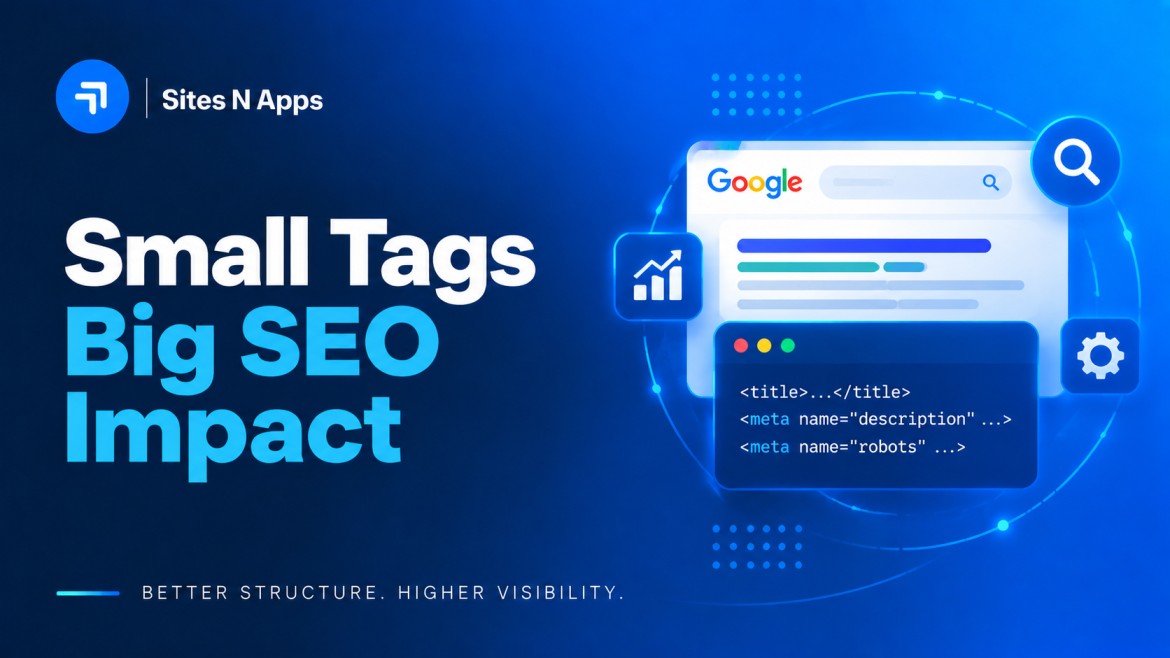
Search engines do not experience a webpage the way a customer does. Before Google decides where your page belongs, it has to work out what the page is about, who it is for, and whether it deserves to appear for a specific search. Meta tags are one of the clearest ways to give it that context.
Meta tags are small pieces of HTML that describe your page to search engines, browsers, and social platforms. Two of them, the title tag and the meta description, also decide what a searcher sees before they click. That makes metadata one of the few parts of SEO that affects both how your page is understood and whether anyone chooses it in the results.
This guide is written for business owners and marketers, not just SEO specialists. It covers what meta tags are, how they relate to keywords, which ones actually matter, how to write them, and the mistakes that quietly cost you traffic.
One thing to be clear about upfront: meta tags are not a shortcut or a way to manipulate rankings. They are a communication tool. Used well, they help search engines classify your page correctly and help the right people decide your page is worth opening.
The chain that matters for your business: better metadata leads to better search understanding, which supports better visibility, which produces more qualified clicks, which produces more leads.
Meta tags are HTML elements placed in the <head> section of a webpage that provide information about that page to search engines, browsers, and social networks. Visitors do not see most of them on the page itself, but they shape how your page appears in search results and how it is shared online.
A simplified example looks like this:
<head>
<title>SEO Services for Small Businesses | Grow Organic Traffic</title>
<meta name=”description” content=” Practical SEO for small businesses: keyword strategy, on-page fixes, and local visibility. See what we’d do first for your site.”>
<meta name=”viewport” content=”width=device-width, initial-scale=1″>
<meta name=”robots” content=”index, follow”>
<meta property=”og:title” content=”SEO Services for Small Businesses”>
</head>
Title tag. The clickable headline in search results and the text shown in a browser tab. It is the single most influential metadata element for both understanding and clicks.
Meta description. The short summary that usually appears under the title in search results. It exists to earn the click.
Robots meta tag. Instructions for search engines about whether to index a page and whether to follow its links.
Canonical tag. Technically a link element rather than a meta tag, but it belongs in the same conversation. It tells search engines which URL is the preferred version when similar content exists at more than one address.
Open Graph tags. Control the title, description, and image shown when your page is shared on Facebook, LinkedIn, WhatsApp, and similar platforms.
Viewport tag. Tells browsers how to scale the page on different screen sizes. Without it, a responsive design will not render correctly on a phone.
The meta keywords tag is obsolete. Google confirmed in 2009 that it does not use it as a ranking signal, and no major search engine treats it as one today. It was abandoned because it was trivially easy to abuse: anyone could list keywords with no relationship to the page. If your CMS still shows a keywords field, leaving it blank costs you nothing.
Meta tags matter because they influence two separate things: how accurately search engines understand your page, and whether searchers choose your result once it appears. Neither one alone produces traffic. Together they determine how much value you actually get from a ranking position.
Search engines build a picture of your page from many signals, and the title tag is one of the most direct. A page titled “Commercial HVAC Maintenance in Lafayette, LA” leaves little doubt about topic, service, and location. A page titled “Services” leaves the search engine to guess from surrounding content.
Robots and canonical tags do a quieter but related job. They keep search engines focused on the pages you want in the index, and they stop near-duplicate URLs from competing with each other.
Your title and description are the whole of your sales pitch on a results page. Two businesses can sit in adjacent positions for the same query and see very different traffic, purely because one snippet answers the searcher’s question and the other one is generic. Ranking is what makes you eligible for the click. Metadata is what wins it.
A snippet that accurately describes the page sets up the visit. Someone who arrives expecting pricing and finds pricing stays. Someone who arrives expecting pricing and finds a newsletter signup leaves immediately. Accurate metadata attracts fewer, better visitors, which is the outcome that matters for a business tracking leads rather than pageviews.
Writing a unique title and description for every page forces a useful discipline. If two pages resist being described differently, they are probably competing for the same search and should be merged or refocused. Metadata is often where you first notice that a site’s structure has drifted.
Metadata does not do this work on its own. It supports content quality, on-page SEO, site performance, and internal linking rather than substituting for them.
Keywords and meta tags are not competing options. Keywords describe what people are searching for; meta tags communicate what your page offers. Confusing the two is one of the most common reasons businesses spend effort on SEO without seeing results.
Keywords are the words and phrases real people type or speak into a search engine. They represent intent, not code.
Examples:
Keywords belong in the places that establish topical relevance: your page title, your headings, your URL, your opening paragraph, your image alt text, and naturally throughout the body. Placement in meaningful positions matters far more than raw repetition. Modern search systems interpret meaning and context, so related terms and synonyms strengthen a page rather than diluting it.
Meta tags are the HTML elements that carry information about the page. The two that a business should care about most are the title tag and the meta description, because they are what a searcher actually reads.
Metadata does not create relevance out of nothing. A polished title on a thin page will not rank. But a strong page with weak metadata will underperform the position it earned.
Think of it as two stages of the same journey.
| Stage | What does the work | What it decides |
| Getting found | Keywords in content, headings, URL, title | Whether your page is eligible for the query |
| Getting chosen | Title tag and meta description | Whether the searcher clicks your result |
Keyword research tells you what your customers want and how they ask for it. Metadata takes that understanding and turns it into a promise the page can keep. Skip the first, and you have nothing to rank for. Skip the second, and you rank for things nobody clicks.
The title tag is the most important piece of metadata on any page. It signals your topic to search engines and serves as the headline in search results.
Length. Aim for roughly 50 to 60 characters. Google truncates by pixel width rather than character count, so a title full of wide characters can be cut sooner. Mobile results show less, so keep the essential message early.
Keyword placement. Put the primary term near the front, where it carries the most weight and survives truncation. Then stop. One clear mention is enough.
Writing for clicks. After relevance, the job of the title is to give a reason to choose you. Specificity does that better than adjectives. “Same-day AC repair” beats “quality service you can trust.”
Example
Weak: SEO Services | SEO Services Company | SEO Services
Better: SEO Services for Small Businesses | Grow Organic Traffic
The first version repeats one phrase three times, communicates nothing about who it serves, and reads like spam. The second names the audience and the outcome.
Keep every title unique. Duplicate titles across pages make it harder for search engines to decide which page answers a query, and they tell users nothing about the difference between your pages.
Note that Google may rewrite your title in results if it thinks another line on the page matches the query better. Portent’s analysis found this happens on a majority of pages. That is not a reason to skip the work. Well-written, accurate titles are replaced less often, and when Google does substitute something, it usually pulls from your H1 or opening text, which is worth getting right anyway.
Meta descriptions are not a ranking factor, but they strongly influence whether people click. Google has confirmed the tag is not used to rank pages. It is still one of the highest-leverage pieces of copy on your site.
Length. Around 150 to 160 characters, with the core message in the first 120 so it survives on mobile.
What to include. State what the page delivers, add one concrete detail that separates you from the results above and below, and close with a soft call to action such as “See pricing” or “Book a free consultation.”
Match search intent. A description for a comparison article should promise clarity. A description for a service page should promise capability and ease of contact. The same page can rank for several queries, so write for the main one.
Example
Weak: “This page contains information about our services. We offer many options for businesses.”
Better: “Same-day AC repair in Lafayette with upfront pricing and no upsells. Licensed technicians, evening slots available. Call to schedule today.”
If you leave the description blank, Google will assemble one from the page. Sometimes that works. Usually it produces a fragment that reads like an accident.
The robots tag controls indexing and link-following for a page.
<meta name=”robots” content=”index, follow”> <!– default: index this page, follow its links –>
<meta name=”robots” content=”noindex, follow”> <!– keep out of search, still follow links –>
<meta name=”robots” content=”noindex, nofollow”> <!– keep out of search, ignore its links –>
Typical business uses: keep thank-you pages, internal search results, and login pages out of the index so search engines spend their attention on pages that can win customers. Use it deliberately. An accidental noindex on a service page is one of the fastest ways to lose traffic, and it is a genuinely common mistake after a site redesign.
Open Graph tags decide how your page looks when someone shares it in a message, a post, or a group chat.
<meta property=”og:title” content=”Meta Tags for SEO: Complete Guide”>
<meta property=”og: description” content=” What meta tags do, how they relate to keywords, and how to write them.”>
<meta property=”og:image” content=”https://example.com/images/meta-tags-guide.jpg”>
<meta property=”og:url” content=”https://example.com/meta-tags-guide/”>
<meta property=”og:type” content=”article”>
Without them, platforms guess, and the guess is often a stray image and a truncated sentence. A 1200×630 pixel image is a safe default. This matters more than it sounds for content distribution: a shared link with a clean preview gets opened; one with a broken thumbnail gets scrolled past.
<meta name=”viewport” content=”width=device-width, initial-scale=1″>
One line, and responsive design depends on it. Without the viewport tag, a mobile browser renders the page at desktop width and shrinks it, producing the pinch-and-zoom experience that drives people straight back to the results page. Since Google indexes the mobile version of a site as the primary version, mobile rendering problems are SEO problems. If you want the wider picture, see how web design and SEO work together and what mobile-first responsive design requires.
Start with what the searcher is trying to do, not with the keyword. Someone searching “what are meta tags” wants an explanation. Someone searching “SEO agency Lafayette” wants to know whether you can help and how to reach you. Metadata that answers a different question than the one being asked will lose the click even from a good position.
Include your primary term where it fits, usually near the start of the title and once in the description. Then write for a human. A practical test: read the title and description out loud. If a phrase sounds inserted, rewrite the sentence around it.
Visibility is only half the job. Once you appear, you are competing with nine other snippets for the same attention. Concrete details win: a price range, a turnaround time, a service area, a number of steps. Vague superlatives do not.
Every page needs its own title and description. Templates help at scale, as long as the variables produce genuinely different results. Auditing tools such as Screaming Frog or Google Search Console will surface duplicates across a site quickly.
Never promise something the page does not deliver. Misleading snippets buy a click and lose a customer, and the pattern of visitors bouncing straight back to search does you no favors. The snippet is a contract. Keep it.
Metadata is not a one-time task. Use Google Search Console to find pages with strong impressions and weak click-through rates, and rewrite those first. Change one element at a time, then give it a few weeks before judging the result. Pages ranking somewhere in positions three through ten are usually where a rewrite pays off most.
Keyword stuffing. Repeating a term in the title or description makes the snippet unreadable and signals low quality to both people and search engines. SEO Tips | SEO Guide | SEO Services | SEO 2026 is not optimization.
Duplicate meta titles. When several pages share a title, search engines struggle to pick the right one for a query, and users cannot tell your pages apart.
Generic meta descriptions. “Welcome to our website. We offer a range of services.” tells a searcher nothing and gives them no reason to click.
Misleading metadata. A snippet that oversells the page produces immediate exits. Short-term clicks, long-term damage.
Ignoring mobile. A title that fits perfectly on a desktop result can be cut mid-phrase on a phone. Preview both before publishing.
Missing or accidental robots directives. A noindex left on a page after staging, or missing canonical tags on parameter-heavy URLs, can remove pages from search entirely.
Optimizing metadata while ignoring content quality. This is the big one. Metadata influences understanding and clicks. It cannot make a thin page worth ranking. If a page does not genuinely answer the query better than the current results, better metadata will not fix it.
Partly. Some meta tags help search engines understand and index your pages, which supports rankings. Others, including the meta description, affect clicks rather than position. No meta tag ranks a page on its own.
Here is the honest breakdown:
The accurate way to think about it: metadata is necessary but not sufficient. Fixing it removes a barrier and captures more value from the rankings you have. It does not replace the work of publishing something genuinely useful.
Anyone promising specific ranking positions from metadata changes alone is overselling.
Run this on every important page before you publish.
Metadata pays off when it is applied page type by page type rather than as a site-wide sweep.
Service pages. Name the service and the outcome, not just the category. “Commercial Roof Repair” gives a searcher more than “Our Services.” Each service deserves its own page with its own metadata. One page trying to rank for three services usually ranks for none.
Location pages. Local searches carry a geographic intent that metadata should answer directly. A title such as “HVAC Repair in Lafayette, LA | Same-Day Service” signals service, place, and availability in one line. Reference the area in the description too, along with something only a local provider could say. Keeping your website metadata consistent with your Google Business Profile and the rest of your local SEO setup reinforces the same signal from multiple directions.
Blog and resource content. Descriptions here should preview the answer rather than tease it. Someone in research mode is choosing the result that looks most likely to explain the thing clearly. Accurate, informative snippets also make your content easier for AI-driven search features to summarize and attribute.
Product pages. Lead with the details that drive purchase decisions: variant, key specification, price positioning, availability. Structured data alongside your metadata can allow richer search results for products and FAQs.
The business logic is straightforward. Clearer metadata helps search engines classify your pages correctly. Correct classification means you appear for searches that match what you actually sell. Better snippets mean more of those searchers choose you. And because those visitors arrived with matching intent, a higher share of them turn into enquiries. That is the difference between traffic and organic lead generation.
Most sites have metadata problems that are quick to fix once someone identifies them: duplicate titles, blank descriptions, pages accidentally excluded from search, snippets that do not match the page. The harder part is knowing which fixes will move the needle for your business and in what order.
Sites N Apps works with businesses on:
If you would rather start with the free version, work through the checklist above on your five highest-traffic pages. If you want a second opinion on what is holding your site back, get in touch or take a look at our SEO optimization services.
Meta tags are HTML elements in a page’s <head> section that describe the page to search engines, browsers, and social platforms. The most important ones for SEO are the title tag and the meta description, since these usually determine what a searcher sees in results before clicking.
Some do, indirectly. Title tags help search engines understand what a page is about and are treated as a significant on-page element. Meta descriptions do not influence rankings directly; they influence clicks. Robots and canonical tags do not boost rankings but can prevent a page from ranking if misconfigured. Rankings ultimately depend on many factors, with content quality and intent match at the top.
Keywords are the phrases people search for; meta tags are HTML elements that carry information about your page. Keywords belong in your content, headings, URL, and title so search engines can match your page to queries. Meta tags, particularly the title and description, communicate what the page offers and persuade people to click. You need both.
Write a unique title of roughly 50 to 60 characters, put the primary keyword near the beginning, and make the rest of the line give a specific reason to click. Match the intent of the query you are targeting, and make sure the title reflects what the page actually delivers. Preview it at mobile width so nothing important gets cut off.
No. Google has confirmed that meta descriptions are not used to rank pages. They matter because they affect click-through rate, and a higher click-through rate from the same position brings more traffic. Pages with strong impressions and weak click-through rates are usually the best candidates for a description rewrite.
One primary keyword per page, used once in the title and once in the description if it fits naturally. A small cluster of closely related secondary terms can appear in your headings and body content. Repeating a keyword in metadata does not increase relevance and makes the snippet worse for the person deciding whether to click.
No. Google stopped using it as a ranking signal in 2009 because it was too easily manipulated, and other major search engines followed. You can leave the field empty.
Struggling to compete for high-search-volume keywords? We help businesses like yours increase visibility, drive more traffic, and dominate competitive search terms—all while keeping your costs low. Our proven strategies focus on long-term growth and measurable results.


