

Home / Blog Details
Take your digital marketing to the next level with data-driven strategies and innovative solutions. Let’s create something amazing together!


From Google search results to AI chatbots, we optimize your website so customers can find you faster — and choose you over competitors.
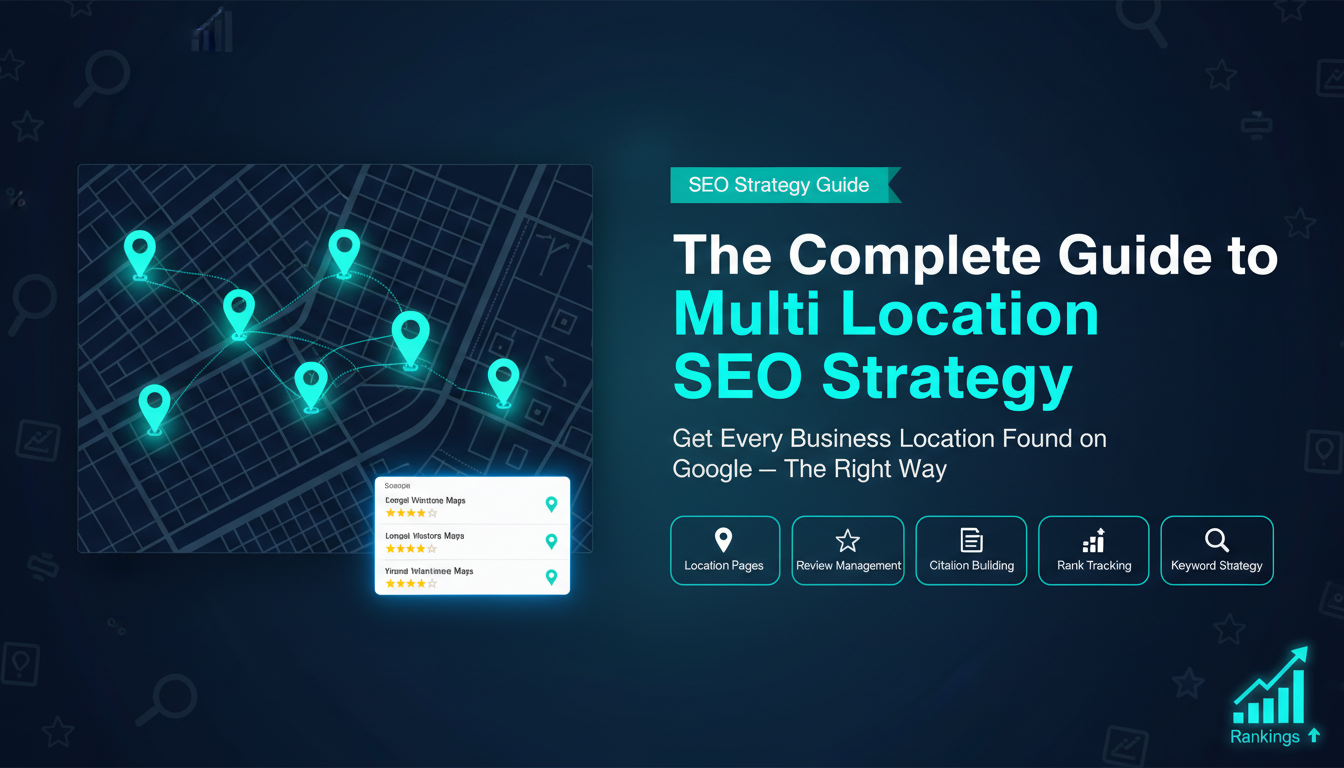
You have more than one business location. And you want all of them to show up on Google.
That is a great goal. But here is the problem: Google does not just show your business everywhere by default. You have to help Google understand where your locations are and what each one does.
That is exactly what a multi location SEO strategy is for.
In this guide, you will learn everything you need to know, step by step, in simple words. No confusing terms. No guesswork.
Let us get started.
A multi location SEO strategy is a plan that helps each of your business locations show up in Google search results.
Let us say you own three pizza shops, one in Lafayette, one in Baton Rouge, and one in New Orleans. When someone in Lafayette searches “pizza near me,” you want your Lafayette shop to show up. Not your Baton Rouge one.
That is the core goal. The right location shows up for the right people.
Local SEO helps one business location get found online. Multi-location SEO does the same thing, but for many locations at the same time.
Think of it like this:
Each location needs its own plan. Its own page. It’s own Google profile. Its own reviews. If you treat all locations the same, none of them will rank well.
Google uses three main things to decide which business to show:
Proximity: How close is the business to the person searching?
Relevance: Does the business match what the person is looking for?
Prominence: Is the business well-known and trusted? Does it have good reviews and a good website?
Google looks at all three things at the same time. A good multi location SEO strategy works on all three.
Proximity is about distance. If someone is standing in Lafayette and searches “car repair near me,” Google will show shops close to that person first.
Relevance is about matching. If your shop is a tire shop but someone searches “oil change,” you may not show up, even if you are close. Your content and business profile need to match what people search for.
Prominence is about trust. Google favors businesses with lots of good reviews, strong websites, and mentions from other websites. The more trusted your business looks, the higher it ranks.
Here is a simple truth: most people search online before they visit a store.
In fact, a lot of people search things like “near me” on their phone, and they visit a store the same day. If your location is not showing up, those customers go to your competitors instead.
A solid multi location SEO strategy makes sure you show up first, in every city where you have a location.
Each of your business locations needs its own page on your website. Not one shared page for all locations. A dedicated page, just for that one location.
This page should have:
Why does this matter? Because Google reads your website. When Google sees a page built just for your Lafayette location, it understands that this business serves Lafayette. Then it shows that page to people in Lafayette.
Here is a mistake many businesses make. They copy the same content for every location page and just change the city name.
That does not work. Google is smart. It can tell when content is copied. And it will not rank copied pages.
Each location page needs real, unique content. Talk about:
When your content feels local and real, Google trusts it more. And so do your customers.
Google Business Profile, also called GBP, is the box that shows up on the right side of Google when someone searches for your business. It shows your address, phone number, hours, photos, and reviews.
Every single location needs its own Google Business Profile. Not one profile for all locations, one per location.
When you set up each GBP, make sure you:
Every location page needs a few key SEO elements done right.
Title tag: This is the headline that shows in Google search results. It should include your main service and city name. Example: “Plumbing Services in Lafayette, LA | ABC Plumbing”
Meta description: This is the short paragraph under the title in search results. It should be simple, clear, and mention the city.
H1 heading: This is the main heading on your page. It should also include the service and city.
Schema markup. This is a bit of code you add to your page that tells Google your business name, address, phone number, and hours in a clear format Google can read easily. It is not visible to readers; it just helps Google understand your page better.
Reviews are powerful. When someone sees your business has 200 five-star reviews, they trust you immediately. Google also trusts you more when you have strong reviews.
Here is what to do for each location:
Good reviews build trust. Trust builds rankings. Rankings bring more customers.
A citation is any place online where your business name, address, and phone number appear. These places include directories like Yelp, Yellow Pages, Bing Places, and many others.
Citations help Google confirm that your business is real and located where you say it is.
For each location, you need to:
Keywords are the words people type into Google when they are looking for something. For a multi location SEO strategy, you need keywords that include both what you do and where you are.
Examples of location-based keywords:
To find these keywords, you can use free tools like Google Keyword Planner or paid tools like Ahrefs or SEMrush. Type in your service and city, and the tool will show you what people are searching for and how many times per month.
Do this for every city where you have a location.
Once you have your keywords, you need to put them on the right pages.
Each location page should target keywords for that city only. Do not put Lafayette keywords on your Baton Rouge page. Keep them separate.
Here is a simple way to think about it:
When each page targets its own city’s keywords, Google knows exactly which page to show for which city.
Keyword cannibalization is when two of your own pages compete against each other for the same keyword.
Example: If both your Lafayette page and your Baton Rouge page target “best pizza in Louisiana,” they compete with each other. Google gets confused about which one to rank. And neither page ranks well.
The fix is simple: each location page should target its own specific keywords. Use city names to keep them separate.
Long-tail keywords are longer, more specific search phrases. They have less competition and often bring customers who are ready to buy.
Instead of just targeting “plumber Lafayette,” also target:
These are things real people type when they have a problem and need help right now. People who search like this are ready to call. Target them.
Your website should have one main “Locations” page that links to every individual location page.
Think of it like a map. The hub page shows all your locations. Each one is a dot on the map. Click a dot, and you go to that location’s full page.
This helps visitors find the right location fast. And it helps Google understand how your website is organized.
A URL is the web address of a page. Good URL structure makes it easy for Google to understand what each page is about.
Here is a good format:
Short, clean, and includes the city name. Easy for Google. Easy for people.
Internal links are links that go from one page on your website to another page on the same website.
From your hub page, link to every location page. From each location page, link back to the hub. You can also link between nearby location pages when it makes sense.
This helps Google crawl your website and understand the connection between all your locations.
We talked about keyword cannibalization earlier. Website structure can also cause it.
If two location pages have nearly the same content, Google may not know which one to rank. So again, make sure each location page has unique content, unique keywords, and its own clear identity.
Most local searches happen on phones. Someone is out, they need something, they grab their phone and search.
If your website does not work well on mobile, is slow to load, is hard to read, and buttons are too small to tap, people leave. And Google notices. It ranks mobile-friendly websites higher.
Make sure every location page:
Page speed is how fast your page loads. Core Web Vitals are Google’s official measurements for how good a user experience feels.
If your pages are slow, people leave before they even see your content. Google tracks this and pushes slow pages down in the rankings.
To improve speed:
You can test your page speed for free using Google’s PageSpeed Insights tool.
We mentioned schema earlier. When you have many locations, you need a schema on every single location page.
The schema for local businesses includes:
Adding this to every page manually takes time. Many website platforms and SEO plugins can help you add schema automatically across all location pages.
Google has bots, called crawlers or spiders, that visit websites and read the pages. For your location pages to rank, Google needs to be able to find and read them.
Make sure:
If Google cannot find your page, it cannot rank it. Simple as that.
As we said before, do not copy and paste the same content for every location, just changing the city name. This creates duplicate content.
Google does not like duplicate content. It may ignore those pages entirely or rank them very low.
The solution is to write fresh, real content for each location. Yes, it takes more work. But it works.
A structured citation is a listing in a directory, like Yelp, Yellow Pages, or Google Business Profile. It has set fields: name, address, phone, and website.
An unstructured citation is a mention of your business somewhere else, like in a news article, a blog post, or a community website. It does not follow a set format but still helps.
Both types help build trust with Google. Focus on structured citations first, then earn unstructured ones over time.
Start with the big ones that matter most:
Then find industry-specific directories that relate to your type of business. And find local directories specific to your city, like a Lafayette business directory.
Do this separately for each location. Each one gets its own listing.
NAP stands for Name, Address, Phone number. Consistency means every listing has the exact same information.
If your Lafayette location is listed as:
Google sees three different things and gets confused. Is this one business or three? That confusion hurts your rankings.
Pick one exact version of your business name, address, and phone, and use it everywhere. Every single time.
Here are the most common citation mistakes:
Check your citations regularly. Fix anything wrong.
Over time, directories sometimes change your information on their own. Or someone submits wrong information about your business. This is called data drift.
A citation that was correct six months ago might be wrong today.
The fix is to audit your citations every few months. Tools like Moz Local, BrightLocal, or Yext can help you manage and monitor all your listings in one place.
Your Google Business Profile is often the very first thing someone sees when they search for your business. It needs to be perfect.
Here is a checklist for each location’s GBP:
The more complete your GBP, the more likely Google is to show it.
Choosing the right category is important. Google uses categories to decide when to show your business.
Pick one main category that best describes your business. Then add secondary categories that also apply.
Do not pick categories that do not match your business just to show up for more searches. Google will figure it out, and it may hurt you.
For the location setup, if you serve customers at your location, mark it as a storefront. If you go to customers (like a plumber or delivery service), mark your service area instead.
Sometimes Google creates duplicate listings for the same business, or someone else does. Two listings for the same location confuse Google and split your reviews and authority.
If you find a duplicate, report it to Google to have it removed.
Never try to create fake locations or add keywords to your business name in GBP. Google has strict rules. Breaking them can get your listing suspended, which means it disappears from Google entirely.
Here is what NOT to do:
Play by Google’s rules. It protects your business.
Many businesses set up their GBP and then forget about it. That is a missed chance.
Google rewards active profiles. Here is what to do regularly:
Active profiles look trustworthy. Google shows them more often.
A link is when another website links to yours. Links from trusted websites tell Google that your site is trustworthy too.
For local SEO, you want links from local sources:
Do this for each location. A link from a Lafayette news site helps your Lafayette page. A link from a Baton Rouge blog helps your Baton Rouge page.
Hyperlocal means super specific to one small area. It is the most targeted kind of local content.
Examples:
This kind of content gets shared by people in that community. It earns local links. And it tells Google that your business is truly part of that community.
User-generated content is anything your customers create, such as reviews, photos they post, social media check-ins, and comments.
This content is powerful because it is real. Real people sharing real experiences.
You can use this by:
The more real people talk about your location, the more Google sees it as a trusted, active business.
Google is changing. It now uses AI to answer questions directly in search results, which is called Search Generative Experience (SGE) or AI Overviews.
When someone asks Google, “Who is the best plumber in Lafayette?”, Google’s AI might give a direct answer, pulling from trusted sources.
To show up in these AI answers:
The businesses Google trusts most are the ones it mentions in AI answers.
An “entity” in SEO means a real-world thing that Google recognizes, like a business, a person, or a place.
Google builds a picture of each of your locations as a separate entity. The more consistent and complete the information is across the internet, the clearer that picture becomes. And the more Google trusts and ranks each location.
To build entity authority:
When you have many locations, someone has to manage the SEO. You have two options:
Centralized, one team or person manages SEO for all locations from the top. This keeps things consistent. But it can be slow when local changes are needed.
Decentralized, each location manages its own SEO. This allows faster local decisions. But it can lead to inconsistency, different styles, different info, and different quality.
Most businesses do a mix of both. The central team handles the website structure and strategy. Local managers handle things like posts, photos, and responding to reviews.
Every location should feel like part of the same brand. Same logo. Same colors. Same tone of voice.
But the content should still be local and unique.
Think of it like a restaurant chain. Every location has the same menu and brand feel. But the local team might post about a community event happening nearby. Same brand, local flavor.
When something changes, a new phone number, new hours, or temporary closure, you need to update every single listing.
If you have 5 locations, that is manageable. If you have 50, it becomes a big job fast.
This is where listing management tools come in. They let you update all your listings at once from one dashboard.
Here are some tools that help manage SEO across many locations:
You do not need all of them. Pick the ones that fit your needs and budget.
Lafayette is a growing city in Louisiana with a mix of local businesses, restaurants, service companies, and more. The people here are active online searchers.
Many people in Lafayette use their phones to search for local businesses, especially for things like food, home services, healthcare, and auto repair.
Local people tend to trust businesses that feel connected to the community. They read reviews. They look at photos. They check how recently a business has been active.
A multi location SEO strategy built for Lafayette needs to speak to this local culture. Not just generic SEO, real local presence.
Lafayette has a competitive local market. Many service businesses are already doing some level of local SEO. Some have strong GBP profiles. Some have location pages on their websites.
The good news is that most local businesses are not doing it well. They have incomplete GBP profiles, few reviews, no location pages, or copied content.
That gap is your opportunity. If you build a proper multi location SEO strategy, you can outrank most competitors without much difficulty, because the bar is not that high yet.
Geo-targeting means focusing your SEO on specific geographic areas. For Lafayette businesses, this means:
The more specific your location targeting, the more relevant you become to nearby searchers.
Beyond the national directories, Lafayette businesses should get listed in local sources:
Getting listed in these local sources sends strong signals to Google that your business is a real, trusted part of the Lafayette community.
Lafayette has a strong economy in oil and gas, healthcare, food and hospitality, and home services.
If your business is in one of these industries, make sure your GBP category is very specific. For example:
Specific categories help Google match your business to people searching for exactly what you offer in Lafayette.
Doing multi-location SEO yourself takes time, skill, and consistency. Here are signs it might be time to hire help:
If any of these sound familiar, a local SEO agency can help.
Not all SEO agencies are equal. When you look for help, find an agency that:
Ask for a consultation before you commit. A good agency will ask you smart questions before making promises.
SEO is not instant. But it is one of the best long-term investments for a local business.
Most businesses start to see meaningful improvements in 3 to 6 months. Full results often take 6 to 12 months.
The return is real, though. More phone calls. More website visits. More walk-in customers. And unlike ads, once you rank, you keep getting traffic without paying per click.
For a multi-location business in Lafayette, showing up in the top 3 results for even a handful of searches can bring in dozens of new customers every month.
Before you sign any contract, ask these questions:
A trustworthy agency will answer all of these clearly. If they get defensive or vague, walk away.
You cannot improve what you do not measure. For each location, keep track of:
Track these for every location, separately. Do not lump them all together, or you will not know which locations are doing well and which need help.
Here are some tools that help you track your local SEO:
Start with the free Google tools. As you grow, add the paid tools when you need more detail.
Knowing your rankings is great. But what really matters is whether people are actually contacting you and coming to your location?
To track this:
Connecting your SEO efforts to real business results helps you know what is working and where to focus next.
A good SEO report for each location should include:
Review these reports every month. Look for what is improving and what needs attention. Share them with your team so everyone is on the same page.
Let us look at how a real-world strategy plays out.
Imagine a home cleaning company with four locations in Louisiana, including one in Lafayette. Before they worked on SEO, none of their locations were showing up in the top 10 on Google. Most of their customers came from word of mouth.
Here is what they did:
After six months, three of their four locations were showing up in the Google Maps top 3, which is often called the “Local Pack.”
Phone calls went up by over 60% across all locations. Their Lafayette location went from almost no online visibility to ranking in position 1 on Google Maps for “house cleaning Lafayette, LA.”
The key decisions that worked:
No matter the industry, the businesses that win at multi-location SEO all do the same things:
There is no shortcut. But the businesses that do it right almost always outrank the ones that do not.
Use this checklist for every location page on your website:
One page per location. If you have 10 locations, you need 10 location pages. Every location needs its own page to rank properly in that area.
Do not create location pages for cities where you do not have an actual physical presence. Google does not like fake location pages and may penalize your site for it.
Yes, but not in the same search at the same time for the same city.
Each location can rank on Google Maps in its own geographic area. Your Lafayette location can show up on the map when someone in Lafayette searches. Your Baton Rouge location shows up for Baton Rouge searches.
Google shows the most relevant location based on where the person is searching from.
For most businesses, you will start seeing improvements in 3 to 6 months. Strong, stable rankings usually take 6 to 12 months.
This is not slow; it is just how SEO works. The rankings you build this way last much longer than paid ads. And the longer you keep going, the stronger your results become.
Yes, but they use the same tools and techniques.
Local SEO focuses on one location. Multi-location SEO applies those same techniques, at the same time, across many locations. Each location needs the same attention and care as if it were the only one.
The main difference is scale, organization, and consistency across all locations.
This is common, especially for service-area businesses like plumbers or cleaners.
The key is to make sure each location page targets slightly different keywords and content. If two of your locations both serve a middle area, let Google’s proximity algorithm decide which one to show, based on where the searcher is.
Do not try to make both locations target the exact same city. Focus each one on its primary area and nearby neighborhoods. This avoids confusion and cannibalization.
A good multi location SEO strategy is not complicated. But it does take work, time, and consistency.
Here is what you need to remember:
The businesses that do these things consistently, month after month, always win in local search.
Need help with your multi-location SEO strategy in Lafayette, LA? Contact our team today for a free consultation.
Struggling to compete for high-search-volume keywords? We help businesses like yours increase visibility, drive more traffic, and dominate competitive search terms—all while keeping your costs low. Our proven strategies focus on long-term growth and measurable results.


