

Home / Blog Details
Take your digital marketing to the next level with data-driven strategies and innovative solutions. Let’s create something amazing together!


From Google search results to AI chatbots, we optimize your website so customers can find you faster — and choose you over competitors.
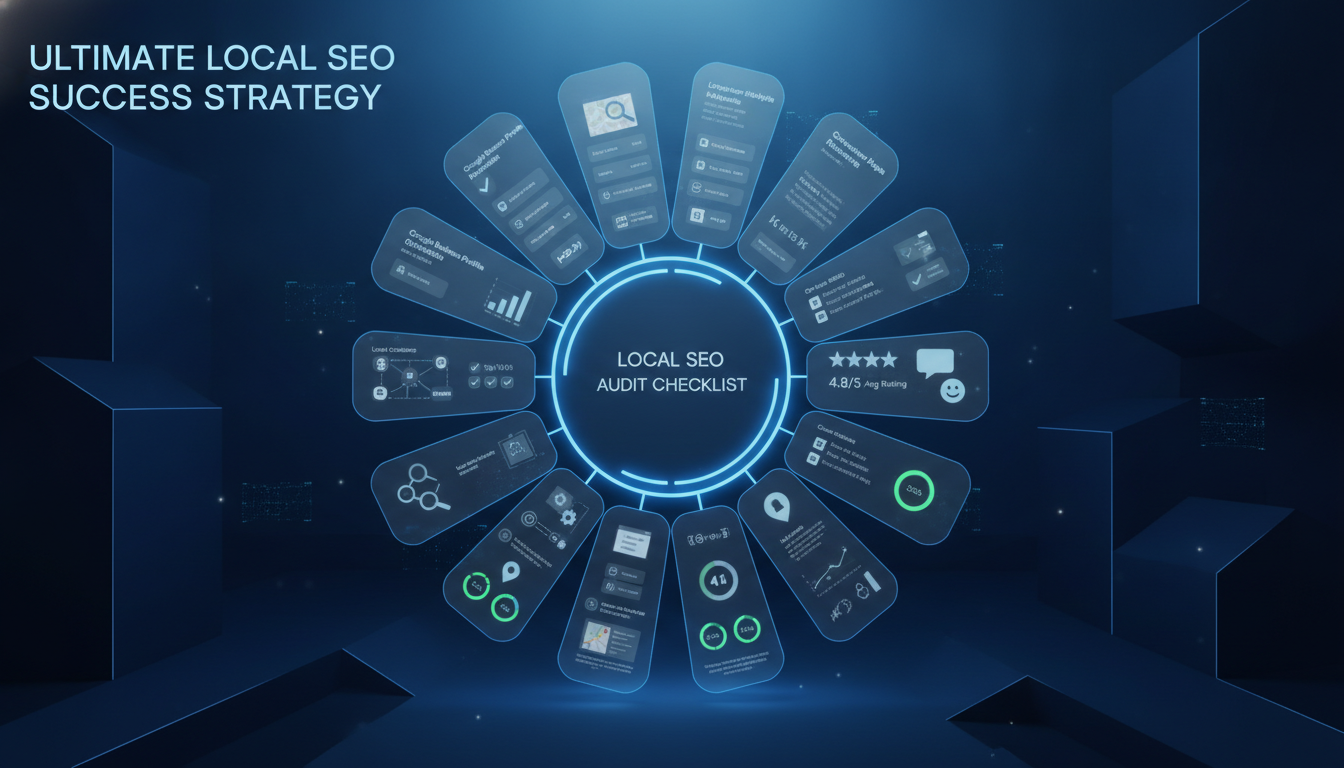
A local SEO audit checklist is a structured review of every factor that affects your ranking in Google’s local search results, including your Google Business Profile, website, citations, reviews, backlinks, and content. Running a complete audit reveals the exact issues holding your business back and shows you which fixes will move the needle fastest.
• Your Google Business Profile is the single most influential local ranking asset: even small errors in category, NAP, or attributes will cost you local pack visibility.
• Citation inconsistency is a silent ranking killer. A mismatched phone number or address across directories tells Google it cannot trust your data.
• Review velocity matters as much as review volume. A steady stream of recent reviews outperforms a one-time burst from two years ago.
• Local schema markup and Core Web Vitals are technical quick wins most competitors ignore, which gives you an edge without competing on content alone.
• AI search is now a real traffic source. Structured, entity-rich content that answers specific local questions is what gets cited by ChatGPT, Perplexity, and Google AI Overviews.
Your business is not showing up. Customers are searching for exactly what you offer in Lafayette, and they are clicking on your competitors. That is not bad luck. It is a fixable technical problem, and a local SEO audit is the tool that finds it.
Most local businesses treat SEO as a set-it-and-forget-it task. They claim their Google Business Profile once, add their address to a few directories, and call it done. Meanwhile, citation errors accumulate, review responses go missing, schema markup breaks, and page speed drops. Google notices all of it.
This guide walks you through every section of a complete local SEO audit, from Google Business Profile compliance to AI search visibility, and gives you a prioritized action plan built for the Lafayette, LA market. By the end, you will know exactly what to fix and in what order.
Before you audit anything, you need to understand what Google is measuring. Local search rankings are not a mystery. Google published its core ranking criteria, and every item in this checklist maps back to one of three signals.
Relevance is how well your business profile and website match what the searcher is looking for. A plumber in Lafayette who lists only residential services will not rank for commercial plumbing searches, even if every other signal is perfect. Relevance is controlled through your Google Business Profile categories, website content, and the specific language you use to describe your services.
Distance is how far your business is from the searcher’s location or the location they specified in the query. You cannot move your business to rank better. But you can optimize your service area settings, pin placement, and location page structure to maximize your coverage footprint.
Prominence is how well-known and trusted your business appears across the web. This includes your review count and rating, the number and quality of citations pointing to your business, the authority of websites linking to your site, and how consistently your brand information appears across all platforms. Prominence is the signal you have the most control over.
Google weighs all three signals together to determine which three businesses appear in the Local Pack, which is the map with the top three business listings that appears above organic results. According to Whitespark’s 2023 Local Search Ranking Factors survey, Google Business Profile signals account for the largest share of local pack ranking factors, followed by on-page signals, reviews, links, and citations. No single factor dominates. A strong audit addresses all of them.
A complete local SEO audit covers 13 distinct areas. Skipping any one of them leaves a gap that a competitor can exploit:
• Google Business Profile
• Local keyword and search visibility
• Website local SEO
• Search Console and analytics
• Local conversion performance
• Citation and business listing accuracy
• Review and reputation signals
• Local content quality
• Local authority and link building
• Local entity and AI search visibility
• Competitor gap analysis
• Prioritization and implementation planning
Not all audit findings carry equal weight. Use an impact-versus-effort matrix to sort issues into four buckets: high impact and low effort, which you fix first; high impact and high effort, which you schedule; low impact and low effort, which you batch; and low impact and high effort, which you skip or defer indefinitely.
| Priority Level | Type | Action |
| P1 | High Impact, Low Effort | Fix immediately (GBP errors, NAP mismatches, schema breaks) |
| P2 | High Impact, High Effort | Schedule in first 30 days (content rewrites, link building) |
| P3 | Low Impact, Low Effort | Batch together (minor citation fixes, photo uploads) |
| P4 | Low Impact, High Effort | Defer or skip (obscure directory listings, thin content on low-traffic pages) |
Your Google Business Profile is the most powerful local ranking asset you control. Errors here directly suppress your local pack visibility, often immediately. This section covers every component a thorough GBP audit must examine.
Business name compliance means your GBP name must match your real-world business name exactly, with no added keywords, city names, or descriptors. A listing titled ‘Smith Plumbing – Best Plumber Lafayette LA’ violates Google’s guidelines and risks suspension. Check that your name matches your signage, website header, and legal business registration.
Your primary category is the single most important relevance signal in your GBP. Choosing ‘General Contractor’ when you primarily do roofing will cost you ranking for roofing searches. Audit your primary and secondary categories by searching for your core service terms in Lafayette and checking which categories your top-ranked competitors use. Align with the most specific category available.
NAP stands for Name, Address, and Phone Number. Your NAP on GBP must match your website’s contact page, footer, and every citation across the web, character for character. ‘St.’ versus ‘Street’ is enough to create a mismatch signal. Verify your phone number is a local Lafayette number, not a toll-free or tracking number placed here by mistake.
If you serve customers at their location rather than at a storefront, verify that your GBP is set as a Service Area Business with the correct coverage radius or list of cities. Also, check that your map pin is placed accurately. A pin dropped in the wrong parish can skew distance calculations and reduce your ranking radius in the Lafayette metro area significantly.
Incomplete hours and attributes are a missed relevance opportunity. Add special hours for holidays. Enable every relevant attribute: ‘Wheelchair accessible,’ ‘Free Wi-Fi,’ ‘Accepts credit cards,’ and any category-specific attributes Google offers your business type. These attributes appear directly in the local knowledge panel and influence filtering in Google Maps.
The Products and Services sections allow you to describe your offerings in detail, include pricing ranges, and use keyword-rich descriptions that reinforce your categories. The Q&A section is user-generated, but you can seed it with the questions your customers actually ask and answer them yourself. Monitor it monthly because anyone can post a question or an answer.
Google reports that businesses with photos receive 42% more requests for directions and 35% more clicks to their website than those without. (Source: Google Business Profile Help, 2023.) Audit your photo library for outdated images, low-resolution uploads, or photos that do not represent your current services. Add fresh photos every 30 days to signal activity.
Inside your GBP dashboard, review the Performance section for search impressions, direction requests, phone calls, and website clicks over the past 90 days. If direction requests are high but phone calls are low, your click-to-call button may not be working on mobile. If impressions are strong but clicks are low, your photos or reviews may be underperforming versus competitors.
Ranking for the wrong keywords or failing to rank for the right ones wastes every other effort in your audit. This section shows you how to find the gaps in your local keyword coverage.
Start by exporting your Google Search Console data for the past 12 months and filtering by queries that contain your city name, neighborhood names, or ‘near me.’ Then cross-reference against Semrush or Ahrefs to find local keywords your competitors rank for, and you do not. These gaps represent the fastest ranking opportunities available to your business right now in the Lafayette market.
‘Near me’ searches are now so common that Google’s 2023 Search Trends report shows ‘near me’ queries have grown over 200% in the past five years. Your near me visibility depends almost entirely on your GBP strength and the proximity of the searcher to your business. If you are not appearing for your core service + ‘near me,’ the most likely causes are a weak GBP or insufficient prominence signals.
Audit your Local Pack rankings by searching for your primary service keywords from different points within the Lafayette metro area. Use a rank-tracking tool with local grid tracking, such as Local Falcon or BrightLocal, to see how your rankings vary across the city grid. Also, audit your organic rankings separately. A business can rank in the Local Pack without ranking organically, and vice versa.
If you serve Broussard, Youngsville, Carencro, or other communities surrounding Lafayette, check whether your keyword strategy and content explicitly target those locations. A business based in Lafayette may lose rankings in surrounding cities simply because its website never mentions them. Create location-specific content or landing pages for each city where you actively serve customers.
Your website reinforces and amplifies the signals in your GBP. A site with poor local signals will hold down even the strongest GBP. This section covers every on-page factor your audit must examine.
Your NAP must appear on every page of your website, typically in the footer. It must match your GBP and all citations exactly. If you have recently moved offices or changed your phone number, run a site crawl to find every instance of your old NAP and update it. Even a single stale address in a buried policy page creates an inconsistency signal.
Each city you serve and each core service you provide should have a dedicated page. A plumber in Lafayette should have a page titled ‘Plumbing Services in Lafayette, LA,’ not a generic ‘Services’ page. These pages must include your NAP, an embedded Google Map, locally-relevant copy, and a clear call to action. Thin location pages with duplicate content across cities hurt more than they help.
Duplicate content is a common problem for businesses that copy their Lafayette page text across every service area page, only swapping the city name. Google’s algorithms detect this pattern and discount the pages. Each location page must have unique content: mention local landmarks, reference common local customer situations, or describe how your service fits the specific needs of residents in that area.
Every service page and location page should have a unique title tag that includes the primary service and location, for example: ‘AC Repair Lafayette, LA | 24-Hour Emergency Service.’ Meta descriptions should reinforce the local context and include a clear value proposition. Your H1 should match the title tag intent. H2 and H3 headings should use question formats targeting People Also Ask opportunities.
Internal links pass authority between pages and help Google understand the relationship between your service pages, location pages, and blog content. Audit your internal link structure to ensure each service page links to relevant blog posts, and each blog post links back to the most relevant service page. Orphan pages that receive no internal links will underperform regardless of their content quality.
Local Business schema is structured data that tells Google your business name, address, phone number, hours, service area, and more in machine-readable format. Audit your schema using Google’s Rich Results Test and Schema.org Validator. Common errors include mismatched NAP, missing opening hours, and incorrect business type. A complete LocalBusiness schema with nested Service and FAQPage markup is a significant local ranking advantage.
As of Google’s Page Experience update, Core Web Vitals are a confirmed ranking signal. Run your site through Google PageSpeed Insights and check your Largest Contentful Paint (LCP), Interaction to Next Paint (INP), and Cumulative Layout Shift (CLS) scores. For local businesses, mobile performance is especially important because most local searches happen on phones. A site that loads in under 2.5 seconds on mobile has a measurable ranking advantage over slower competitors.
Raw rankings tell you where you stand. Search Console and analytics data tell you why, and what to do about it. This section shows you how to extract actionable local insights from your existing data.
In Google Search Console, filter your Performance report by queries containing your city name or service area terms. Look for keywords where you have strong impressions but low click-through rates. This means you are being seen but not chosen. The fix is usually a stronger title tag or meta description that better matches the searcher’s intent. A click-through rate below 2% on a keyword with over 500 monthly impressions is a priority fix.
Open the Coverage report in Search Console and filter for errors and warnings. Common local SEO indexing issues include: noindex tags on service pages added by mistake during a site migration, canonical tags pointing location pages to a parent page, and crawl errors caused by blocked URLs in your robots.txt. Any indexed page that should be indexed but is not is losing ranking opportunity every day it stays excluded.
Compare your organic traffic month-over-month and year-over-year in GA4, segmented by landing page. Look for location pages or service pages that were previously driving traffic but have dropped. A traffic loss of 20% or more over 90 days on a specific page is a signal worth investigating for content decay, a competitor publishing stronger content, or a technical issue like a broken internal link.
Cross-reference your Search Console impressions with GA4 sessions on a page-by-page basis. Pages with strong impressions but poor session counts may have landing page experience issues. Pages with zero impressions but strong rankings in your rank tracker may be blocked by a technical error. Both patterns represent traffic you should be capturing but are not.
Ranking locally does not matter if your site does not convert visitors into calls or form submissions. This section covers the conversion signals that keep local search traffic from going to waste.
The majority of local search traffic converts through phone calls. Verify that every phone number on your site uses a tel: href link that triggers a native call on mobile. Test your click-to-call on iOS and Android. Also, check that your phone number appears above the fold on mobile without requiring any scrolling, because every extra tap costs you a percentage of callers.
If you are not tracking calls, form submissions, and direction requests as conversion goals in GA4, you cannot measure the actual business value of your local SEO. Set up call tracking through a tool like CallRail or a Dynamic Number Insertion service. Connect your GBP to GA4 to attribute direction requests and phone calls from your GBP listing to specific campaigns or organic search sessions.
In GA4, trace the path a user takes from organic local search to your contact page or form submission. If users drop off on your service pages, the issue is likely a weak call to action, missing social proof, or too many competing distractions. If they drop off on your contact page, simplify your form. Most local service businesses convert better with a phone number and a three-field form than with a ten-question intake survey.
Citations are online mentions of your business name, address, and phone number. Inconsistent citations are one of the most common and most damaging local SEO problems, particularly for businesses that have moved, rebranded, or changed phone numbers.
Use a citation audit tool such as BrightLocal, Whitespark, or Semrush Local to pull every citation pointing to your business. Check for NAP variations, outdated addresses, and incorrect phone numbers. A study by Moz found that NAP inconsistency is one of the top five negative ranking factors in local search. (Source: Moz Local Search Ranking Factors.) Every inconsistency you correct improves Google’s confidence in your business data.
Beyond Google, audit these platforms specifically: Apple Business Connect, Bing Places for Business, and Yelp. Apple Maps is the default map app on iPhones, meaning any iPhone user searching nearby gets Apple Business Connect data. Bing Places feeds Microsoft Bing search and Cortana results. Yelp citations carry high domain authority and appear in many third-party data feeds. All three must have accurate, complete, and claimed listings.
Industry-specific directories carry more relevance weight than general directories for certain business types. A Lafayette attorney should be listed on Avvo, Justia, and FindLaw. A contractor should appear on HomeAdvisor, Houzz, and Angi. A medical practice should be listed on Healthgrades and WebMD. Identify the top five directories in your industry and audit your presence in each one.
Duplicate GBP listings and duplicate citations split your authority signals and can trigger a manual penalty. Search Google Maps for your business name and address to find duplicate GBP listings and request removal of the ones you do not control. For duplicate citations in directories, contact the platform directly or use a citation management service to suppress them.
An unlinked brand mention is when a website mentions your business name without linking to your site. These are free backlink opportunities. Use Ahrefs Content Explorer or Google Search with your business name in quotation marks, filtered to recent results to find mentions. Reach out to the site owner and ask them to add your URL. Most will do it without hesitation because it makes their content more useful.
Reviews are one of the most visible signals in local search. They appear directly in your GBP listing, in the Local Pack, and in AI-generated answers. A strong review profile builds trust before a customer ever visits your site.
Count your total GBP reviews and calculate your average rating. Then check your review recency: if your last review came in six months ago, Google and potential customers both notice. Research from BrightLocal shows that 84% of consumers trust online reviews as much as a personal recommendation, and recency is one of the top factors influencing that trust. (Source: BrightLocal Local Consumer Review Survey, 2023.) Target a pace of at least two to four new reviews per month.
Review responses are a ranking signal and a trust signal. Google has confirmed that responding to reviews signals that you are an active, engaged business. Audit your response rate: if more than 20% of reviews have no response, you have a gap to close. For negative reviews, respond professionally within 24 hours, acknowledge the issue, and offer to resolve it offline. Never argue or make excuses in a public response.
Search your primary service keyword in Lafayette and look at the three businesses in the Local Pack. Compare their total review count, average rating, recency of reviews, and response rate to yours. If a competitor has 200 reviews and you have 40, the gap is not insurmountable, but it requires a consistent acquisition strategy, not a one-time push.
The businesses that win at reviews are the ones that ask consistently, not occasionally. Build a review request workflow that triggers automatically after a completed service. SMS review requests outperform email requests by a significant margin for local businesses, with higher open rates and faster response times. Direct customers to your GBP review link, which you can find in your GBP dashboard under ‘Get more reviews.’
Content is how you demonstrate relevance and expertise at scale. A strong local content strategy covers every question your potential customers ask before they decide to hire you.
Export a full list of your blog posts and service pages. For each page, note the target keyword, current ranking position, organic traffic over the past 90 days, and last update date. Any piece of content that was once ranking in positions 4 to 10 but has since dropped is a prime candidate for a content refresh, which is faster than writing something new and often produces faster ranking gains.
Audit each city or service area page using Search Console. If a page targeting ‘Lafayette, LA + [service]’ is not generating impressions for that query, the page either lacks sufficient content, has a technical issue, or is competing with a stronger service page on the same topic. Combining thin location pages into a stronger, more detailed page is often the right move.
Map your existing content against the questions your customers ask during the buying process. For a home services business in Lafayette, this includes questions like ‘How much does HVAC repair cost in Lafayette?’ and ‘What is the best time of year for roof inspections in Louisiana?’ Use tools like AnswerThePublic, Semrush’s Topic Research, or simply your own customer service logs to identify the questions you have not yet answered.
Community content builds local authority signals that generic service content cannot. Examples include: a guide to local permit requirements for home renovations in Lafayette, an overview of flood zone considerations for homeowners in Acadiana, or a directory of local contractors and specialists you partner with. This type of content earns links, builds entity associations, and positions you as the local expert, not just another vendor.
Links from local and industry-relevant websites are among the strongest authority signals in local SEO. This section shows you where to find them and how to audit the ones you already have.
Pull your full backlink profile using Ahrefs, Semrush, or Google Search Console’s Links report. Flag links from sites with spam scores above 60%, links from irrelevant international sites, and links embedded in low-quality blog networks. Use Google Search Console’s disavow tool only for links you genuinely cannot get removed through a manual outreach request. Disavowing file errors can cause more harm than the links themselves.
The highest-value local links are editorially placed links from Lafayette-based websites with genuine audiences. Target: the Acadiana Advocate and other local news sites, University of Louisiana at Lafayette (.edu domain), the Lafayette Convention and Visitors Commission, and local business association websites. Getting mentioned or quoted in a local news article builds both a strong link and a powerful brand signal simultaneously.
The Lafayette Chamber of Commerce, the Greater Acadiana Chamber, and industry associations in Louisiana offer member directory listings that carry both citation value and local relevance signals. These listings are often free with membership and represent one of the easiest and most credible local links available. Audit your current memberships and look for gaps.
Sponsoring a local Lafayette event, youth sports team, school fundraiser, or charity gets your business mentioned on event websites, local news coverage, and social media. Many sponsorship packages include a website link from the event organizer’s site. The link authority may not be enormous, but the local relevance and brand visibility compound over time in ways that generic link building does not.
Google’s knowledge graph is built on entities, and your business is one of them. The stronger your entity signals, the more confident Google becomes in surfacing you across search formats, including AI Overviews, featured snippets, and voice search results.
Entity consistency means your business name, address, phone, website URL, and key personnel are mentioned the same way across every platform: your website, GBP, social profiles, press mentions, and directories. Inconsistencies in how your business name appears (abbreviations, punctuation differences, alternate brand names) fragment your entity signal and reduce Google’s confidence in the data.
Add structured data to your website that explicitly names your business, its type, its location, and the services it provides. Create or claim your Wikidata entry if your business is established enough. Ensure your LinkedIn company page, Facebook business page, and industry association profiles all reference your canonical website URL. Cross-linking your owned properties creates a web of corroborating signals that strengthens your entity in Google’s knowledge graph.
Google AI Overviews, ChatGPT, and Perplexity all draw from structured, authoritative web content to generate their answers. Audit whether your business or your content is being cited by searching your core service keywords, followed by ‘Lafayette’ in Google with AI Overviews enabled. If you are not appearing, your content likely lacks the specificity, structure, and authority that AI systems require to cite a source confidently.
AI-optimized content shares several characteristics: it answers a single question directly and completely at the top of the page, it uses definition-first formatting (defining terms before explaining them), it cites sources or data within the text, and it is structured with clear headings that match the query format. Pages that already appear in Google Featured Snippets are the most likely to be cited in AI Overviews.
Ranking locally is a competitive exercise. Every gap in your strategy is likely a strength in a competitor’s. This section shows you exactly how to identify and close those gaps.
Your actual local SEO competitors are the businesses appearing in the Local Pack and organic results for your core keywords, not necessarily your direct business competitors. Search for your top five service keywords from Lafayette, Louisiana. List the three businesses appearing in each Local Pack result. These are your audit benchmarks, regardless of whether you consider them competitors in any other context.
For each competitor appearing above you in local results, record: their GBP category, total review count, average rating, review recency, number of photos, and whether they have complete products and services sections. Then, audit their citation profile with a tool like Whitespark. Identify patterns. If every top-ranked competitor in your niche has over 100 reviews and you have 30, that is your clearest path to closing the gap.
Pull your top competitors’ backlink profiles in Ahrefs or Semrush and compare them to yours by Domain Rating, total referring domains, and quality of linking sites. Look specifically for local Lafayette links your competitors have that you do not. Each one of those is a link you could realistically acquire with the right outreach strategy. Focus on the quantity of local relevant links, not raw Domain Rating.
Enter a competitor’s domain into Semrush’s Organic Research tool and look at the keywords they rank for that you do not. Filter by local terms and look for patterns. If a competitor ranks for ’emergency plumber Lafayette’ and you do not have a dedicated page for emergency services, that is a content gap you can close with a single well-optimized page and a GBP service update.
An audit that sits in a spreadsheet does not move rankings. This final section turns your findings into a structured implementation plan.
Return to your impact-versus-effort matrix from the overview section. Assign every audit finding to a priority tier. Most audits surface 30 to 50 individual issues. Trying to fix all of them simultaneously spreads your effort thin and makes it impossible to attribute ranking changes to specific actions. Systematic implementation is what separates professionals from amateurs in local SEO.
The following issues consistently deliver ranking improvements within 30 days of being fixed:
1. Correct any GBP category errors or NAP mismatches
2. Add missing services and products to your GBP
3. Claim and correct your Apple Business Connect and Bing Places listings
4. Fix any broken internal links on location or service pages
5. Add or correct your LocalBusiness schema markup
6. Respond to all unanswered reviews
7. Remove or redirect any duplicate GBP listings
Lafayette is a mid-sized market with a concentrated service economy. Competition in the Local Pack for most service categories is beatable within 90 to 180 days with a well-executed audit and consistent execution. The highest-competition categories are legal services, HVAC, medical practices, and restaurants. Home services, specialty trades, and professional services have more reachable top-three Local Pack positions for businesses willing to invest systematically.
Louisiana-specific directories that carry local relevance include the Louisiana Secretary of State business database, the Louisiana Association of Business and Industry directory, the Greater Lafayette Chamber of Commerce member listing, and parish-level government contractor registries. These citations are low-competition and high-relevance, which is the ideal combination for local SEO.
Lafayette has a strong civic culture with active organizations like the Rotary Club of Lafayette, the Lafayette Economic Development Authority (LEDA), and the Acadiana Press Club. Participation in or sponsorship of their events often results in mentions and links on their websites. The University of Louisiana at Lafayette is also a source of .edu links for businesses that partner on internships, research, or community events.
Structure your implementation in three phases:
• Days 1 to 30: Fix all P1 issues. This means GBP corrections, NAP fixes, schema corrections, and citation cleanup. These are the foundation. Nothing else builds correctly on a broken foundation.
• Days 31 to 60: Execute P2 work. This means creating or rewriting location pages, building out your content gap list, launching your review acquisition workflow, and beginning local link outreach.
• Days 61 to 90: Measure, adjust, and expand. Review your Search Console data, compare rank positions to your baseline, and prioritize the next round of content and link building based on what moved and what did not.
Set up a monthly reporting dashboard that tracks: Local Pack ranking positions for your top 10 keywords, GBP impressions and calls, organic traffic to service and location pages, total review count and average rating, and conversion rate from organic sessions. Without this baseline and monthly tracking, you cannot separate the impact of your SEO work from normal seasonal traffic patterns.
A complete local SEO audit is not a one-time project. It is the foundation of an ongoing local search strategy that compounds over time. The businesses dominating the Local Pack in Lafayette today built their positions through consistent execution across every factor covered in this guide: a clean GBP, accurate citations, strong reviews, technically sound websites, authoritative local content, and a growing network of local links.
The good news is that most of your competitors are not auditing at this level. They are optimizing one or two signals while ignoring the others, which leaves gaps you can exploit with a systematic approach. Every issue you fix is a signal you send to Google that your business is more trustworthy, more relevant, and more prominent than the alternative.
At Sites N Apps, we run comprehensive local SEO audits for businesses across Lafayette, Louisiana and deliver prioritized implementation roadmaps built around your specific competitive situation. If you want to know exactly what is holding your rankings back and get a clear plan to fix it, book a free 30-minute strategy call with our team. We will review your current local SEO performance and show you the highest-impact opportunities available in your market today.
A thorough local SEO audit covering all 13 areas typically takes 8 to 20 hours depending on business size, number of locations, and current site complexity. A solo business with one location and a simple website can be audited in about 8 hours. A multi-location operation with hundreds of pages may require two to three business days for a complete audit.
Run a full local SEO audit at least once per year. However, mini-audits on specific areas, particularly GBP, citations, and reviews, should happen quarterly. Google frequently updates its local algorithm, and a competitor gaining 50 new reviews in a quarter can shift Local Pack rankings without any action on your part.
A local SEO audit focuses specifically on the signals that drive local pack and map rankings: GBP accuracy, citation consistency, review profile, local schema, and proximity signals. A general SEO audit covers domain authority, backlink profiles, technical health, and content at scale. A complete audit for a local business needs both, with the local-specific layer given priority.
Yes. The framework in this guide gives you everything you need to run your own audit. Free tools like Google Search Console, Google PageSpeed Insights, and Schema.org Validator cover the technical basics. Paid tools like Semrush, BrightLocal, or Whitespark accelerate the citation and keyword research components significantly and are worth the investment if you manage multiple locations.
Professional local SEO audits range from $500 for a basic single-location review to $3,000 or more for a comprehensive multi-location audit with a full implementation roadmap. The value comes not from the audit itself but from acting on the findings. An audit that produces a clear, prioritized action plan pays for itself quickly when those actions move you from page two to the Local Pack for your core service keywords.
The most common issues found in local SEO audits are: GBP category mismatch, NAP inconsistencies across citations, missing or broken LocalBusiness schema markup, duplicate GBP listings, no review acquisition process, thin or duplicate location pages, and missing mobile click-to-call functionality. Most businesses have five to ten of these issues active at any given time.
Struggling to compete for high-search-volume keywords? We help businesses like yours increase visibility, drive more traffic, and dominate competitive search terms—all while keeping your costs low. Our proven strategies focus on long-term growth and measurable results.


