

Home / Blog Details
Take your digital marketing to the next level with data-driven strategies and innovative solutions. Let’s create something amazing together!


From Google search results to AI chatbots, we optimize your website so customers can find you faster — and choose you over competitors.
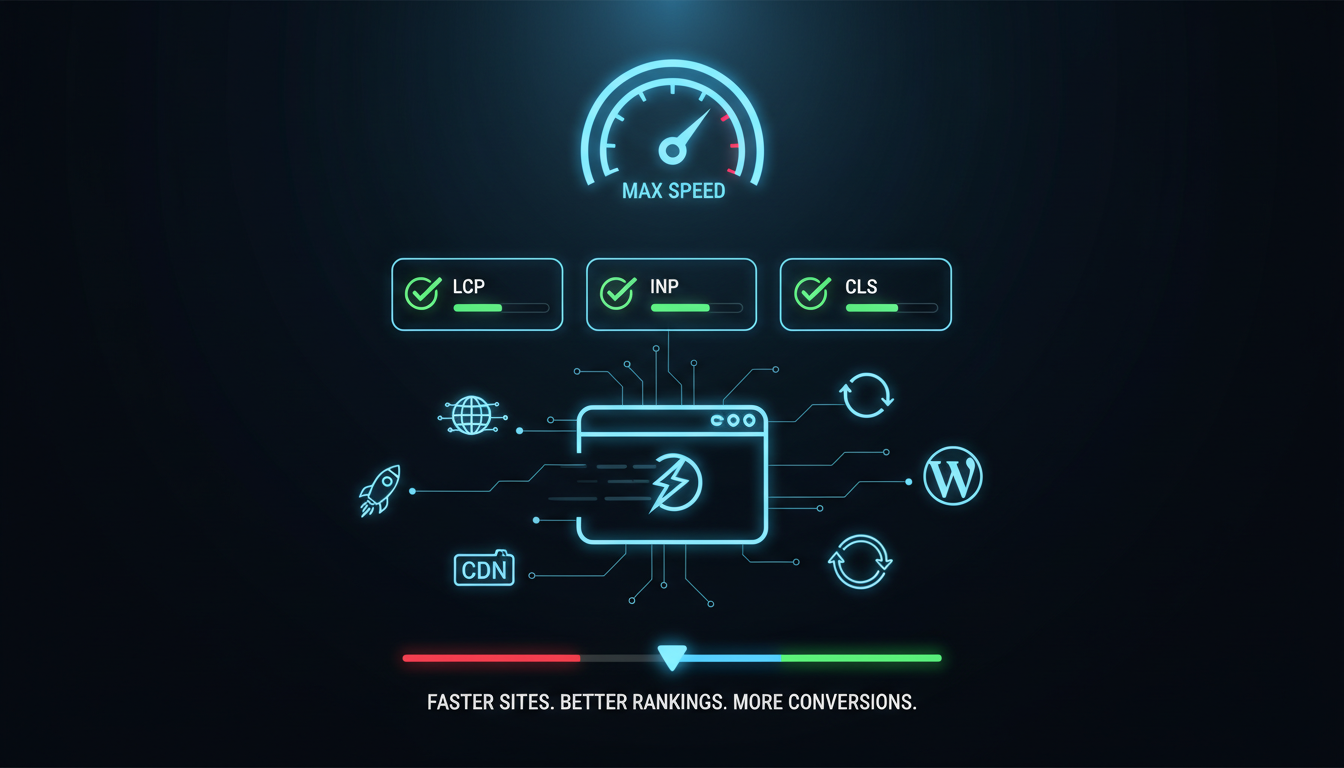
If your website takes more than three seconds to load, more than half of your visitors have already left. In today’s digital landscape, website speed is not just a technical metric; it is a business priority. Slow websites lose customers, drop in search rankings, and damage brand credibility. Whether you run a local business in Lafayette, Louisiana, or manage an online presence for clients, understanding website speed optimization is essential.
This guide walks you through everything you need to know from Core Web Vitals to technical fixes, WordPress performance, and building a strategy that delivers lasting results.
Website speed optimization is the process of improving how fast a website loads and responds to user interactions. It involves a combination of front-end techniques, server improvements, and performance best practices that reduce the time visitors wait before they can see and use your content.
Users expect a website to load in under two seconds. Even a one-second delay can cause frustration, reduce page views, and push visitors toward a competitor’s site. A fast website creates a smooth, enjoyable experience, one where users stay longer, explore more pages, and take action.
Google has used page speed as a ranking factor since 2010, and it became even more important with the rollout of Core Web Vitals in 2021. Faster websites are rewarded with better visibility in search results, which means more organic traffic without additional ad spend.
For businesses in Lafayette, Louisiana, a fast website means more local customers finding you first. Whether you’re a restaurant in the Oil Center, a law firm on Johnston Street, or a medical practice in Youngsville, your website speed directly affects how many local visitors convert into paying clients. Local SEO performance is tied closely to technical performance, and a well-optimized site gives you a measurable competitive edge in the Lafayette market.
Studies consistently show that faster websites convert better. A site that loads in one second converts up to three times more visitors than one that takes five seconds. For service businesses and eCommerce stores alike, even a modest improvement in load time can translate to significant revenue gains.
Bounce rate measures how many visitors leave your site after viewing just one page. Slow load times are one of the top reasons for high bounce rates. When users cannot access your content quickly, they bounce, and that negative signal tells Google your site may not be worth ranking highly.
Google evaluates website speed both at the crawling stage and through real-world user experience data gathered via Chrome. Websites that consistently deliver fast, stable experiences are rewarded with higher rankings. Core Web Vitals are the primary metrics Google uses to measure this performance.
More than 60 percent of all web traffic now comes from mobile devices. Mobile networks are generally slower than broadband connections, which means mobile users are especially sensitive to performance issues. Google’s mobile-first indexing means your mobile site performance has a direct impact on your overall rankings.
A fast, responsive website signals professionalism and reliability. When your site loads quickly and works smoothly, visitors trust your brand more. They are more likely to return, refer others, and become long-term customers, making speed optimization a long-term investment in your business reputation.
Core Web Vitals are a set of real-world performance metrics defined by Google to measure user experience. They focus on three key dimensions: loading performance, interactivity, and visual stability. The three metrics are Largest Contentful Paint (LCP), Interaction to Next Paint (INP), and Cumulative Layout Shift (CLS).
Core Web Vitals are part of Google’s Page Experience signals, which directly influence search rankings. Beyond SEO, they are meaningful indicators of how real users experience your site. Improving these scores leads to better rankings, lower bounce rates, and higher conversions all at the same time.
Google considers the following thresholds as ‘good’ performance:
• LCP: 2.5 seconds or faster
• INP: 200 milliseconds or less
• CLS: 0.1 or less
Scores in the ‘needs improvement’ or ‘poor’ range can negatively impact both rankings and user experience.
Google now indexes and ranks websites based primarily on their mobile version. This means your Core Web Vitals scores on mobile carry more weight than desktop scores. Optimizing for mobile performance is no longer optional it is a foundational requirement for competitive search visibility.
LCP measures how long it takes for the largest visible element on the page, typically a hero image or headline, to fully load. A good LCP score means users can see and engage with your main content quickly. Google’s target is LCP under 2.5 seconds.
The most common causes include unoptimized hero images, slow server response times, render-blocking CSS or JavaScript, and a lack of a Content Delivery Network (CDN). Any resource that delays the loading of your main content will hurt your LCP score.
Hero images are often the largest element on a page and a common LCP bottleneck. Compress them thoroughly, use modern formats like WebP or AVIF, and avoid loading them lazily. Hero images should always load as a priority.
WebP images are typically 25 to 35 percent smaller than JPEGs at equivalent quality. AVIF offers even better compression. Switching to these formats while providing fallbacks for older browsers can dramatically reduce image payload and improve LCP scores across all devices.
Use the <link rel=”preload”> tag to instruct the browser to fetch critical resources such as your hero image or primary web font, before it would normally discover them. This simple technique can shave hundreds of milliseconds off your LCP time.
Time to First Byte (TTFB) is the time it takes for a browser to receive the first byte of data from your server. A poor TTFB delays everything else. Upgrading to a faster hosting provider, enabling server-side caching, or switching to a VPS can significantly reduce TTFB and improve LCP.
A Content Delivery Network (CDN) stores copies of your site’s assets on servers located around the world. When a user visits your site, assets are served from the nearest location, reducing latency. CDNs are one of the most effective ways to improve LCP globally.
INP replaced First Input Delay (FID) as a Core Web Vital in March 2024. It measures the time from any user interaction, a click, tap, or keyboard input, to the next visual update on screen. A good INP score is 200 milliseconds or less.
Heavy JavaScript execution on the main thread is the primary cause of poor INP. When the browser is busy running scripts, it cannot respond to user interactions immediately. Long tasks, bloated third-party libraries, and unoptimized event handlers all contribute to slow INP.
Audit your JavaScript using Chrome DevTools or Lighthouse to identify scripts that consume the most processing time. Remove scripts you don’t need, defer non-critical ones, and split large bundles into smaller chunks that load on demand.
Long tasks are JavaScript operations that take more than 50 milliseconds to execute, blocking the main thread. Break these tasks into smaller pieces using techniques like setTimeout, requestIdleCallback, or the Scheduler API to keep the browser responsive between interactions.
Many websites load entire JavaScript libraries but use only a fraction of their features. Use tools like PurgeCSS, Tree Shaking, or manual audits to identify and remove unused code. Smaller JavaScript payloads mean faster execution and better INP scores.
Event listeners attached to forms, buttons, and navigation elements should be as lightweight as possible. Avoid triggering expensive operations directly on user input. Debounce or throttle event handlers where appropriate, and ensure visual feedback appears immediately, even if the full action is deferred.
CLS measures the total amount of unexpected layout movement that occurs during a page’s lifespan. When elements shift around after the page starts loading, causing users to click the wrong thing or lose their place, this creates a poor experience. Google’s target is a CLS score of 0.1 or less.
Common causes include images and videos without defined dimensions, ads or embeds that load asynchronously and push content down, web fonts that cause text to reflow on load, and dynamically injected content that displaces existing elements.
Always define width and height attributes on every image and video element. This tells the browser how much space to reserve before the media loads, preventing content from jumping around as assets appear. This single fix resolves the majority of CLS issues on most websites.
Third-party embeds like ads, social media widgets, and maps often load after the rest of the page and push content down. Reserve fixed space for these elements using CSS min-height or aspect-ratio containers so the layout remains stable regardless of when they load.
Skeleton screens are placeholder layouts that mimic the structure of the final content while it loads. They prevent the sudden appearance of new elements from shifting existing content and significantly improve perceived performance, making your site feel faster even before it is fully loaded.
Minification removes unnecessary whitespace, comments, and formatting from code files without changing their functionality. Tools like UglifyJS, CSSNano, and HTMLMinifier can reduce file sizes by 20 to 30 percent, resulting in faster downloads and parse times.
Render-blocking resources are CSS and JavaScript files that prevent the browser from displaying the page until they finish loading. Move critical CSS inline, defer non-essential scripts, and use async loading for third-party resources to unblock page rendering.
Text-based resources like HTML, CSS, and JavaScript can be compressed on the server before being sent to the browser. Brotli offers up to 20 percent better compression than GZIP. Enabling compression at the server level is one of the quickest wins available in speed optimization.
HTTP/2 allows multiple requests to be handled over a single connection simultaneously, eliminating the queuing delays of HTTP/1.1. HTTP/3 builds on this with even faster connection establishment and better performance on unstable networks. Ensure your hosting provider supports these modern protocols.
Every third-party resource your page loads, including fonts, analytics scripts, and social widgets, requires a DNS lookup. These lookups add latency. Use dns-prefetch and preconnect hints for critical third-party origins to establish connections early and reduce this overhead.
Use tools like Squoosh, TinyPNG, or ShortPixel to compress images before uploading them. Aim for the smallest file size that still looks sharp on screen. For photographs, a quality setting of 75 to 85 percent in lossy compression typically produces excellent results with significant size reductions.
The srcset attribute allows you to serve different image sizes to different devices. A mobile phone does not need a 1400-pixel-wide image. By serving appropriately sized images based on viewport width, you can reduce image payload on mobile devices by 50 percent or more.
Images and videos that are not visible in the initial viewport should be loaded lazily, meaning they only load when the user scrolls close to them. The native loading=”lazy” attribute makes this easy to implement and can significantly reduce the data transferred on page load.
Beyond srcset, consider serving lower-quality images on mobile connections using the <picture> element combined with media queries. Modern image formats like WebP and AVIF also offer better compression specifically tuned for mobile viewing conditions.
Browser caching instructs a visitor’s browser to store certain files locally after the first visit. On subsequent visits, those files are loaded from the local cache rather than the server, dramatically reducing load times for returning users. Static assets like images, CSS, and JavaScript should have long cache lifetimes.
Server-side caching stores pre-built versions of your pages so the server doesn’t have to regenerate them for every visitor. This is especially important for database-driven websites like WordPress, where generating a page dynamically requires multiple database queries per request.
Use Cache-Control headers to define how long different types of resources should be cached. Set long cache lifetimes (one year or more) for versioned static assets that rarely change, and shorter lifetimes for HTML pages that update frequently. Use cache-busting techniques like filename hashing to ensure updates are always picked up.
A CDN is a network of servers distributed across multiple geographic locations. When a user requests a resource, the CDN serves it from the nearest server rather than your origin server. This reduces physical distance and network latency, resulting in faster load times for users everywhere.
CDNs improve load times, reduce server load, protect against traffic spikes, and can improve security through DDoS protection. For any website with visitors outside a single city or region, a CDN is one of the highest-impact speed improvements available.
Popular CDN providers include Cloudflare (free tier available), Amazon CloudFront, Fastly, and BunnyCDN. For most small to medium websites, Cloudflare’s free plan provides excellent performance improvements with minimal configuration required.
Your hosting environment is the foundation of your website’s performance. Shared hosting plans are cheap, but place your site on servers shared with hundreds of other websites, often resulting in slow response times. For serious performance, consider a managed VPS or cloud hosting provider.
Shared hosting is suitable for very low-traffic sites with no performance demands. A VPS (Virtual Private Server) gives you dedicated resources at an affordable price and is appropriate for most business websites. Dedicated servers offer maximum performance but are typically only necessary for high-traffic or resource-intensive applications.
For database-driven websites, slow queries are a common bottleneck. Clean up your database regularly, add indexes to frequently queried columns, and use query caching where available. In WordPress, plugins like WP-Optimize can automate database cleanup and reduce overhead.
Most websites ship far more CSS and JavaScript than any given page actually needs. Use Chrome DevTools Coverage tab or tools like PurifyCSS to identify unused code. Removing it reduces file sizes and speeds up parsing improvements that benefit every visitor.
By default, script tags block page rendering. The async attribute loads scripts in parallel with HTML parsing. The defer attribute loads scripts in parallel but executes them after parsing is complete. Use async for independent scripts like analytics, and defer for scripts that depend on the DOM being ready.
Third-party scripts, chat widgets, analytics, advertising tags, and social buttons are often the biggest performance killers on a page. Audit every third-party script on your site, remove any you don’t actively use, and load the rest with defer or async to minimize their impact on page load.
Since Google switched to mobile-first indexing, your mobile site performance directly determines your search rankings even for desktop searches. A site that is fast on desktop but sluggish on mobile will rank lower in search results across all devices.
The most common mobile performance issues include oversized images not optimized for small screens, excessive JavaScript that overwhelms mobile processors, render-blocking resources, and a lack of a CDN. Mobile devices have less processing power and memory than desktops, making all these issues more severe.
Limit the number of web fonts used on your site to two or fewer. Use font-display: swap to prevent invisible text during font loading. Serve mobile-specific image sizes using srcset and the picture element. Every kilobyte saved is more noticeable on a mobile connection.
WordPress sites are notoriously susceptible to performance issues due to plugin bloat, unoptimized themes, and the overhead of dynamically generated pages. Every active plugin adds code that runs on every page load, and many plugins load scripts and styles even on pages where they are not needed.
Choose lightweight, well-coded themes like Astra, GeneratePress, or Kadence. Audit your plugins regularly and remove any that are inactive or redundant. Avoid page builder plugins that inject heavy CSS and JavaScript unless they offer performance optimization features.
Caching is essential for WordPress performance. Top options include:
• WP Rocket is the most comprehensive premium caching plugin, covering page cache, minification, lazy loading, and CDN integration
• W3 Total Cache is a powerful free option with extensive configuration
• LiteSpeed Cache best for sites hosted on LiteSpeed servers
• WP Super Cache a simple, reliable free option for most shared hosts
Over time, WordPress databases accumulate revisions, transients, spam comments, and other overhead that slow down queries. Use WP-Optimize or similar plugins to clean up this data on a regular schedule. Limiting post revisions in your wp-config.php file also prevents unnecessary database growth.
Most major WordPress caching plugins include CDN integration. Cloudflare integrates directly with WordPress via its official plugin and provides both CDN and security features at no cost. For better performance, consider a dedicated CDN like BunnyCDN combined with a plugin like CDN Enabler.
Uploading a 4MB image when a 100KB version would look identical is one of the most common and costly mistakes. Always compress and resize images before uploading. Use tools like Squoosh or TinyPNG, or configure your CMS to automatically optimize uploads.
Every plugin or script you add is a potential performance liability. Before installing anything new, ask whether the benefit justifies the performance cost. For WordPress users, regularly audit your plugin list and remove anything that isn’t actively adding value.
Many website owners focus exclusively on PageSpeed scores without looking at the actual Core Web Vitals data in Google Search Console. Field data from real users is more accurate and more influential for rankings than lab-based scores. Check your Search Console Core Web Vitals report regularly.
Cheap shared hosting seems like a bargain until you realize it’s costing you rankings and conversions. If your site consistently has high TTFB or fails Core Web Vitals, your hosting may be the root cause. Investing in better hosting often delivers the fastest and most dramatic improvement in overall performance.
Start with a full audit using Google PageSpeed Insights, GTmetrix, and Google Search Console’s Core Web Vitals report. Collect both lab data (controlled tests) and field data (real user measurements). This gives you an accurate baseline and helps identify which issues affect actual visitors the most.
Look for the issues with the highest impact: large unoptimized images, render-blocking scripts, slow server response, and missing caching. Prioritize fixes that address the Core Web Vitals thresholds, especially if any of your metrics fall in the ‘poor’ range.
Not all optimizations are equal. Image compression and caching often deliver dramatic improvements with minimal effort. Technical changes like switching hosting or implementing a CDN require more investment but can transform performance. Focus on high-impact, low-effort wins first.
Website performance is not a one-time fix. New plugins, content updates, and code changes can all introduce regressions. Set up ongoing monitoring with tools like Google Search Console, GTmetrix alerts, or a dedicated monitoring service to catch performance degradation before it affects rankings.
Google PageSpeed Insights provides both lab scores and real-world field data for your pages. It offers specific, actionable recommendations ranked by impact. It is the most authoritative speed testing tool for SEO purposes because it uses Google’s own measurement infrastructure.
The Core Web Vitals report in Google Search Console shows how your site performs across all pages based on real user data collected from Chrome. Unlike lab-based tools, this data reflects what your actual visitors experience and directly correlates with your search performance.
GTmetrix provides detailed performance reports, including waterfall charts that show exactly how every resource on your page loads. It supports testing from multiple global locations and allows you to monitor performance over time with scheduled tests.
Lighthouse is built into Chrome’s DevTools and provides comprehensive audits for performance, accessibility, SEO, and best practices. It is the best tool for developers to diagnose specific performance issues during development and testing.
• Compress and resize all images before uploading
• Use WebP or AVIF image formats
• Enable lazy loading for below-fold images
• Minify CSS and JavaScript files
• Remove unused CSS and JavaScript
• Use async or defer on non-critical scripts
• Set explicit width and height on all images
• Preload critical fonts and hero images
• Enable GZIP or Brotli compression
• Use server-side or page caching
• Set appropriate Cache-Control headers
• Optimize database queries and clean up regularly
• Upgrade to HTTP/2 or HTTP/3
• Use a CDN for static assets
• Ensure hosting provides fast TTFB
• Test Core Web Vitals on mobile in Search Console
• Use responsive images with srcset
• Limit web fonts to two families or fewer
• Test on real mobile devices and slow connections
• LCP under 2.5s: optimize hero images, improve TTFB, use CDN
• INP under 200ms: reduce JavaScript execution, break up long tasks
• CLS under 0.1: set image dimensions, reserve space for ads and embeds
A PageSpeed Insights score of 90 or above is considered good. However, your Core Web Vitals scores are more important for SEO than the overall score. Aim for green ratings on LCP, INP, and CLS based on real user data in Google Search Console.
Your page should become usable, meaning the main content is visible and interactive within two to three seconds on a typical mobile connection. For desktop, aim for under two seconds. The fastest sites load meaningful content in under one second.
Yes, directly. Google uses Core Web Vitals as a ranking signal through its Page Experience update. Sites that consistently deliver good Core Web Vitals scores have an advantage in rankings over equivalent sites with poor performance. Speed also indirectly affects rankings through lower bounce rates and longer session times.
Test your speed after every major update, new plugin installations, theme changes, or content updates that add new scripts or media. Beyond that, monitor your Core Web Vitals report in Google Search Console monthly to catch any gradual regressions.
Absolutely. Faster load times reduce abandonment, increase the percentage of visitors who reach your contact form or checkout page, and improve conversion rates across the board. For local businesses in Lafayette, a fast website also means better local search visibility, which drives more qualified traffic in the first place.
If your Core Web Vitals scores are consistently in the ‘needs improvement’ or ‘poor’ range, and you have already implemented basic optimizations like image compression and caching, it may be time to bring in a professional. Complex performance issues, especially those involving server configuration, JavaScript architecture, or large-scale WordPress setups, often require expert diagnosis and implementation.
A professional speed audit goes beyond a single PageSpeed score. It includes a thorough analysis of your server response times, Core Web Vitals field data, resource loading order, third-party script impact, and hosting environment. You should receive a prioritized list of recommendations with expected impact and implementation guidance.
For Lafayette businesses competing in local search results, website speed is one of the few technical factors you can directly control to outrank competitors. A faster site means better Core Web Vitals, better Page Experience scores, and ultimately higher placement in Google’s local and organic results, putting your business in front of more Lafayette customers at the exact moment they are searching for what you offer.
In Lafayette, industries with especially high stakes for website performance include healthcare and medical practices, legal services, restaurants and hospitality, real estate agencies, and home service contractors. In all of these fields, potential customers make quick decisions about who to contact, and a slow website is often enough reason to choose a competitor.
Working with a local expert means they understand the Lafayette market, your competition, and the specific expectations of your local audience. Local agencies can also pair speed optimization with broader local SEO strategies, ensuring your site not only loads fast but also ranks well for the searches that matter most to your business.
Ready to improve your website speed and Core Web Vitals? Contact the team at SitesnApps today for a professional website speed audit and a custom optimization plan tailored to your Lafayette business.
Website speed optimization is a multi-layered discipline that spans image compression, server configuration, JavaScript performance, caching strategies, and Core Web Vitals compliance. The good news is that most websites have significant room for improvement, and even basic optimizations can deliver meaningful gains in both rankings and conversions.
The three Core Web Vitals, LCP, INP, and CLS, give you clear, measurable targets to aim for. By addressing the most common causes of poor scores and implementing the technical best practices covered in this guide, you can deliver a genuinely fast, smooth, and stable experience to every visitor.
Start by running your site through Google PageSpeed Insights and reviewing your Core Web Vitals data in Google Search Console. Identify your worst-performing metric and focus on the specific fixes outlined in this guide. Then build a monitoring routine so you can track progress and catch new issues before they affect your rankings.
If you need expert help, especially for a WordPress site serving the Lafayette, Louisiana market, a professional speed audit is the fastest path to clear answers and a concrete improvement plan.
Struggling to compete for high-search-volume keywords? We help businesses like yours increase visibility, drive more traffic, and dominate competitive search terms—all while keeping your costs low. Our proven strategies focus on long-term growth and measurable results.


