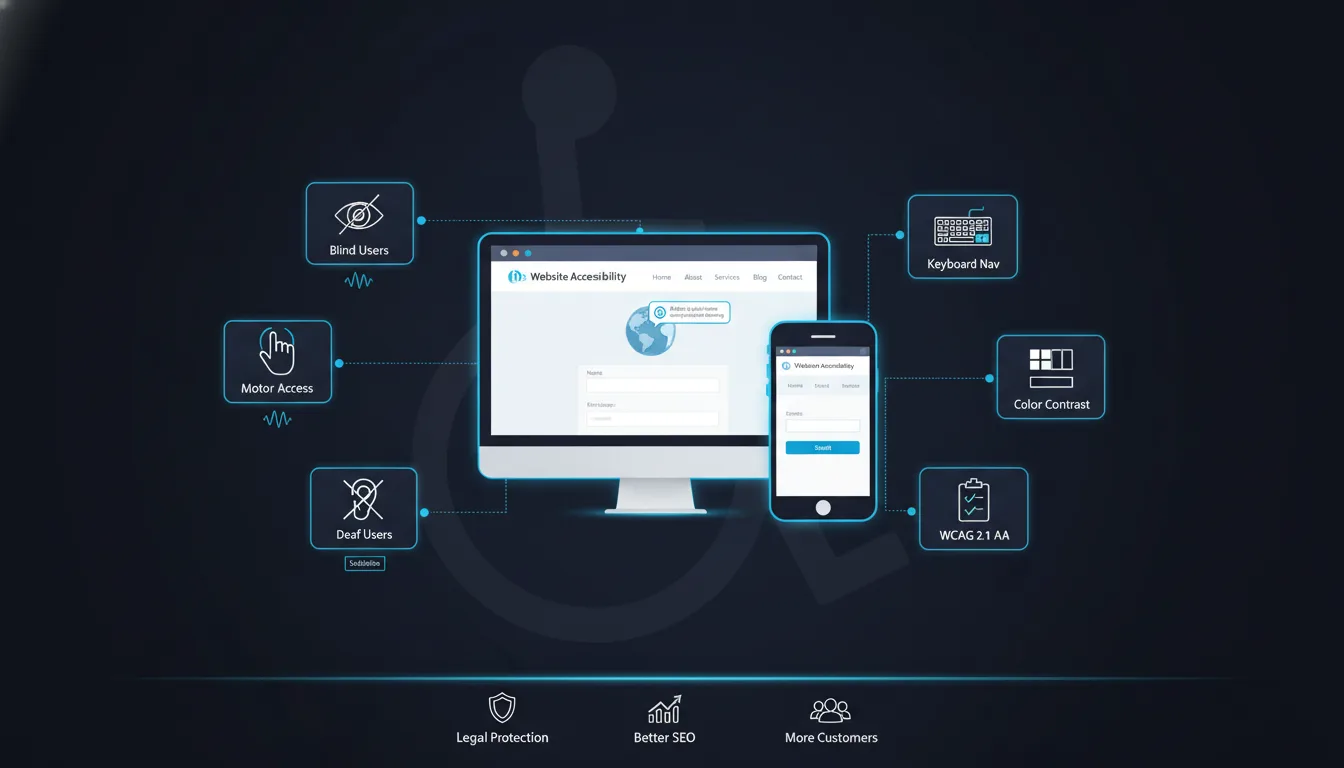
Is your website open to everyone? If someone uses a screen reader, can they read your pages? If someone cannot use a mouse, can they still click your buttons?
If you are not sure, your website may not meet ADA compliant website design standards. And that can cost you customers, hurt your reputation, and even lead to a lawsuit.
This guide breaks it all down in simple terms. You will learn what ADA compliance is, why Louisiana businesses need it, how to fix common problems, and how to choose the right web design partner in Lafayette, LA.
ADA stands for the Americans with Disabilities Act. It is a law passed in 1990. It says businesses must give equal access to people with disabilities.
At first, this law was about physical spaces. Think ramps for wheelchairs or braille signs in buildings. But today, the internet is just as important as any building. So the ADA now applies to websites, too.
ADA compliant website design means your website works for everyone. This includes people who are blind, deaf, have limited hand movement, or have cognitive challenges.
The Web Content Accessibility Guidelines, or WCAG, are the global rules for accessible websites. They are created by the World Wide Web Consortium (W3C).
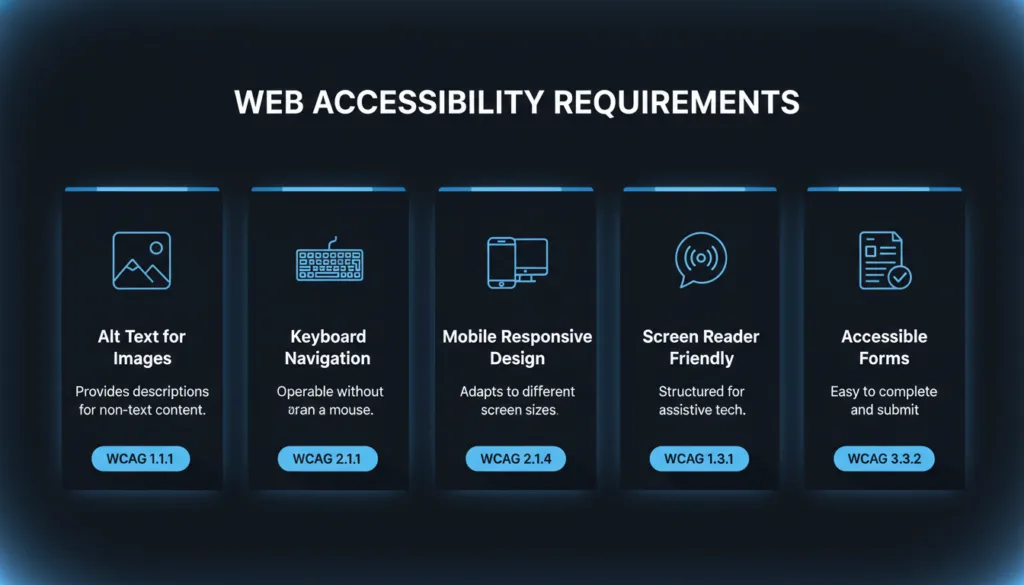
WCAG 2.1 Level AA is the standard most businesses need to meet. It covers things like:
Meeting WCAG 2.1 AA means your site is very likely to also meet ADA requirements.
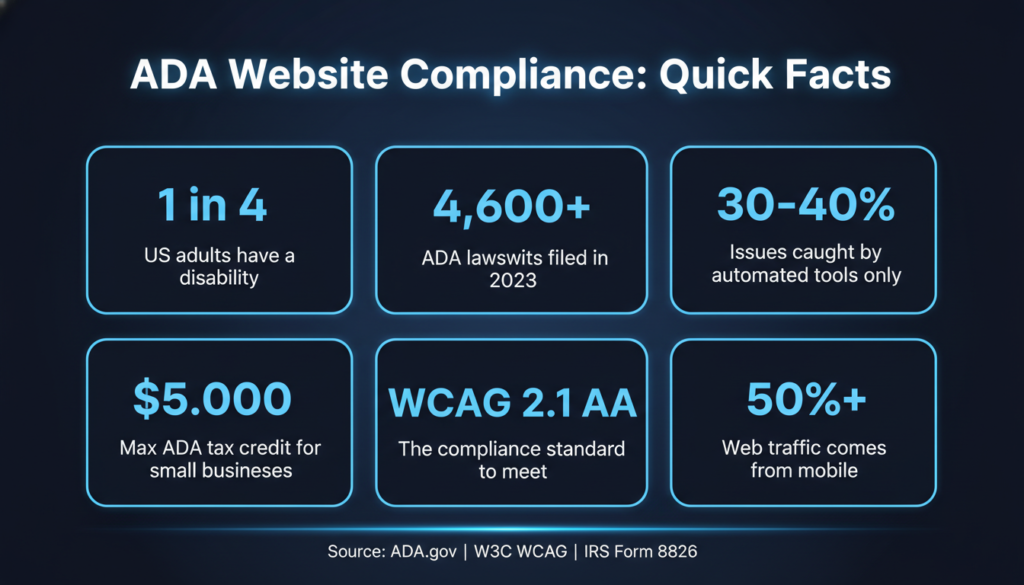
About 1 in 4 adults in the US has some kind of disability. That is a lot of people. Some are blind and use screen readers. Some are deaf and need captions. Some have shaky hands and need a site that works without a mouse.
When your website is accessible, all of these people can use it. That means more customers, more trust, and more business.
These three things are related but different:
If you run a private business, ADA and WCAG apply to you. If you work for a Louisiana government agency, PPM 74 adds extra rules on top.
ADA Title III says that public places must be accessible. Courts have ruled that websites count as public places.
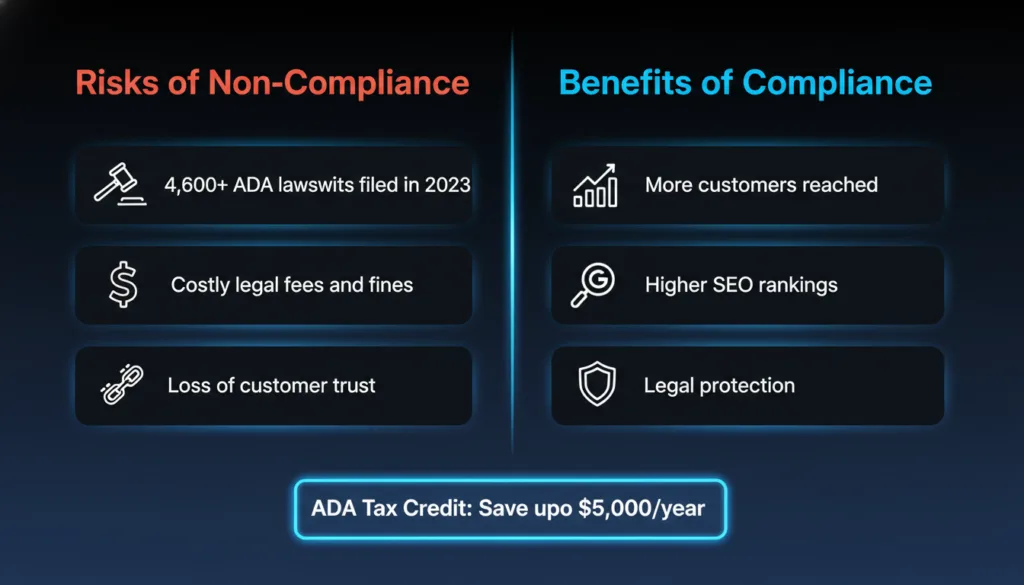
Website accessibility lawsuits are growing fast. In 2023 alone, more than 4,600 ADA web accessibility lawsuits were filed in the US. Small businesses are not safe. Many lawsuits target small and medium businesses, not just big companies.
If someone cannot use your website and you have no plan to fix it, you could face:
The good news? Getting your website right the first time is much cheaper than dealing with a lawsuit later.
If you run or build websites for Louisiana state agencies, you must follow Policy and Procedure Memorandum 74 (PPM 74). This policy requires all executive branch agency websites to meet WCAG 2.1 Level AA standards.
The Louisiana Office of Technology Services oversees this. Government agencies that fail to comply may also risk losing federal funding.
Even if you are a private business, it is smart to follow the same standards. It shows you take accessibility seriously.
ADA compliant website design is not just about avoiding lawsuits. It is also good for business.
Here is why:
In Lafayette, LA, many businesses still have inaccessible websites. If you fix yours, you stand out.
Did you know the IRS offers a tax credit for making your website accessible?
Small businesses can claim up to $5,000 per year under the Disabled Access Credit (IRS Form 8826). This credit covers 50% of eligible accessibility costs between $250 and $10,250.
So, making your website ADA compliant can actually save you money at tax time.
Your content must be easy to see, hear, and understand. This is called being “perceivable.”
Here is what that means in practice:
Alt text for images: Every image on your site needs a short text description. Screen readers read this aloud to blind users. For example, a photo of your restaurant should say “outdoor patio of our Lafayette restaurant,” not just “image1.jpg.”
Captions for videos: Any video with speaking must have captions. This helps deaf users and people watching without sound.
Color contrast: Text must be easy to read. Light grey text on a white background fails. The WCAG standard requires a contrast ratio of at least 4.5:1 for normal text.
Some people cannot use a mouse. They use their keyboard to move around a website. This means pressing Tab to jump between links, Enter to click buttons, and arrow keys to scroll menus.
Every button, link, form, and menu on your site must work with just a keyboard. If someone cannot reach your contact form without a mouse, that is an accessibility failure.
Screen readers are software programs that read web pages aloud. They depend on clean, organized code to work correctly.
Good ADA compliant website design uses:
A screen-reader-friendly website is also easier for search engines to read, which is great for your SEO.
Forms are one of the biggest problem areas on most websites.
Every form field needs a clear label. Not just a placeholder text inside the box, because screen readers often miss those. The label must be properly connected to the input field in the code.
Error messages must be clear and specific. “There is an error” is not helpful. “Please enter a valid email address” is much better. And the error must be announced to screen readers, not just shown visually.
More than half of all web traffic comes from phones. Your ADA compliant website design must work on small screens, too.
Mobile accessibility means:
A responsive design that looks great on desktop and mobile is one of the core requirements of WCAG 2.1.
These are the most common problems found during accessibility audits. Check your site for each one.
This is the most common issue. Every image on your site needs alt text. Icons, logos, and graphics, too. If an image is purely decorative, use an empty alt tag (alt=””) so screen readers skip it.
Many websites use light text on light backgrounds for a “clean” look. But this fails accessibility standards. Use a free contrast checker tool to test your text and background colors before you publish anything.
Try navigating your entire website using only the Tab and Enter keys. Can you reach every link and button? Can you see a visible focus indicator (a highlight or outline) showing where you are? If not, your keyboard navigation is broken.
Buttons that just say “Click Here” or “Submit” are not accessible. Screen readers need to know what the button does. Label every button clearly. “Submit Contact Form” is much better than “Submit.”
Videos without captions, audio files without transcripts, and slideshows that auto-play with no pause button are all accessibility problems. Every piece of multimedia content needs an accessible alternative.
Automated tools are a good starting point. Free tools like Google Lighthouse, WAVE, and axe DevTools scan your site and report problems automatically. They can catch things like missing alt text, low contrast, and missing form labels.
But automated tools only catch about 30 to 40 percent of accessibility issues. The rest require a human eye.
Manual testing means a real person checks your site. They use a keyboard to navigate, turn on a screen reader, and test every interactive element. This catches problems that automated tools miss, like confusing page structure, unclear error messages, or inaccessible custom widgets.
A proper ADA website accessibility audit has a few steps:
If you want to rank your business as trustworthy in Lafayette, publishing an accessibility statement is a good extra step. It shows visitors you take this seriously.
Accessibility is not a one-time fix. Every time you add new content, update a page, or launch a new feature, you could introduce new issues.
Set up regular testing. Monthly automated scans plus a manual audit every six months is a solid plan. Train your content team on basic accessibility rules so new content stays clean.
Accessibility widgets are little tools you can add to a website, usually as a small floating button. They let users adjust font sizes, change colors, or toggle high contrast mode.
They are easy to install and look like you are doing something about accessibility. But they have serious limits.
Widgets sit on top of your website. They do not fix the underlying code. If your images have no alt text, a widget cannot add it. If your keyboard navigation is broken, a widget cannot fix it.
Courts have ruled that overlay widgets do not make a website ADA compliant. Companies have been sued even with these widgets installed.
A widget can be a helpful extra feature, but it is not a substitute for a real ADA compliant website design.
The right approach is to fix the website itself. This means:
This takes more work upfront. But it gives you real protection, better user experience, and better SEO rankings.
Google cannot see images. It reads alt text. Google cannot watch videos. It reads transcripts and captions. Google navigates pages using heading structure, just like a screen reader does.
This means everything you do to make your site accessible also helps your SEO. A well-structured, accessible website is easier for Google to crawl, understand, and rank.
If you are investing in local SEO in Louisiana, accessibility is a natural part of that strategy. A fast, accessible, well-structured site ranks better in local search results.
When a website is easy to use, people stay longer. They read more pages. They are more likely to contact you or buy from you.
Accessibility improvements like clear headings, readable text, and fast load times benefit every visitor, not just those with disabilities.
Google uses Core Web Vitals as a ranking factor. These measure how fast your page loads, how stable it is while loading, and how quickly it responds to user input.
Many accessibility best practices, like clean code, optimized images, and no layout shifts, also improve your Core Web Vitals scores. This is a direct SEO benefit.
At SiteSnapps, we build websites that are fast, accessible, and optimized for search from the ground up.
The cost of making a website ADA compliant depends on:
A small 10-page website costs less to fix than a large e-commerce store with hundreds of products.
In Louisiana, here is a rough cost range:
Remember, the ADA tax credit can offset up to $5,000 of these costs.
Free tools like WAVE and Google Lighthouse can help you spot obvious issues. But fixing them requires technical knowledge. Improperly fixed code can sometimes make things worse.
Hiring a professional web design company that specializes in ADA compliant website design gives you peace of mind. You get a thorough audit, real fixes, documentation, and ongoing support.
Before you hire anyone, ask these questions:
A good company will have clear answers to all of these.
Look for companies that mention WCAG 2.1 AA in their services. Ask if any team members have web accessibility training or certifications, such as those from the International Association of Accessibility Professionals (IAAP).
Ask to see examples of accessible websites they have built. A reputable company is proud to show its work.
Watch out for these warning signs:
Real ADA compliant website design takes time and expertise. Be wary of anyone who makes it sound too easy or too fast.
Yes, it can be. ADA Title III applies to places of public accommodation. Courts have increasingly ruled that websites count as public accommodations. Small businesses have been sued. If your business serves the public, your website should be accessible regardless of your size.
At a minimum, once a year. But if you update your website regularly, run automated scans monthly. Do a full manual audit any time you launch a major redesign or add new features.
No. Widgets are a surface-level fix. They do not repair broken code or add missing alt text. Courts have ruled that overlay widgets do not make a site fully compliant. Use them as a supplement, not a solution.
It depends on your site. A small site with minor issues might take 2 to 4 weeks. A large site with deep structural problems could take 2 to 3 months. Starting with an audit gives you a clear picture of the work ahead.
ADA-compliant website design is no longer optional for Louisiana businesses. It is a legal requirement, a business advantage, and the right thing to do.
When your website works for everyone, more people can find you, trust you, and buy from you. You avoid costly lawsuits. You rank better in Google. And you show your community in Lafayette, LA, that your business is open to all.
Whether you need a full accessibility audit, a website redesign, or ongoing monitoring, the right partner makes all the difference.
Visit SiteSnapps to learn how we help Louisiana businesses build websites that are fast, accessible, and built to rank.