

Home / Blog Details
Take your digital marketing to the next level with data-driven strategies and innovative solutions. Let’s create something amazing together!


From Google search results to AI chatbots, we optimize your website so customers can find you faster — and choose you over competitors.
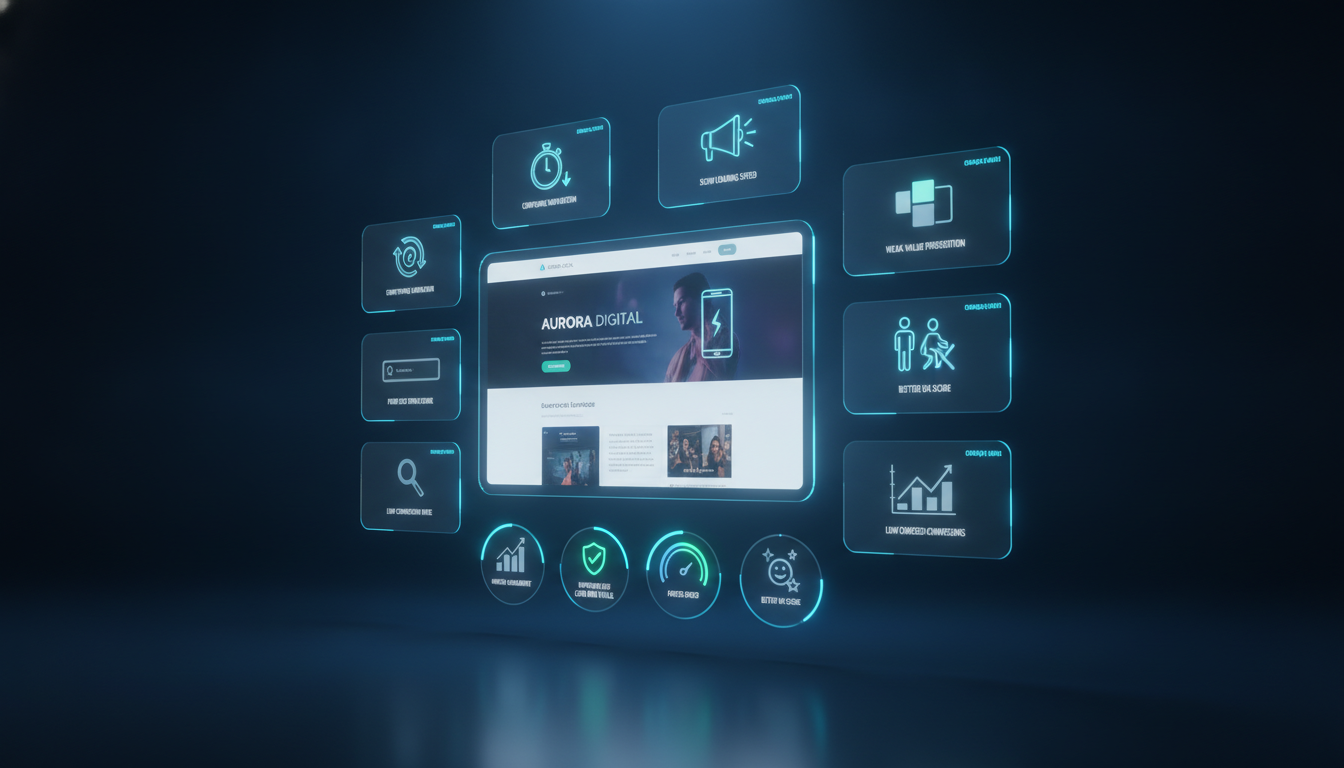
Homepage design mistakes small businesses make most often include weak above-the-fold messaging, missing calls-to-action, slow load speeds, and poor mobile usability. These errors cost local service businesses leads and revenue every day. Fixing even a few of these issues can lift conversions noticeably within weeks.
Key Takeaways
Your homepage is the front door of your business online, and right now, it might be sending visitors straight to a competitor. Most small business owners invest real money in building a website, then watch it sit idle, generating almost no calls or form fills. The site looks fine on the surface. But something is quietly pushing visitors away before they ever contact you.
That “something” is almost always a fixable design mistake. After auditing dozens of homepages for local service businesses across Lafayette, LA, from HVAC companies to dental offices to law firms, the same patterns keep showing up. Weak messaging. Buried contact buttons. Slow pages. No social proof. These are not mysterious problems. They have clear solutions.
This guide walks you through all 10 of the most common homepage design mistakes small businesses make, why each one hurts your bottom line, and exactly what to do to fix it. By the end, you will have a concrete list of improvements you can act on immediately, or bring to a professional for a proper redesign.
Visitors form a visual impression of your website in approximately 50 milliseconds, according to research published in Behaviour and Information Technology. That is faster than a blink. In that moment, they are not reading your content. They are deciding whether your business looks credible or not.
If your homepage looks cluttered, dated, or confusing, most visitors bounce immediately. Google tracks that behavior. A high bounce rate tells search algorithms that your page did not satisfy the visitor, which can quietly hurt your rankings over time.
A clean, fast, focused homepage keeps visitors engaged long enough to read your offer, trust your business, and take action. That chain of events starts and ends with design.
Think about it this way. If 300 people visit your homepage this month, and only 2% contact you, that is 6 leads. Fix the design so that 5% convert instead, and suddenly you have 15 leads from the same traffic. No more ad spend. No SEO overhaul. Just better design.
According to Forrester Research, a well-designed user interface can raise website conversion rates by up to 200%. For a local service business, that difference in percentage points is the difference between a slow month and a full calendar.
The 10 mistakes below are where local businesses lose those conversions. Start here.
Key Takeaways
The value proposition is the single sentence that tells a visitor: this business solves my specific problem. Most small business homepages replace it with something vague like “Serving Lafayette Since 1998” or “Your Trusted Local Partner.” These phrases feel safe, but they communicate nothing actionable to a visitor who just landed from a Google search.
A visitor arriving from a search like “HVAC repair Lafayette LA” already has urgency. They need to know immediately: does this company fix AC units, do they serve my area, and can I call them now? If your headline does not answer those questions fast, they hit the back button.
Your headline is competing with every other service provider in your market. Saying “Professional Web Design Services” when three other companies on page one say the same thing gives visitors no reason to choose you.
A differentiated headline names the outcome the customer wants, not just the service you offer. Compare these two examples:
The second version tells the visitor exactly what they get and by when. That specificity builds instant trust.
The five-second rule is simple: a first-time visitor should be able to answer three questions without scrolling at all.
If your above-the-fold section cannot answer all three, you have a messaging problem, not a traffic problem. Rewrite the headline to include the core service, the location, and the outcome. Add a CTA button above the fold. Add one line of social proof (“Rated 4.9 stars by 200+ Lafayette families”).
Every high-converting hero section includes these components:
Weak messaging is the most common homepage mistake, but it is also the fastest one to fix with a focused rewrite.
Key Takeaways
A call-to-action (CTA) is the specific action you want a visitor to take. The most common mistake is having too many CTAs competing for attention, or having none at all. When a visitor sees “Contact Us,” “Learn More,” “Read Our Blog,” “View Services,” and “Get a Quote” all in the same section, decision fatigue sets in, and they choose none of them.
Equally damaging is the invisible CTA: a small, low-contrast text link buried in a paragraph. If a visitor has to search for how to contact you, most will not bother.
The right primary CTA depends on your business type and your sales process. Use this quick guide:
| Business Type | Recommended Primary CTA | Secondary CTA |
| HVAC / Home Services | Call Now (click-to-call) | Get a Free Estimate |
| Legal / Professional | Schedule a Free Consultation | Learn About Our Services |
| Dental / Medical | Book an Appointment | Meet Our Team |
| Web Design / Agency | Get a Free Homepage Audit | View Our Portfolio |
Pick the one action that is most valuable to your business. Everything else is secondary.
One CTA above the fold is not enough. A homepage typically needs three CTA placements:
Each placement can use slightly different language. The first can be urgent (“Call Now”). The second can be reassuring (“No Obligation, Free Estimate”). The third can be direct (“Ready to Get Started?”).
Mobile users represent more than 60% of web traffic for most local service businesses. A CTA button that works on a desktop can be nearly impossible to tap on a phone. Buttons should be at least 44 pixels tall, with generous spacing from neighboring elements. The Google Material Design guidelines recommend touch targets of at least 48 x 48 pixels.
Stick CTAs to the bottom of the mobile screen if possible. A “Call Now” sticky bar at the bottom of the viewport is one of the highest-impact mobile optimizations a local service business can make.
Key Takeaways
Not every visitor is ready to pick up the phone. Some prefer to fill out a form at 10 pm when your office is closed. If your homepage only shows a phone number and no form, you are losing every visitor who prefers asynchronous contact.
Add a short contact form directly on the homepage, not hidden behind a “Contact” page link. The form should take less than 60 seconds to complete and require only the information you actually need to respond.
A homepage contact form is not a sales intake questionnaire. Asking for full name, address, phone, email, service type, preferred date, budget range, and project description all at once creates friction that kills conversions.
Start with three fields: name, phone or email, and a brief message or service selection. You can gather more details during the follow-up call. The goal of the form is to start a conversation, not to replace it.
Your phone number belongs in the top-right corner of your header, visible on every single page, on every device. This placement is so standard that visitors expect it. When it is missing, it creates doubt about whether the business is legitimate.
Secondary placement: add your number at the bottom of the page, in the footer, and at least once in the body of the homepage. Do not make visitors hunt for it.
A click-to-call link wraps your phone number in a tel: hyperlink so mobile visitors can dial with one tap. The code is simple: <a href=”tel:+13371234567″>(337) 123-4567</a>. Yet many local business websites still display phone numbers as plain text that cannot be tapped.
This single change, adding click-to-call links across your site, often produces an immediate uptick in phone inquiries with zero other changes needed.
Key Takeaways
Above the fold means everything visible on screen before the visitor scrolls. Cramming your headline, navigation, phone number, photo gallery, testimonials, and service list all into that first screen overwhelms the brain. Visitors do not know where to look, so they look nowhere in particular and leave.
Keep the above-fold area focused. One headline. One subheadline. One CTA. One supporting image. One trust signal. That is a full hero section. Everything else belongs further down the page.
White space, also called negative space, is the empty area between elements on a page. Many small business owners see it as wasted real estate. Designers know it as one of the most powerful visual tools available.
White space draws the eye toward what you want visitors to see. It makes text easier to read, buttons easier to find, and pages feel more professional and trustworthy. Reduce the density of your homepage and watch engagement metrics improve.
A user journey is the path a visitor takes from landing on your homepage to contacting you or making a purchase. A well-designed homepage guides that journey intentionally:
If any step in that chain is missing or unclear, the journey breaks and the visitor exits.
A dead-end path is a section of your homepage that does not point toward any next action. An example: a detailed “About Our Team” section that ends with no CTA, no link to your services, and no way for the visitor to take the next step.
Review every section of your homepage. Ask: What should a visitor do after reading this? If the answer is nothing, add a contextual CTA or reframe the section so it connects to the rest of the user journey.
Key Takeaways
Navigation is a wayfinding tool, not a sitemap. Most small business websites do not need more than five or six top-level nav items. When visitors see a navigation bar with 10 or 12 options, sub-menus, and dropdowns, they freeze. Complex navigation creates the same problem as too many CTAs: too many options lead to no decision.
Simplify ruthlessly. If a page is not visited by most users and does not drive conversions, pull it out of the main navigation. You can always add it to the footer for visitors who specifically need it.
Psychologist Barry Schwartz documented the “Paradox of Choice”: more options consistently reduce satisfaction and increase inaction. The same principle applies to website navigation. A visitor who can only go to Services, About, Testimonials, or Contact will navigate more confidently than one staring at 12 choices.
For most local service businesses, the ideal nav includes: Home, Services (with a simple dropdown), About, Testimonials or Reviews, and Contact or Book Now.
Use your navigation bar itself as a conversion tool. A “Book Now” or “Free Estimate” button styled differently from the other nav links, usually in a contrasting color, stands out and invites clicks from visitors who are ready to act immediately.
This one change adds a persistent conversion opportunity to every page of your site, not just the homepage.
Key Takeaways
Mobile responsiveness means your site adapts its layout automatically for different screen sizes. A site that looks perfect on a desktop can be completely broken on a phone, with text overlapping images, buttons cut off at the edge, and horizontal scrolling required just to read a sentence.
Google’s mobile-first indexing policy means Google primarily uses the mobile version of your site to determine rankings. A poor mobile experience does not just frustrate visitors. It actively suppresses your position in search results.
Mobile visitors use their thumbs, not a precise mouse cursor. Any interactive element, such as links, buttons, or form fields, needs to be large enough to tap accurately. The standard minimum is 44 x 44 pixels for any tappable element, per Apple’s Human Interface Guidelines.
Check your mobile navigation specifically. Hamburger menus that are too small, dropdown items packed too close together, and footer links in tiny text are all common problems that cost mobile visitors their patience.
Body text smaller than 16px forces mobile visitors to pinch and zoom to read your content. Most will not. They will leave instead.
Set your base font size to at least 16px on mobile. Use a line height of at least 1.5 for body paragraphs. Keep line lengths (measure) under 75 characters per line. These are not design opinions. They are readability standards with direct impact on how long visitors stay and engage.
Three high-impact mobile fixes for local service businesses:
Key Takeaways
Uncompressed images are the most common cause of slow homepages. A full-resolution photo from a modern smartphone is typically 3-5 megabytes. Display that same image on a homepage where it only needs to be 300 kilobytes and you have added 4+ megabytes of unnecessary load time per image.
Convert all homepage images to WebP format, which offers 25-35% smaller file sizes than JPEG at equivalent quality (according to Google’s web.dev documentation). Compress images before uploading using tools like Squoosh or ShortPixel. Set explicit width and height attributes on every image element to prevent layout shift.
Every plugin, widget, animation, and third-party script on your homepage adds weight. A live chat widget, a social media feed, a JavaScript slider, and an analytics tracker can add several seconds of load time collectively without you realizing it.
Audit your homepage with Google PageSpeed Insights (free, at pagespeed.web.dev). It shows exactly which scripts are slowing your page and by how much. Remove any script that does not directly contribute to conversions.
Core Web Vitals are a set of speed and user experience metrics that Google uses as a ranking factor. The three main metrics are:
A homepage that fails these benchmarks is penalized in rankings and frustrates visitors. Check your scores at web.dev/measure.
Practical steps to speed up your homepage today:
Key Takeaways
Brand consistency means using the same colors, fonts, logo placement, and visual style throughout your homepage. When a visitor sees three different font sizes used inconsistently, two different shades of your brand color in nearby sections, and a logo that appears at different sizes in the header versus the footer, it signals a lack of professionalism.
Create a simple one-page brand style guide: primary color, secondary color, heading font, body font, and logo usage rules. Apply it uniformly. Consistency builds perceived credibility even before a visitor reads a single word.
A homepage that uses generic stock photos of anonymous business people shaking hands communicates nothing real about your company. Visitors recognize stock imagery immediately, and it reduces trust.
Replace stock photos with real images of your actual team, your real work, and your physical location when applicable. A photo of your HVAC technician working on a unit in Lafayette tells a far more convincing story than a staged photo of someone in a hard hat who has never been to your city.
The Web Content Accessibility Guidelines (WCAG) 2.1 require a minimum contrast ratio of 4.5:1 between body text and background colors for normal text. Light gray text on a white background, a trendy choice in many template designs, fails this standard badly.
Low contrast hurts everyone, not just users with visual impairments. It makes pages harder to read on bright screens, in sunlight, and on older devices with lower screen quality. Check your contrast ratios using the free WebAIM Contrast Checker.
Visual hierarchy is the design principle that guides a visitor’s eye through the page in a deliberate order. Size, color, weight, and spacing all contribute to hierarchy.
Your H1 headline should be the largest text on the page. Your CTA buttons should be the most visually prominent interactive elements. Supporting text and secondary information should be visually quieter. This order tells visitors what matters most without them having to consciously decide.
Accessibility is not only a legal and ethical standard. It also improves SEO. Search engine crawlers are similar to screen readers in how they interpret page structure.
Basic accessibility steps for your homepage: use proper heading hierarchy (H1 followed by H2s, then H3s under each H2), add alt text to every image, ensure all interactive elements are reachable via keyboard navigation, and make sure form fields have visible labels. These changes help search engines and real users with disabilities.
Key Takeaways
Customer reviews are the most powerful trust signal available to a local service business. A visitor who has never heard of your company can evaluate your credibility in seconds by reading what your past customers say.
Embed your Google review rating directly on your homepage with a star graphic and a review count. Add two or three written testimonials from real customers, including their full first name, last initial, and the service they received. Specificity matters. “5 stars, great service” is weak. “They fixed our AC on the hottest day of the year with same-day service. Worth every penny.” is compelling.
If your business holds industry certifications, BBB accreditation, manufacturer warranties, or has won local awards, display them on your homepage. These third-party endorsements carry significant weight with visitors who are evaluating unfamiliar businesses.
Local affiliations matter too. A member badge from the Lafayette Chamber of Commerce or a local business association communicates rootedness and accountability to community members.
SSL certificates, secure payment badges, and satisfaction guarantees lower the perceived risk of contacting or booking your business. An “We’ll Make It Right” guarantee, even for a free service estimate, reassures hesitant visitors that they have nothing to lose by reaching out.
If you serve other businesses or well-known organizations, a row of client logos on your homepage acts as powerful social proof. Even for consumer-facing businesses, the total number of customers served (“Over 500 Happy Lafayette Families”) is a compelling trust signal when stated accurately.
Trust signals are most effective when placed immediately before or adjacent to a conversion action. The classic positions:
Key Takeaways
Homepage SEO errors often start with a mismatch between what the homepage says and what visitors actually search for. Your homepage should include your primary service keyword, your location, and the core outcome you deliver, all within the first few paragraphs.
Do not optimize your homepage for every service you offer. Optimize it for your primary service and primary location. Create dedicated service pages for everything else. A homepage trying to rank for 15 different keywords ranks well for none of them.
Your title tag is the text that appears in browser tabs and as the clickable headline in search results. Many small business websites use the company name alone as the title tag (“Smith Plumbing”) rather than a keyword-rich, location-specific version (“Smith Plumbing | Plumber in Lafayette, LA”).
The title tag should be 50-60 characters, include your primary keyword near the front, and mention your city. The meta description should be 140-155 characters and include a compelling reason to click. Check both on your homepage right now.
The homepage receives the most authority (link equity) of any page on your site. Failing to link from the homepage to your most important service pages is like having a full water tower but leaving the pipes disconnected.
Every core service you want to rank for should have a dedicated service page. Each service listed on your homepage should link directly to that page. This website design approach helps both visitors and search engines understand your site’s structure.
NAP stands for Name, Address, and Phone number. These three pieces of information must appear on your homepage and match exactly what is listed in your Google Business Profile, Yelp listing, and every other online directory.
Even small inconsistencies, like “St.” versus “Street” or an old phone number still appearing somewhere, can confuse search engines and weaken your local ranking signals. Audit your NAP across your website footer, contact page, and all major directories at least once per year.
Key Takeaways
Google Analytics 4 (GA4) shows you where visitors drop off. A homepage with high traffic and a high exit rate tells you that visitors are not finding what they need and leaving without exploring further.
Set up conversion events in GA4 for phone clicks, form submissions, and button clicks. Then check which sections of the homepage are visited before a conversion and which are visited by people who leave. This data tells you which sections are working and which are creating friction.
Heatmaps visualize where visitors click, tap, and scroll on your homepage. Tools like Hotjar and Microsoft Clarity (free) generate these visuals automatically from real user sessions.
A heatmap often reveals surprises: visitors clicking on non-clickable images expecting them to link somewhere, CTA buttons being ignored because they look like decorative design elements, or important content sitting below a scroll depth that 80% of visitors never reach.
| Tool | What It Measures | Cost |
| Google PageSpeed Insights | Core Web Vitals, speed recommendations | Free |
| GTmetrix | Detailed speed waterfall and performance history | Free / Paid |
| Microsoft Clarity | Heatmaps and session recordings | Free |
| WAVE (webaim.org) | Accessibility errors and contrast issues | Free |
| Google Search Console | Coverage, performance, and indexing issues | Free |
Key Takeaways
Location signals on your homepage tell both visitors and search engines that you serve this specific area. For a Lafayette, LA business, this means mentioning Lafayette (and surrounding areas like Broussard, Youngsville, or Scott if applicable) in the headline or first paragraph, including the area code in your phone number, and embedding a Google Map on the contact section of the homepage.
Businesses that hide their location or leave it only to the contact page miss a significant opportunity to rank for “near me” and city-specific searches on both Google and Google Maps.
A Google review count and rating prominently displayed on your homepage carries particular weight for local searches. Visitors searching for services in Lafayette look for businesses with verified Google reviews.
If your Google Business Profile has 50+ positive reviews and your homepage shows none of them, you are leaving your strongest trust signal unused. Embed your Google review widget, or manually add your star rating graphic and review count to the hero section of your homepage.
Local search intent is specific: a visitor searching “pediatric dentist Lafayette, LA” wants to know immediately that you are a pediatric dentist in Lafayette, Louisiana. Your homepage headline should reflect that intent.
Aligning your homepage to local intent is one of the most effective and under-utilized tools for competing in Lafayette markets. The team at Sites N Apps specializes in exactly this kind of homepage optimization for local service businesses across all industries.
Homepage design mistakes small businesses make are rarely one isolated problem. They stack. A slow page with no CTA and generic messaging does three times the damage of any single error. The good news is that fixing even one or two of these mistakes consistently produces measurable results: more calls, more form fills, and more revenue from the same traffic you are already paying to attract.
Start with the mistake that costs you the most. For most local service businesses in Lafayette, LA, that is weak above-the-fold messaging or a missing call-to-action. Fix the hero section first. Then work through the checklist above, one section at a time. You do not need to rebuild your entire website in a week. You need to make it better this week than it was last week.
If you want a professional eye on your homepage before you make changes, Sites N Apps offers free homepage design audits for local businesses in Lafayette, LA. We have redesigned and optimized homepages across every major service industry in the area, from HVAC and legal to dental and home services. We know exactly what a Lafayette audience responds to, and we can walk you through every fix your specific homepage needs. Contact us to book your free audit today.
Start with Google Analytics 4 and Google Search Console. Deep impressions with a low click-through rate suggest a title or meta description problem. High traffic with a high exit rate suggests an on-page messaging or CTA issue. Heatmap tools like Microsoft Clarity (free) show exactly where visitors stop engaging.
Many fixes are DIY-friendly: rewriting your headline, adding a click-to-call link, compressing images, and placing a contact form on the homepage. Structural fixes, navigation redesign, mobile layout issues, and Core Web Vitals optimization typically require a developer or a redesign partner to do correctly and efficiently.
CTA and messaging changes can show results in traffic data within 2-4 weeks if you have steady traffic. SEO changes like title tags and internal linking improvements typically take 4-12 weeks to reflect in rankings. Speed improvements can show Core Web Vitals changes within days of deployment.
The most common for HVAC and home services is burying the phone number and having no click-to-call functionality on mobile. Customers searching for AC repair or HVAC services are often in urgent situations. They want to call immediately. A homepage that makes it difficult to lose the lead within seconds.
Both. SEO brings visitors. Conversion design turns them into leads. A homepage optimized purely for rankings but poorly designed for conversions wastes the traffic it earns. A beautifully designed homepage that no one finds solves nothing. Treat them as equally important and address both together.
Google measures user experience signals, specifically Core Web Vitals, mobile usability, and engagement metrics like time on page and bounce rate, as ranking factors. A homepage that fails on speed, mobile responsiveness, or usability sends negative signals that can suppress rankings over time, according to Google’s Search Central documentation.
Struggling to compete for high-search-volume keywords? We help businesses like yours increase visibility, drive more traffic, and dominate competitive search terms—all while keeping your costs low. Our proven strategies focus on long-term growth and measurable results.


