Home / Blog Details
Take your digital marketing to the next level with data-driven strategies and innovative solutions. Let’s create something amazing together!


From Google search results to AI chatbots, we optimize your website so customers can find you faster — and choose you over competitors.
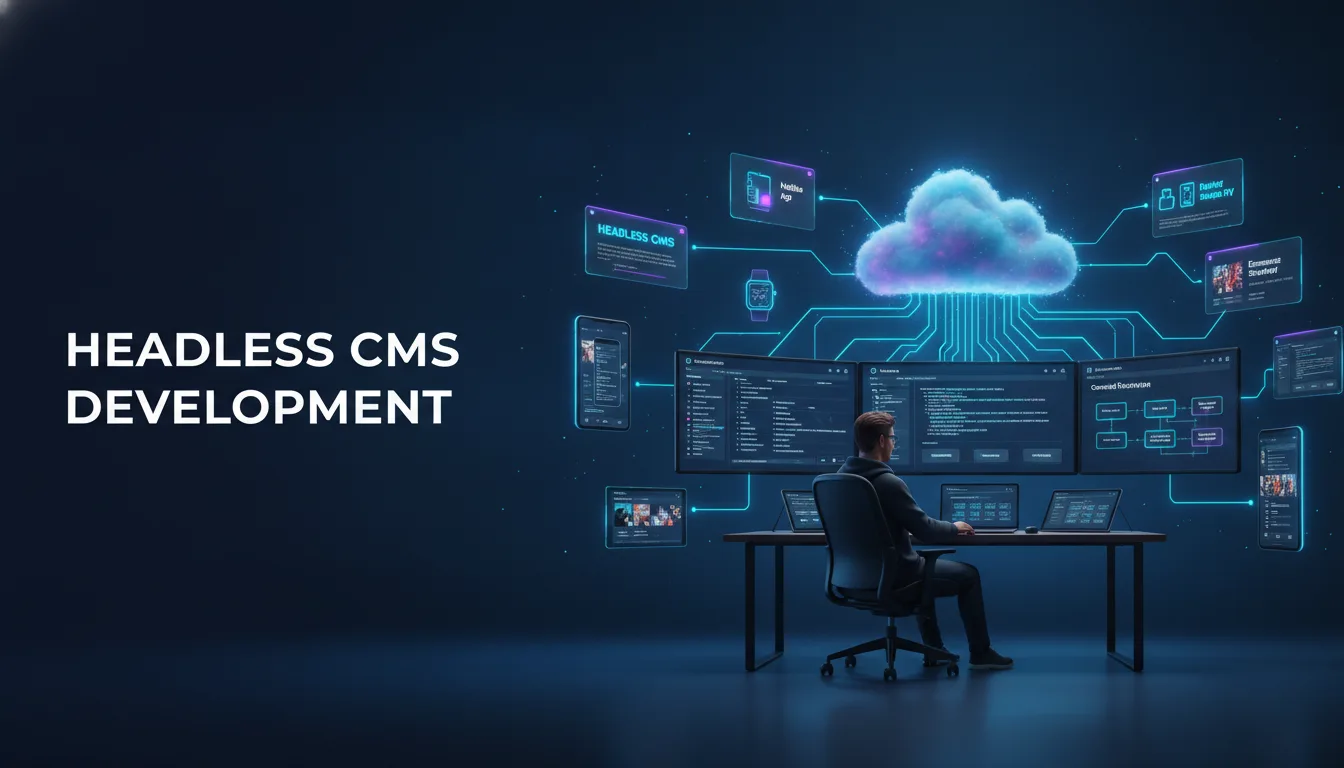
Headless CMS development separates where your content is stored from where it is displayed. Instead of a single system managing both, content lives in a back-end repository and gets delivered to any front-end, websites, apps, kiosks, or voice assistants, through an API. This gives developers full control over performance and design.
Key Takeaways
Your website is either working for you or working against you. For most growing businesses, a traditional CMS was the right call at launch. It was affordable, familiar, and easy to update. But as your business expanded into new channels, your site got slower, your team got frustrated, and your developer said things like “the theme won’t let us do that.”
That frustration points to a structural problem, not a content problem. The system managing your site was built for a different era. Today’s digital environment expects your content to show up in more places, load faster, and adapt to more devices than a standard WordPress install was designed to handle.
This guide explains what headless CMS development actually is, how it differs from what you probably use now, and how to decide whether switching makes sense for your business. By the end, you will know exactly what questions to ask before starting a conversation with a development team.
Headless architecture means the content management system (CMS) no longer controls how content looks or where it appears. The “head”, the front-end presentation layer, is removed from the CMS entirely.
Think of a traditional CMS like a restaurant where the kitchen and dining room are in the same room. The chef and the customers share the space. A headless CMS is more like a catering company. The kitchen operates independently and delivers food to any venue the client chooses.
In technical terms, the back end stores and manages all content. A separate front-end application handles the visual presentation. The two communicate through an API (Application Programming Interface), a digital messenger that moves structured data between systems.
The workflow breaks into three parts:
This means the same content can appear on your website, your mobile app, your digital display, and your voice assistant, all pulling from one source.
The table below compares how each system handles common business scenarios.
| Feature | Traditional CMS (e.g., WordPress) | Headless CMS |
| Content display | Controlled by the CMS theme/template | Controlled by a separate front-end application |
| Publishing channels | Primarily web | Web, mobile, apps, IoT devices, and more |
| Developer flexibility | Limited by the theme structure | Full control over front-end technology |
| Performance | Depends on hosting and plugins | Typically faster due to decoupled architecture |
| Complexity | Lower setup complexity | Higher initial complexity, lower long-term friction |
| Cost | Lower upfront cost | Higher upfront investment |
| SEO control | Depends on plugins (e.g., Yoast) | Full control when implemented correctly |
Neither system is universally better. The right choice depends on your current setup and growth goals, and the next section will help you understand when traditional CMS starts to become a liability.
Yes, in many cases. Traditional CMS platforms were designed primarily for website publishing. They tie content to a specific display format. As digital channels have multiplied, that limitation has become increasingly expensive for businesses that need consistency across multiple touchpoints.
A retail business, for example, may need the same product description to appear on their website, their iOS app, their Android app, and an in-store kiosk. In a traditional CMS, this requires manual duplication across systems. In a headless setup, one entry updates every channel at once.
According to a 2023 report by Statista, global mobile web traffic accounts for more than 55% of total web traffic. Businesses that cannot deliver a consistent, fast experience across devices lose customers before those customers ever read a word of their content.
Omnichannel content delivery means publishing your content to every relevant customer touchpoint from a single source. Headless CMS platforms are purpose-built for this.
For a Lafayette, LA service business, this might mean your service descriptions live in one place and automatically populate your main website, your booking app, and future voice search results. For a regional e-commerce brand, it means product listings stay synchronized across platforms without a separate team managing each one.
Traditional CMS platforms generate pages dynamically. Every time a visitor requests a page, the server builds it on the spot. Under normal traffic, this works fine. Under a traffic spike, it creates delays, crashes, or both.
Headless CMS setups often work alongside static site generation, where pages are pre-built and served instantly from a content delivery network (CDN). The result is faster load times regardless of traffic volume. That scalability is difficult to replicate on a traditional CMS without significant infrastructure investment.
Yes, significantly in most cases. Google’s Core Web Vitals data consistently shows that sites with pre-rendered or statically generated pages score higher on metrics like Largest Contentful Paint (LCP) and First Input Delay (FID) than those relying on server-side rendering alone.
A faster site means lower bounce rates, better user experience scores, and stronger organic search rankings. According to Google’s developer documentation, pages that load within 2.5 seconds on LCP are considered fast. Many traditionally built CMS sites fall outside that threshold without aggressive optimization.
With a traditional CMS, your developer works within the boundaries of a theme or template. With headless, the front end is built from scratch using whatever technology fits your goals best: React, Next.js, Vue.js, Svelte, or any other modern framework.
This means your site can look and behave exactly as your brand requires. Custom animations, interactive product configurators, and localized experiences none of these require workarounds. They are built properly from the start.
Generally, yes. Traditional CMS platforms, WordPress in particular, are frequent targets for attacks because of their widespread use and plugin ecosystems. A decoupled CMS reduces the attack surface. The content management back end is not directly exposed to the public web, so vulnerabilities in the front end cannot easily reach the data layer.
That separation also improves reliability. A front-end issue will not bring down your content infrastructure, and vice versa.
Scalability in headless architecture is both technical and operational. On the technical side, the front end can handle high traffic without putting a load on the CMS backend. On the operational side, your content team works in a stable, familiar editing interface regardless of how complex the front end becomes.
As your business adds products, locations, team members, or content types, a headless setup scales to match. New channels, a new app, a digital menu, and a self-service portal can plug into the same content API without rebuilding your content library.
Your content team writes once and publishes everywhere. Editors work in a clean, purpose-built dashboard without needing to understand how the front end renders their content. Developers work in their own environment without worrying about breaking the editor’s workflow.
That separation of concerns reduces bottlenecks. A developer can update the front-end design without touching content. An editor can publish new content without waiting for a developer. Both teams move faster independently.
Content modeling is the process of defining the structure of your content before any development begins. Rather than thinking in pages, you think in content types. A “blog post” becomes a structured object with defined fields: title, author, publish date, body text, featured image, tags, and so on.
Good content modeling is the foundation of a headless CMS project. It determines what content can be reused, how it can be filtered and displayed, and how easy it will be to expand in the future. A poorly modeled content structure creates the same friction that headless was supposed to eliminate.
API-first architecture means the system is designed around the API from the beginning, not added afterward. Content is stored and retrieved through that API in a predictable, documented format.
This matters because your website, your app, and your third-party tools all connect to the same endpoint. A well-designed API makes those connections reliable. A poorly designed one breaks integrations every time the content structure changes.
Common choices include:
At Sites N Apps, the technology choice depends on the project’s traffic patterns, content complexity, and integration requirements, not on any single preferred stack.
| Platform | Best For | Notable Feature |
| Contentful | Enterprise and mid-market businesses | Strong API documentation, large ecosystem |
| Sanity | Custom content modeling | Real-time collaboration, GROQ query language |
| Strapi | Developer-first teams | Open-source, self-hosted option |
| Hygraph | GraphQL-focused projects | Native GraphQL API |
| WordPress (headless) | Teams already on WordPress | Familiar back-end, REST, and GraphQL options |
WordPress used as a headless CMS is an increasingly popular option for businesses that want to keep their existing content and editor experience while gaining front-end flexibility.
This is the most common concern business owners raise, and it is a fair one. Headless sites built with client-side JavaScript can create crawling delays if not configured correctly. When search engine bots visit the page, they need to execute JavaScript to see the content, which adds processing time.
The solution is server-side rendering (SSR) or static site generation (SSG). Both methods pre-render the content before delivery, so search engines receive a complete HTML page with no extra processing required. When a headless CMS project uses Next.js or Gatsby correctly, crawlability is not a meaningful concern.
According to Google’s developer documentation on JavaScript SEO, sites that rely entirely on client-side rendering can experience indexing delays. Server-side rendering eliminates that risk.
In most cases, yes. Static generation serves pre-built pages from a CDN, which typically reduces Time to First Byte (TTFB) and Largest Contentful Paint (LCP) scores compared to a dynamically rendered WordPress site without caching.
The gains depend on implementation quality. A poorly structured headless front-end can perform worse than an optimized traditional CMS. The technology enables performance; the developer delivers it.
Metadata, such as title tags, meta descriptions, and Open Graph tags, is managed programmatically in the front-end framework. Libraries like Next.js’s built-in <Head> component or third-party tools like next-seo give developers precise control.
Structured data (JSON-LD schema markup) is also implemented at the code level, which allows for more accurate and consistent schema than plugin-based solutions. For businesses with multiple locations or service types, that precision supports local SEO and AI-generated search results, including Google’s AI Overviews.
You can see how Sites N Apps approaches web development and technical SEO for clients across different industries and growth stages.
Consider these indicators:
If three or more of these describe your situation, the technical cost of your current CMS is likely exceeding its convenience.
Headless CMS development makes the most sense when:
Headless is not always the right answer. A traditional CMS remains appropriate when:
For many small local businesses, a well-built WordPress or Webflow site with proper technical SEO delivers excellent results. The goal is always to match the tool to the actual business problem, not to adopt technology for its own sake.
Discovery is where the project’s success is determined. A development team needs to understand your current content structure, your publishing workflow, your existing integrations, and your growth plans before recommending a platform or writing a line of code.
This phase typically takes one to two weeks and produces a requirements document that covers content types, channel requirements, third-party integrations (CRM, e-commerce, analytics), and performance targets.
Skipping discovery to save time is the most common reason headless projects run over budget. Assumptions made during development are always more expensive to fix than questions answered during planning.
Platform selection follows the requirements. A small team with content editors who are not technical may do better on Contentful or Sanity than on a developer-centric platform like Strapi. A business already using WordPress may prefer a headless WordPress setup to retain editorial familiarity.
Content modeling comes next. Every content type, field, and relationship is mapped before development begins. This step often reveals content inefficiencies in the current system, duplicate information, inconsistently structured pages, and missing metadata that were hurting SEO without anyone knowing it.
Development on a headless CMS project typically runs in parallel streams:
Testing covers content rendering across devices and browsers, API response times, SEO rendering (checking that metadata and structured data appear in page source), and content editor workflow.
Deployment to production often uses a CI/CD pipeline (continuous integration/continuous deployment), which automates testing and release. This reduces human error in deployment and allows for faster updates post-launch.
A headless CMS project does not end at launch. Post-launch support typically covers:
According to Moz’s guide to technical SEO, ongoing technical maintenance is a core factor in sustaining search rankings. A headless setup gives you more control over that maintenance, but only if you have a team actively managing it.
Headless CMS development is not a trend. It is a structural response to a real problem: traditional CMS platforms were built for a single-channel web that no longer exists. For businesses publishing to multiple channels, running high-traffic sites, or building custom digital experiences, the case for a decoupled architecture is grounded in measurable performance and operational gains.
The decision to switch should come from your actual business needs, not from industry pressure. If your current CMS is slowing your site, limiting your developers, or forcing your team to duplicate work, those are concrete signals worth acting on. If your site is simple, infrequently updated, and serving one audience on one platform, a traditional CMS may continue to serve you well.
At Sites N Apps, we have worked with businesses across Lafayette, LA, and beyond to evaluate, design, and build headless CMS solutions that match real growth goals. We do not recommend headless architecture to everyone, because it is not right for everyone. But when it is the right fit, we build it properly from discovery to deployment. If you are ready to have that conversation, schedule a free discovery call with our team, and we will tell you exactly where you stand.
A traditional CMS manages both content and its display in one system. A headless CMS stores content separately and delivers it through an API to any front-end, giving developers full control over how and where content appears. The separation improves performance, flexibility, and scalability.
Yes, upfront. A headless CMS project typically requires more development time because the front-end and back-end are built separately. However, long-term costs often decrease because the architecture is easier to maintain, scales without major infrastructure investment, and reduces plugin dependency.
Not if the migration is handled correctly. Proper server-side rendering or static site generation ensures search engines can crawl and index your content. Metadata, structured data, and redirects must be carefully managed during the transition to avoid ranking drops.
It depends on your content complexity and team size. Contentful and Sanity are strong options for most businesses. Teams already on WordPress may benefit from a headless WordPress setup, which preserves the familiar editing experience while adding front-end flexibility.
Most mid-size projects take eight to sixteen weeks from discovery to launch, depending on content complexity, third-party integrations, and design requirements. Simpler projects with clear requirements can move faster; enterprise-level builds typically take longer.
Yes, for day-to-day content publishing. Editors use the CMS dashboard as they normally would. Developer involvement is needed for structural changes, new integrations, or front-end design updates, but routine content work does not require technical support.
Struggling to compete for high-search-volume keywords? We help businesses like yours increase visibility, drive more traffic, and dominate competitive search terms—all while keeping your costs low. Our proven strategies focus on long-term growth and measurable results.