


Technical SEO is the process of optimizing a website’s infrastructure so that search engines can crawl, render, index, and rank it effectively. It covers site speed, mobile usability, structured data, URL architecture, and security. Without a technically sound foundation, even the best content struggles to rank.
Key Takeaways
Your website could be invisible to Google right now, and you would never know it. That is the silent danger of ignoring technical SEO. Thousands of business owners publish strong content, invest in paid ads, and still watch competitors outrank them. The reason is almost always a technical problem hiding beneath the surface.
Most SEO guides focus on keywords and backlinks. Those things matter. But search engines cannot reward content they cannot access. Technical SEO is what opens the door. It determines whether Google can discover your pages, understand them, and decide they are worth showing to searchers.
In this guide, you will learn exactly what technical SEO is, how it works, which components matter most, and what common problems are likely hurting your site right now. You will also find a practical audit checklist and a clear path to fixing issues that cost you traffic, leads, and revenue.
Technical SEO is the practice of optimizing a website’s technical infrastructure to meet search engine requirements for crawling, rendering, indexing, and ranking. It focuses on the backend and structural elements of a website rather than its written content or external link profile.
Think of it this way. Your content is the message. Your backlinks are your credibility. Technical SEO is the delivery system. If the delivery system fails, the message never arrives.
Technical SEO covers a broad range of disciplines: site architecture, page speed, mobile usability, HTTPS security, structured data markup, canonical tags, XML sitemaps, and more. Each element affects how efficiently search engines process your site.
Search engines like Google use automated programs called crawlers, or spiders, to discover and process web pages. These crawlers follow links, read code, and send information back to Google’s servers for indexing.
Technical SEO ensures your website gives crawlers clean, efficient access. When your site loads fast, uses clear URL structures, and avoids blocking errors, crawlers spend their limited time on your most important pages.
AI systems follow a similar logic. Tools like ChatGPT, Perplexity, and Google’s AI Overviews pull from indexed, well-structured content. Structured data markup, clear headings, and fast-loading pages all increase the likelihood that AI tools cite or feature your content. According to a 2024 analysis by Search Engine Journal, pages with valid schema markup showed notably higher appearances in AI-generated answers.
Technical SEO matters for three interconnected reasons.
First, it directly affects rankings. Google’s systems cannot rank pages they cannot access. A page blocked by a robots.txt error or buried in a poor URL structure simply will not appear in search results.
Second, it affects AI visibility. As AI-generated answers become a primary way people consume information, technically optimized content gets cited more often. Clean HTML, structured data, and fast load speeds all signal content quality to AI systems.
Third, it affects user experience. A slow, broken, or mobile-unfriendly site drives visitors away before they ever read your content. Google measures this behavior through signals like bounce rate and time on site, and poor performance feeds back into lower rankings.
Search engines discover pages through crawling. Crawling is the process by which automated bots follow hyperlinks across the web, collecting page data. Googlebot, Google’s primary crawler, starts from a known set of URLs and follows links to discover new pages.
Your internal link structure plays a direct role here. Pages with no internal links pointing to them, called orphan pages, are often never discovered.
Rendering is the process by which a search engine processes a page’s HTML, CSS, and JavaScript to understand its visual and structural content. Google renders pages similarly to how a browser does.
This step matters enormously for JavaScript-heavy websites. If your site relies on JavaScript to display key content, that content may not be visible to Googlebot during its first crawl pass.
After crawling and rendering, Google decides whether a page is worth adding to its index, which is essentially a giant database of web pages. Indexing is the process of storing and organizing the page so it can be served in response to a relevant search query.
Not every crawled page gets indexed. Google evaluates quality, duplication, and relevance before making that decision.
Crawl budget refers to the number of pages Googlebot will crawl on your site within a given timeframe. Large sites with thousands of pages need to manage crawl budget carefully. If Googlebot wastes its budget on low-value pages, like filtered product pages or duplicate content, your most important pages may go unvisited for days or weeks.
You manage crawl budget by blocking low-value pages via robots.txt, keeping your XML sitemap updated with only indexable URLs, and improving internal linking to prioritize high-value pages.
Robots.txt is a plain-text file that tells search engine crawlers which pages or sections of your site they should not access. Misconfigurations here are surprisingly common. Blocking the wrong directory can prevent your entire site from being indexed.
XML sitemaps are structured files that list your site’s important URLs and signal them to search engines. Best practices include submitting your sitemap through Google Search Console, keeping it updated with canonical URLs only, and excluding redirected or noindex pages.
Meta robots tags give you page-level control over indexation. The most commonly used directive is noindex, which tells search engines not to add a page to their index. Use noindex on pages like thank-you pages, login screens, or internal search result pages that offer no value to organic searchers.
Misusing noindex is a frequent mistake. Accidentally placing it on a key service page or blog post can quietly remove that page from search results.
JavaScript SEO refers to the set of practices that ensure JavaScript-rendered content is accessible to search engine crawlers. Many modern websites use JavaScript frameworks like React or Angular to build interactive interfaces. The challenge is that Googlebot processes JavaScript in a delayed, two-wave crawl process.
If your navigation, product descriptions, or body content only appear after JavaScript executes, Google may miss that content entirely on the first crawl. Server-side rendering or dynamic rendering are common technical solutions.
AI crawlers, including those used by OpenAI, Perplexity, and Anthropic, operate similarly to traditional search engine bots. They access publicly available web pages, process HTML and structured data, and extract content for their training data or real-time retrieval systems.
Clean HTML, fast load speeds, and valid structured data all improve how AI crawlers interpret your content. Websites that consistently appear in AI-generated answers tend to share one trait: they are technically accessible and clearly structured.
Is Google Finding Your Site?
Hidden crawl errors, broken pages, and indexing issues could be silently costing you rankings. Sites N Apps will audit your site and show you exactly what to fix — for free.
Crawlability is how easily a search engine can access and follow links across your site. Indexability is whether those pages can then be stored in the search engine’s index. Both must work together.
Common barriers to crawlability include broken internal links, orphan pages, blocked resources in robots.txt, and infinite scroll pagination that bots cannot follow. Addressing these issues ensures your most valuable pages are discovered consistently.
Site architecture refers to how your pages are organized and connected. A flat architecture, where no important page is more than three clicks from the homepage, makes crawling more efficient and distributes link equity more evenly.
Your structure should mirror how users think about your business. Group related pages together under clear parent categories.
Orphan pages are pages with no internal links pointing to them. Search engine crawlers discover pages by following links. Without internal links, these pages remain invisible to crawlers and receive no link equity.
Run a regular crawl using tools like Screaming Frog to identify orphan pages and connect them to relevant parent pages.
Internal link optimization means deliberately connecting pages to distribute authority and guide crawlers toward high-priority content. Use descriptive anchor text that includes relevant keywords. Avoid generic phrases like “click here.” Prioritize linking from high-traffic, high-authority pages to pages you want to rank.
Google introduced Core Web Vitals as official ranking signals in 2021. They measure three specific aspects of page experience. According to Google’s own data, pages that meet Core Web Vitals thresholds tend to see lower bounce rates and higher user engagement.
Largest Contentful Paint (LCP) measures how long it takes for the largest visible element on a page, usually a hero image or headline, to fully load. Google’s recommended threshold is under 2.5 seconds. Slow LCP scores are most often caused by unoptimized images, slow server response times, or render-blocking resources.
Interaction to Next Paint (INP) replaced First Input Delay as a Core Web Vitals metric in 2024. It measures how quickly a page responds to user interactions like clicks, taps, and keyboard input. A good INP score is under 200 milliseconds. Heavy JavaScript execution is the most common culprit for poor INP scores.
Cumulative Layout Shift (CLS) measures visual stability. It tracks how much page elements shift unexpectedly while a page loads. A CLS score below 0.1 is considered good. Common causes of high CLS include images without defined dimensions and ads or embeds that load asynchronously.
Google uses the mobile version of your website as the primary basis for indexing and ranking. This is called mobile-first indexing. If your mobile site has less content, slower load speeds, or broken elements compared to your desktop version, your rankings suffer.
Mobile usability is not optional. More than 60% of Google searches now happen on mobile devices, according to Statista’s 2024 data. Your mobile experience directly affects how local searchers in Lafayette, LA find and interact with your business.
Structured data is code you add to your website’s HTML to help search engines understand the content and context of your pages. It uses a standardized vocabulary called Schema.org. Search engines use this data to generate rich results like star ratings, FAQs, product prices, and event dates in search listings.
Organization schema tells search engines your business name, logo, contact information, and social profiles. It helps Google understand your brand entity, which supports knowledge panel generation and brand recognition in search results.
Local Business schema is a more specific markup type that includes your business address, phone number, hours of operation, and service area. For businesses in Lafayette, LA, this markup directly supports local search visibility and reinforces Google Business Profile data.
Rich results appear when Google successfully processes your structured data. These enhanced listings take up more visual space in search results and typically earn higher click-through rates. AI tools like Google’s AI Overviews also use structured data to identify authoritative, reliable sources for citation.
HTTPS (HyperText Transfer Protocol Secure) encrypts data transmitted between a browser and your server. Google confirmed HTTPS as a ranking signal in 2014. Today, browsers flag non-HTTPS sites as “Not Secure,” which damages user trust and increases bounce rates.
Every page on your site should load over HTTPS. Mixed content errors, where a page loads over HTTPS but calls insecure resources, also need to be resolved.
Canonical tags tell search engines which version of a page is the authoritative one when multiple versions of similar content exist. E-commerce sites, for example, often create duplicate pages through filtered product URLs.
Without canonicalization, Google may split ranking authority across multiple versions of the same page or choose the wrong version to index.
301 redirects permanently route one URL to another. They are essential when you change a URL, remove a page, or restructure your site. Redirect chains, where one redirect points to another redirect, slow page load, and dilute link equity. Keep redirect chains to a single hop.
URLs should be short, descriptive, and keyword-relevant. Avoid parameters, underscores, and random strings of numbers in URLs intended for organic search.
Breadcrumbs are navigational links that show a user’s path from the homepage to their current page. Beyond usability, they appear in search results, improving click-through rates. They also reinforce your site architecture for crawlers.
Pagination refers to how multi-page content, like blog archives or product listings, is structured. Use rel=”next” and rel=”prev” attributes and ensure paginated pages are crawlable to distribute value across series.
Hreflang is an HTML attribute that tells Google which language and regional version of a page to serve to which audience. If your website serves multiple countries or languages, incorrect or missing hreflang implementation causes Google to show the wrong language version to users, hurting both rankings and user experience.
| SEO Type | Focus Area | Examples |
| Technical SEO | Website infrastructure | Site speed, crawlability, schema, HTTPS |
| On-Page SEO | Content and page-level signals | Title tags, headers, keyword usage, internal links |
| Off-Page SEO | External authority signals | Backlinks, brand mentions, reviews |
Each type serves a different function. Technical SEO controls access. On-page SEO controls relevance. Off-page SEO controls authority.
Think of a restaurant. Off-page SEO is your reputation. People have heard great things. On-page SEO is your menu. The content is relevant and appealing. Technical SEO is the building itself. If the door is locked, the lights are off, and the kitchen is broken, your reputation and menu mean nothing.
All three must function well together. Improving one without the others produces limited results.
Technical SEO is the foundation because it determines whether the other two types of SEO can take effect at all. You can earn hundreds of backlinks and write perfectly optimized content, but if Googlebot cannot crawl your site, none of that work registers.
Fix technical SEO first. Then build content and authority on top of that solid base.
Slow Site = Lost Rankings
Poor LCP, INP, and CLS scores are now official Google ranking signals. Sites N Apps identifies and resolves the performance issues dragging your site down.
Local search results, including the Google Map Pack, favor businesses with strong technical foundations. A fast, mobile-friendly, well-structured site signals credibility to Google’s local ranking algorithm. Businesses that invest in technical SEO often see faster movement in local pack rankings than those relying on content and links alone.
In a competitive local market like Lafayette, LA, even small technical improvements can separate your business from similar competitors.
Your website and Google Business Profile work as a connected system. When Google crawls your site and finds consistent NAP (name, address, phone number) data that matches your Business Profile, it strengthens your local authority signals.
Local Business schema markup reinforces this connection. It gives Google machine-readable confirmation of your business identity, which supports profile completeness and accuracy in local search results.
Local landing pages and service area pages need technical optimization in addition to content. This means fast load speeds, proper canonical tags to prevent duplication across similar location pages, valid schema markup, and mobile usability.
Pages that load in under 2.5 seconds and pass Core Web Vitals thresholds consistently outperform slower competitors in local organic rankings.
Local searchers often search on mobile devices while actively looking for a business nearby. A page that loads in 4+ seconds on mobile loses most of those visitors before they ever see your content, according to Google’s research on mobile page abandonment.
Optimizing for mobile speed, tap target sizes, and readable font sizes directly affects how many local searchers convert into calls, form submissions, and in-store visits.
Better crawlability means more pages indexed. More indexed pages mean more search visibility across a wider range of relevant queries. More visibility means more organic traffic. More traffic from relevant, local searches means more leads and calls for your business.
For service-based businesses in Lafayette, LA, this compounding effect makes technical SEO one of the highest-ROI investments in a digital marketing budget. Sites N Apps regularly identifies technical issues that, once fixed, produce measurable traffic increases within weeks.
When key pages are accidentally blocked in robots.txt or tagged with noindex, they simply disappear from search results. This is one of the most damaging technical SEO errors because it is invisible to site owners without an active monitoring system.
Regular audits through Google Search Console catch these issues early.
Crawl errors appear in Google Search Console’s Coverage report. They include 404 errors (pages not found), server errors (5xx), and pages blocked by robots. Each error represents a page Google tried and failed to access. Left unresolved, these errors drain crawl budget and signal poor site health.
Page speed is a direct ranking factor. Beyond that, slow pages increase bounce rates, reduce time on site, and lower conversion rates. A one-second delay in page load time can reduce conversions by up to 7%, according to data from Portent’s research on web performance.
Poor Core Web Vitals scores push pages below competitors with better scores in Google’s ranking calculations. More importantly, they signal a poor user experience, which reduces engagement metrics that feed back into ranking algorithms.
Mobile usability errors, such as text too small to read, clickable elements too close together, or content wider than the screen, are flagged in Google Search Console. Since mobile-first indexing is the standard, these errors directly affect ranking on both mobile and desktop searches.
Duplicate content occurs when the same or substantially similar content appears at multiple URLs. This confuses search engines about which version to rank and splits link equity across multiple pages. Common causes include HTTP vs. HTTPS versions, www vs. non-www URLs, and trailing slash variations.
Broken internal links prevent crawlers from discovering linked pages and create frustrating dead ends for users. Redirect chains, where one URL redirects to another that redirects to a third, slow page loads, and reduce the link equity passed through the chain. Both issues are easy to fix and have an immediate positive impact.
Missing schema means you forfeit rich result eligibility. Invalid schema, where the markup exists but contains errors, can trigger manual actions or simply fail to generate rich results. Google’s Rich Results Test tool identifies validation errors quickly.
When JavaScript fails to render correctly in Google’s crawl environment, key content, links, and metadata become invisible to the search engine. Pages with JavaScript rendering failures often rank poorly for their target keywords despite having well-optimized content.
SSL certificate errors, mixed content warnings, and expired certificates cause browsers to display security warnings to users. These warnings trigger immediate bounce behavior and signal to Google that the site may be unsafe, which directly suppresses rankings.
Lafayette, LA Businesses
Most Lafayette businesses ignore technical SEO — giving you a real advantage. Sites N Apps combines technical fixes with local SEO strategy to put your business in front of ready-to-buy customers.
Use this checklist to evaluate your site’s technical health systematically.
Prioritize errors in this order: indexation blocks first, then crawl errors, then speed issues, then structured data. This order maximizes ranking impact per hour of effort invested.
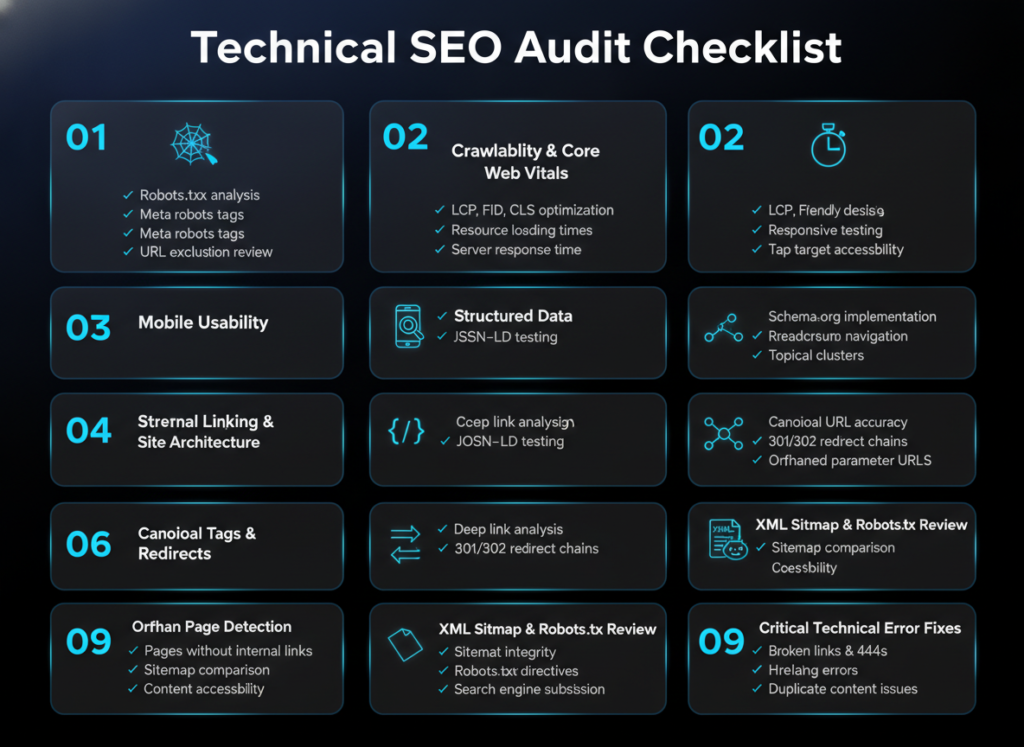
Google Search Console is a free tool from Google that provides direct data about how Googlebot sees your site. It shows crawl errors, index coverage, Core Web Vitals performance, mobile usability issues, and manual actions. Every website should have Search Console connected and reviewed weekly.
Google PageSpeed Insights analyzes individual page performance and generates Core Web Vitals scores for both mobile and desktop. It provides specific, prioritized recommendations for improving load speed and page experience. Use it to benchmark every key page on your site.
Screaming Frog SEO Spider is a desktop crawler that replicates how Googlebot processes your site. It identifies broken links, duplicate content, missing meta tags, redirect chains, orphan pages, and dozens of other technical issues in a single crawl. The free version handles up to 500 URLs. The paid license covers unlimited crawls.
Semrush Site Audit runs automated technical audits and scores your site’s health on a 100-point scale. It categorizes issues by severity (errors, warnings, notices) and tracks changes over time. Its crawl comparison feature shows whether technical issues improved or worsened between audits.
Ahrefs Site Audit offers similar functionality to Semrush with a strong focus on internal link health, JavaScript rendering issues, and page experience signals. Its link graph visualization helps identify structural weaknesses in your internal linking architecture.
Log file analysis tools, such as Screaming Frog Log File Analyser or Botify, process your server’s raw access logs to show exactly which URLs Googlebot visited, how often, and with what response codes. This provides the most accurate crawl data available, far more precise than what crawl tools simulate. Use log analysis when you suspect crawl budget waste or when Google Search Console data looks inconsistent.
Track the number of valid indexed pages in Google Search Console over time. A growing index with no new errors signals healthy crawl activity. Watch for sudden drops in indexed pages, which often indicate a misconfiguration.
Google Search Console’s Core Web Vitals report classifies your pages as Good, Needs Improvement, or Poor for each metric. The goal is to move all key pages into the Good category. Track improvements over 28-day windows, since field data (real user measurements) updates on a rolling basis.
Use tools like Semrush or Ahrefs to track keyword rankings and visibility scores over time. Organic visibility improvements that follow technical SEO fixes confirm a causal relationship between the work done and the ranking gains achieved.
Google Analytics 4 segments organic traffic by location. Monitor traffic from Lafayette, LA, specifically by creating geographic filters. Growing local organic traffic after technical fixes indicates that your improvements are working at the local level.
Connect your technical SEO work to business outcomes by tracking form submissions, phone call tracking, and e-commerce revenue in Google Analytics 4. As page experience improves and more local pages rank, track whether conversion rates on those pages improve as well.
Set up automated alerts in Google Search Console for new crawl errors, indexation drops, and manual action notifications. Review the Coverage report at least once per week. Resolve new errors within 48 hours to prevent compounding issues.
Core Web Vitals scores change as you add new content, plugins, or design elements. Monitor field data in Search Console monthly. Re-run PageSpeed Insights after any significant site changes: theme updates, new plugin activations, and content management system migrations all affect performance.
Schema markup breaks when page templates change or when new content types are added without corresponding markup. Run the Rich Results Test on new page types as they launch. Validate existing schema after theme or plugin updates.
Schedule monthly full-site crawls using Screaming Frog or Semrush Site Audit. Compare each crawl against the previous month to catch new issues early. A new 404 error on an internally linked page should be addressed within days, not months.
Google updates its core algorithm multiple times per year. AI search platforms like Google AI Overviews change how content surfaces in results. Stay current by following Google’s official Search Central blog and publications like Search Engine Journal and Moz. Technical changes that improve structured data validity and page experience tend to hold up well across algorithm updates.
Long-term visibility in Lafayette, LA requires consistent technical maintenance combined with ongoing content production and local citation management. Technical SEO creates a stable foundation. Without it, even strong content investments erode as competitors fix their own sites and outpace you on page experience signals.
Businesses that treat technical SEO as a recurring discipline rather than a one-time fix consistently outperform those that only act when problems become visible.
Technical SEO is not a one-time project. It is an ongoing discipline that determines whether your website can be found, understood, and ranked by search engines and AI systems. From crawlability to Core Web Vitals to structured data, every component works together to build a site that performs reliably in search results now and in the future.
For businesses in Lafayette, LA, the local search opportunity is significant. Many competitors neglect technical SEO entirely, which means fixing even a handful of issues can produce measurable gains in local rankings, organic traffic, and lead volume. The businesses that show up consistently in local search are not always the largest. They are often the ones with the cleanest technical foundations.
At Sites N Apps, we specialize in building and maintaining technically optimized websites for businesses that want sustainable search visibility and real business results. Whether you need a full SEO optimization strategy or a targeted technical SEO audit, we are here to help you identify what is holding your site back and fix it. Contact us today to request your Technical SEO Audit or schedule an SEO consultation with our team.
Technical SEO focuses on your website’s infrastructure, including crawlability, speed, security, and structured data. On-page SEO focuses on the content and relevance signals on individual pages, such as title tags, headings, and keyword usage. Both are necessary, but technical SEO must come first.
Simple fixes like resolving crawl errors or correcting noindex tags can produce results within days or weeks as Google recrawls affected pages. Larger improvements, like site speed optimization or architecture restructuring, typically show measurable ranking movement within 4 to 12 weeks.
Yes. Free tools like Google Search Console and Google PageSpeed Insights give you enough data to identify major issues. For a complete audit covering internal links, crawl behavior, structured data, and redirect chains, tools like Screaming Frog SEO Spider provide deeper analysis. Many businesses start with a self-audit and then hire an expert to implement fixes.
Absolutely. For local businesses in markets like Lafayette, LA, technical SEO directly affects whether your pages appear in local search results and the Google Map Pack. Mobile load speed, structured data, and crawlability all influence how Google ranks you against nearby competitors.
Fix indexation problems before anything else. If key pages are blocked from Google’s index, no amount of content or link building will help them rank. Use Google Search Console’s Coverage report to identify and resolve indexation issues immediately.
Run a full technical audit at a minimum once per quarter. Run a targeted crawl monthly to catch new errors quickly. After any major site change, such as a theme update, migration, or new section launch, run an immediate post-change audit to confirm nothing broke.




